
 To Next Page
E
ericsmithAug 7, 2025
What to do if there is a disconnected or loose cable connection on Samsung UE32M5002AK?
- SSandra HuntAug 7, 2025
Make sure that all cable connections on your Samsung LED TV are securely connected and not loose.

What to do if there is a disconnected or loose cable connection on Samsung UE32M5002AK?
Make sure that all cable connections on your Samsung LED TV are securely connected and not loose.
What to do if there is a power input issue to ASSY PCB MAIN on my Samsung LED TV?
If your Samsung LED TV isn't working, verify that the power input to the ASSY PCB MAIN is correctly connected.
How to check for burnt or damaged cable on Samsung UE32M5002AK?
Inspect the cables of your Samsung LED TV for any signs of burning or damage.
Safety, servicing, and ESD precautions to prevent damage and hazards.
Precautions to be taken during servicing of the unit.
Techniques to reduce component damage from static electricity.
Safety measures and guidelines for product installation.
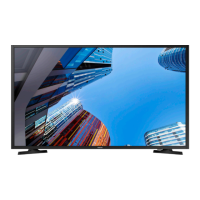
Details about the model's physical dimensions, color, and weight.
Detailed technical specifications of the LED TV, including display, video, audio, and connectivity.
Lists included accessories and their part codes.
Step-by-step procedures for disassembling and reassembling the LED TV.
Initial checks and basic troubleshooting steps for common issues.
Guides for diagnosing specific fault symptoms like no power or no video.
Procedures for accessing and adjusting factory settings for calibration.
Procedures and specifications for adjusting white balance and grayscale.
Instructions on how to check and upgrade the TV's software and firmware.
Visual representation of the TV's internal wiring connections.
Details on main board connectors, pin maps, and their functions.
Identification and specifications of essential cables used in the TV.
Diagrams showing the physical layout of TV components.
List of all parts with their codes, descriptions, and quantities.
Detailed list of electrical components and their specifications.
 General
| 3D | No |
|---|---|
| Annual energy consumption | 60 kWh |
| Screen shape | Flat |
| Display diagonal | 32 \ |
| Display technology | - |
| Supported video modes | 1080p |
| Display diagonal (metric) | 80 cm |
| Supported graphics resolutions | 1920 x 1080 (HD 1080) |
| Motion interpolation technology | PQI (Picture Quality Index) 200 |
| Dynamic contrast ratio marketing name | Mega Contrast |
| AC input voltage | 220 - 240 V |
| AC input frequency | 50 - 60 Hz |
| Power consumption (max) | 59 W |
| Power consumption (standby) | 0.5 W |
| Power consumption (typical) | 41 W |
| Picture processing technology | Samsung HyperReal Engine, Samsung Wide Color Enhancer Plus |
| Smart modes | Movie |
| Lifestyle apps | Samsung Smart View |
| Hybrid Broadcast Broadband TV (HbbTV) version | 1 |
| Audio decoders | DTS, Dolby Digital, Dolby Digital Plus |
| RMS rated power | 10 W |
| Number of speakers | 2 |
| Tuner type | Analog & digital |
| Digital signal format system | DVB-C, DVB-T2 |
| USB 2.0 ports quantity | USB 2.0 ports have a data transmission speed of 480 Mbps, and are backwards compatible with USB 1.1 ports. You can connect all kinds of peripheral devices to them. |
| Ethernet LAN (RJ-45) ports | 0 |
| Common interface Plus (CI+) version | 1.3 |
| Number of OSD languages | 27 |
| Cables included | LAN (RJ-45) |
| Remote control type | TM1240A |
| Package depth | 137 mm |
| Package width | 899 mm |
| Package height | 533 mm |
| Package weight | 6400 g |
| Product color | Black |
 Weight and Dimensions
| Depth (with stand) | 150.5 mm |
|---|---|
| Height (with stand) | 460.2 mm |
| Weight (with stand) | 4000 g |
| Depth (without stand) | 69 mm |
| Width (without stand) | 741 mm |
| Height (without stand) | 436.2 mm |
| Weight (without stand) | 3900 g |