
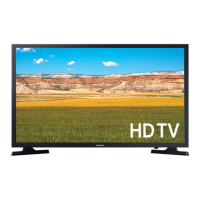
 Need help?
Do you have a question about the Samsung UE32T4300AKXXU and is the answer not in the manual?
 General
| Screen Size | 32 inches |
|---|---|
| Resolution | 1920 x 1080 pixels |
| Display Technology | LED |
| Smart TV | Yes |
| HDMI Ports | 2 |
| USB Ports | 1 |
| Wi-Fi | Yes |
| Audio Output | 20W |
| Operating System | Tizen |
| Refresh Rate | 60 Hz |
Explanation of symbols indicating electrical hazards and general warnings.
Guidance on ensuring proper airflow and safe positioning of the TV.
Covers risks like water exposure, overloading, cord safety, and servicing.
Details on battery disposal, usage near water, and handling power cords.
Advises on contacting service, grounding, cleaning, and battery safety.
Warnings about screen handling and potential service charges for incorrect use.
Instructions for assembling the TV stand using provided components.
Safety warnings and general procedures for wall mounting the TV.
Details VESA screw hole specs and screw types for mounting.
Guidelines for maintaining adequate space around the TV for ventilation.
Warnings and advice on preventing children from climbing or destabilizing the TV.
Recommendations for safe furniture use and routing cables to prevent tripping.
Step-by-step guide on using brackets and string to secure the TV to the wall.
Troubleshooting steps for problems like TV not turning on or no picture/sound.
Conditions, limitations, and exclusions applicable to the product warranty.

 To Next Page