EasyManua.ls Logo

Samsung UE40FH5007K - User Manual

Samsung UE40FH5007K
60 pages
Go to English
Print Icon
To Next Page IconTo Next Page
Loading...
E-MANUAL
© 2013 Samsung Electronics Co., Ltd. All rights reserved.
BN68-05624A-00
UE40FH5007K
Благодарим за приобретение продукта
компании Samsung. Для получения более
полного обслуживания зарегистрируйте свое
устройство по адресу:
www.samsung.com/register
Модель ___Серийный номер. ____________
LED-ТЕЛЕВИЗОР
руководство пользователя
Связывайтесь с SAMSUNG по всему миру
Если у вас есть предложения или вопросы по продукции Samsung, обращайтесь, пожалуйста, в информационный центр
компании Samsung.
Страна
Центр поддержки покупателей
Веб-узел
RUSSIA 8-800-555-55-55 www.samsung.com
GEORGIA 0-800-555-555 www.samsung.com
ARMENIA 0-800-05-555 www.samsung.com
AZERBAIJAN 088-55-55-555 www.samsung.com
KAZAKHSTAN 8-10-800-500-55-500 (GSM: 7799) www.samsung.com
UZBEKISTAN 8-10-800-500-55-500 www.samsung.com
KYRGYZSTAN 00-800-500-55-500 www.samsung.com
TADJIKISTAN 8-10-800-500-55-500 www.samsung.com
MONGOLIA +7-800-555-55-55 www.samsung.com
UKRAINE 0-800-502-000 www.samsung.com/ua (Ukrainian)
www.samsung.com/ua_ru (Russian)
BELARUS 810-800-500-55-500 www.samsung.com
MOLDOVA 0-800-614-40 www.samsung.com
[UF5007-RU]BN68-05624A-00L04.indb 1 2013-09-26  4:14:42
Question and Answer IconNeed help?

Do you have a question about the Samsung UE40FH5007K and is the answer not in the manual?

Overview

This document is a user manual for a Samsung LED TV, model UE40FH5007K, from the Series 5 line. It provides instructions and information in Russian, English, Ukrainian, and Kazakh.

Function Description

The Samsung LED TV, model UE40FH5007K, is designed for receiving and displaying television programs, as well as playing back information from external devices such as USB devices and various types of players. It supports digital television (DVB) functionalities, including DVB-T (MPEG2 and MPEG4 AVC) for terrestrial signals and DVB-C (MPEG2 and MPEG4 AAC) for cable services, where available. The TV is equipped with multiple input sources, including HDMI, DVI, AV, and Component, allowing connection to various external devices like DVD players, Blu-ray players, cable boxes, and satellite receivers. It also features a common interface (CI) slot for CI or CI+ cards to access paid channels. The TV can be connected to a network wirelessly via a Samsung Wireless LAN Adapter (sold separately) or through a wired LAN connection. An e-Manual is integrated into the TV, providing detailed instructions on its features and usage.
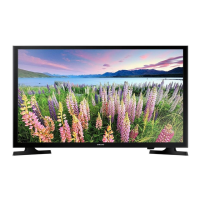

Important Technical Specifications

  • Model Name: UE40FH5007K
  • Series: 5
  • Display Resolution: 1920 x 1080 (Full HD)
  • Screen Size: 40 inches (diagonal)
  • Sound Output: 10 W x 2
  • Dimensions (WxDxH):
    • Body: 927.6 x 551.0 x 93.0 mm
    • With stand: 927.6 x 606.5 x 227.6 mm
  • Weight:
    • Without Stand: 9.0 kg
    • With Stand: 11.0 kg
  • Environmental Considerations:
    • Operating Temperature: 10°C to 40°C (50°F to 104°F)
    • Operating Humidity: 10% to 80%, non-condensing
    • Storage Temperature: -20°C to 45°C (-4°F to 113°F)
    • Storage Humidity: 5% to 95%, non-condensing
  • Supported Video Formats: The TV supports a wide range of video file extensions and codecs, including:
    • File Extensions: .avi, .mkv, .asf, .wmv, .mp4, .3gp, .vro, .mpg, .mpeg, .ts, .tp, .trp, .mov, .flv, .vob, .svi, .m2ts, .mts, .divx
    • Video Codecs: DivX 3.11/4.x/5.x/6.x, MPEG4 SP/ASP, H.264 BP/MP/HP, Motion JPEG, Window Media Video v9, MPEG2, MPEG1
    • Resolutions: Up to 1920 x 1080
    • Frame Rate: 6-30 fps
    • Bit Rate: Up to 30 Mbps
    • Audio Codecs: AC3, LPCM, ADPCM (IMA, MS), AAC, HE-AAC, WMA, DD+, MPEG (MP3), DTS Core, G.711(A-Law, μ-Law)
  • Full Available Resolution (PC Input): 1920 X 1080 @ 60 Hz, with various supported horizontal and vertical frequencies, pixel clock frequencies, and sync polarities for different display modes (IBM, MAC, VESA DMT).
  • Connectivity: HDMI IN (2 ports, one with DVI support), DIGITAL AUDIO OUT (OPTICAL), COMPONENT/AV IN (shared port), ANT IN, EXT (RGB for SCART), USB (for Samsung Wireless LAN Adapter and other USB devices), LAN.
  • Special Remote Control: Features Braille points on Power, Channel, and Volume buttons for visually impaired persons.

Usage Features

  1. Initial Setup: Upon first power-on, the TV guides the user through basic settings, including menu language, use mode (Store Demo or Home Use), country selection, auto-tuning for channels, clock settings (Auto or Manual), and time zone.
  2. TV Controller (Panel Key): A multi-directional button on the TV allows navigation without the remote control. It can be used to power on/off, adjust volume, change channels, access the function menu, select input sources, and navigate the Contents Home screen. Some PIN-code protected functions may not be accessible via the TV controller.
  3. Remote Control: The provided remote control features dedicated buttons for power, source selection, teletext, mute, volume, channel up/down, channel list, EPG (Electronic Programme Guide), info, menu, return, exit, e-Manual, picture size (P.SIZE), and audio description/digital subtitles (AD/SUBT).
  4. Input Source Selection: Users can select TV or other external input sources (DVD/Blu-ray players, cable boxes, satellite receivers) via the Source list. The "Edit Name" function allows custom naming of external input sources, and specific modes (PC, DVI PC, DVI Devices) can be set for HDMI1/DVI input depending on the connected device.
  5. Network Connection:
    • Wireless: Requires a Samsung Wireless LAN Adapter (WIS12ABGNX, WIS09ABGNX, sold separately) connected to a USB port. Supports IEEE 802.11a/b/g and n protocols.
    • Wired: Connects via an Ethernet cable (Cat 5 STP recommended) to an external modem or directly to a LAN port. Network speed must be above 10Mbps.
  6. e-Manual: An integrated electronic manual provides detailed instructions on TV features. It can be accessed via the E-MANUAL button on the remote or through the menu (MENU → Support → e-Manual). The e-Manual allows searching by keyword, navigating categories and topics, and directly accessing corresponding on-screen display (OSD) menus via the "Try now" function.
  7. Wall Mount Installation: The TV can be mounted on a wall using a VESA-compliant wall mount kit (sold separately). Detailed instructions and safety precautions are provided to ensure stable installation and prevent accidental falls.

Maintenance Features

  1. Cleaning: The exterior and screen should be cleaned carefully with a soft cloth to prevent scratches. For the screen, use a soft cloth dampened with a small amount of water. Avoid spraying water directly onto the product or using flammable liquids (e.g., benzene, thinners) or cleaning agents, as this may cause damage, fire, or electric shock.
  2. Firmware Updates: The TV's firmware can be updated via USB from the Samsung website (www.samsung.com → Support → Downloads) to ensure optimal performance.
  3. Still Image Warning: To prevent image retention (ghosting) and screen burnout on the LED panel, users are advised to avoid displaying still images or static elements (like logos, 4:3 format, news tickers) for long periods. Recommendations include watching different channels, using full-screen display, and minimizing brightness and contrast settings. The TV also includes features designed to reduce image retention, which are detailed in the user manual.
  4. Standby Mode: For extended periods of absence, it is recommended to unplug the power cord, as the TV consumes a small amount of power even when turned off in standby mode.
  5. Troubleshooting: The manual provides a troubleshooting guide for common issues like the TV not turning on, no picture/video, or remote control malfunction. It advises checking cable connections, power supply, input sources, and remote control batteries. For more complex issues, users are directed to the Samsung website or customer service center.
  6. PIN Code Reset: If the PIN code is forgotten, it can be reset to "0-0-0-0" by pressing a specific sequence of buttons on the remote control in standby mode (MUTE → 8 → 2 → 4 → POWER (on)).

Samsung UE40FH5007K Specifications

General IconGeneral
BrandSamsung
ModelUE40FH5007K
CategoryLCD TV
LanguageEnglish

Related product manuals