
 Need help?
Do you have a question about the Samsung UE46ES6100 and is the answer not in the manual?
Connect TV to aerial, satellite, AV devices, audio devices, and PCs via various cables.
Navigate menus, manage channels, set favorites, tune channels, and configure satellite settings.
Adjust guide type, genre selection, transfer channel lists, and fine-tune reception.
Change preset picture modes and adjust settings like Backlight, Contrast, Brightness, Sharpness, Colour.
Connect and configure the TV as a computer display using video settings and resolution.
Apply preset sound modes and adjust Sound Effect, Equaliser, and Broadcast Audio Options.
Set up wired or wireless network connections for internet services and software upgrades.
Access internet services, download apps, search content, and manage accounts.
Share photos, messages, and events with family, create albums, and manage groups.
Track and manage fitness programs, create user profiles, and download VOD exercise videos.
Surf the Internet on TV, configure browser settings, manage approved sites, and use privacy mode.
Play media from USB/PC/DLNA, manage playlists, send files, and share content.
Record broadcasting programs, pause/rewind live broadcasts using USB HDD.
View 3D content using Samsung 3D Active Glasses, adjust 3D mode and perspective.
Log in/out of Samsung Account, manage wallpaper, and organize applications into folders.
Download applications from Samsung Apps store, search, filter, and sort apps by category.
Get video recommendations, search movies, and stream or purchase content from vendors.
Access kids' content, set management tools for viewing and watch time.
Communicate with people worldwide easily and affordably with the Samsung TV Camera.
Diagnose and resolve issues related to picture distortion, color, brightness, and black/white display.
Troubleshoot sound issues like no sound, low volume, or inappropriate noise.
Resolve issues with TV not turning on, turning off automatically, or no picture/video.
Troubleshoot wireless network connection failures, IP auto-setting issues, and connectivity problems.
Resolve USB device recognition issues, performance test failures, and recording errors.
Troubleshoot Anynet+ issues like device not working, not displayed, or sound output problems.
Address issues with media playback, such as high bit rates or unsupported formats.
Resolve application language differences and services not working due to network or provider issues.
Address compatibility issues, download errors, blocked access, restricted playback, and font problems.
Lists supported subtitle, image, music, video codecs, and file systems for media playback.
 General
| Display diagonal | 46 \ |
|---|---|
| LED backlighting type | - |
| Supported video modes | 1080p |
| Screen format adjustments | 16:9 |
| Supported graphics resolutions | 1920 x 1080 (HD 1080) |
| 3D | Yes |
| 3D glasses quantity | 2 |
| Annual energy consumption | 101 kWh |
| Power consumption (average) | 101 W |
| Tuner type | Analog & digital |
| Digital signal format system | DVB-C, DVB-S2, DVB-T |
| RMS rated power | 20 W |
| PC in (D-Sub) | No |
| HDMI ports quantity | 3 |
| DVI-D ports quantity | 0 |
| USB 2.0 ports quantity | USB 2.0 ports have a data transmission speed of 480 Mbps, and are backwards compatible with USB 1.1 ports. You can connect all kinds of peripheral devices to them. |
| Component video (YPbPr/YCbCr) in | 1 |
| Consumer Electronics Control (CEC) | Anynet+ |
| Smart modes | Game |
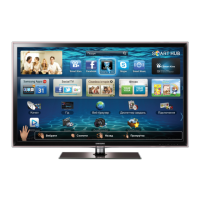
| Lifestyle apps | Skype |
| Number of OSD languages | 29 |
| Picture processing technology | Samsung Wide Color Enhancer |
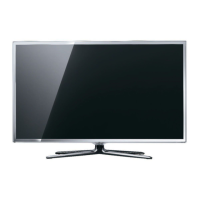
| Product color | Silver |
| AC input voltage | 220 - 240 V |
| AC input frequency | 50 - 60 Hz |
| Power consumption (standby) | 0.3 W |
| Power consumption (typical) | 69 W |
| Power consumption (PowerSave) | 39 W |
| Package depth | 145 mm |
| Package width | 1330 mm |
| Package height | 739 mm |
| Package weight | 18200 g |
| Cables included | AC |
 Weight and Dimensions
| Depth (with stand) | 276.6 mm |
|---|---|
| Height (with stand) | 700.8 mm |
| Weight (with stand) | 14700 g |
| Depth (without stand) | 46.9 mm |
| Width (without stand) | 1062.2 mm |
| Height (without stand) | 629.8 mm |
| Weight (without stand) | 12900 g |



 To Next Page