EasyManua.ls Logo

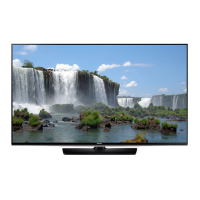
Samsung UE50J6150 - User Manual

Samsung UE50J6150
100 pages
Print Icon
To Next Page IconTo Next Page
Loading...
LED TV
user manual
Thank you for purchasing this Samsung product.
To receive more complete service, please register
your product at
www.samsung.com/register
Model ___________ Serial No. ____________
[UJ6100-ZG]BN68-07594B-00L04.indb 1 2015-06-11 오후 5:41:04

Table of Contents

Questions and Answers

  • T
    Tiffany NicholsSep 8, 2025
    What does it mean if I see small particles when I look closely at the edge of the frame of my Samsung UE50J6150?
    • J
      John GlennSep 8, 2025
      Seeing small particles when you look closely at the edge of the frame of your Samsung TV is part of the product’s design and is not a defect.
  • N
    nortonstevenAug 23, 2025
    How to fix Samsung UE50J6150 remote control that is not working?
    • A
      aallenAug 23, 2025
      If your Samsung TV remote control isn't working, replace the batteries, ensuring the poles (+/–) are in the right direction. Clean the sensor's transmission window on the remote. Try pointing the remote directly at the TV from 1.5~1.8 m away.
  • M
    Mr. Charles Tucker MDAug 25, 2025
    How to fix a Samsung TV that is not receiving all channels?
    • W
      William PeckAug 25, 2025
      If your Samsung TV is not receiving all channels, ensure the Aerial cable is connected securely. Try Setup (Initial setup) to add available channels to the channel list. Verify the Aerial is positioned correctly.
  • J
    Julie BrownAug 27, 2025
    What to do if my Samsung UE50J6150 TV picture is good but there is no sound?
    • M
      Mathew KelleyAug 27, 2025
      If the picture on your Samsung TV is good but there is no sound, set the Speaker Select option to TV Speaker in the sound menu. If using an external device, ensure the audio cables are connected to the correct audio input jacks on the TV. Check the device’s audio output option. If using a DVI to HDMI cable, a separate audio cable is required. Reboot the connected device by reconnecting the device’s power cable.
  • K
    kristopherjensenAug 27, 2025
    What causes a distorted picture on a Samsung UE50J6150 TV (macroblock error, small block, dots, pixelization)?
    • R
      Randy MorganAug 27, 2025
      Picture distortion, such as macroblock errors, small blocks, dots, or pixelization, on your Samsung TV can be caused by the compression of video contents, especially in fast-moving pictures like sports and action movies. Low signal level or bad quality can also cause picture distortion. Additionally, mobile phones used close to the TV (up to 1m) may cause noise in the picture on analogue and digital TV.
  • M
    Margaret WashingtonSep 22, 2025
    The cable/set top box remote control doesn’t turn the Samsung TV on or off, or adjust the volume: what to do?
    • D
      David DoyleSep 22, 2025
      Programme the Cable/Set top box remote control to operate the TV. Refer to the Cable/Set top box user manual for the SAMSUNG TV code.
  • S
    Stephanie AyalaSep 16, 2025
    What does it mean if the TV Signal Information is unavailable in the Self Diagnosis Test menu of my Samsung UE50J6150 TV?
    • C
      Cheryl AcostaSep 16, 2025
      This function is only available with digital channels from an Aerial / RF / Coax connection on your Samsung TV.
  • J
    Joseph TravisSep 18, 2025
    What to do if I have difficulties assembling the stand base of my Samsung UE50J6150?
    • S
      Sandra UnderwoodSep 18, 2025
      If you are having difficulties assembling the stand base of your Samsung TV, make sure the TV is placed on a flat surface. If you cannot remove the screws from the TV, please use a magnetized screwdriver.
  • S
    Sara RobertsSep 7, 2025
    What does it mean if a “Mode Not Supported” message appears on my Samsung UE50J6150 TV?
    • G
      grimesbillySep 7, 2025
      If a “Mode Not Supported” message appears on your Samsung TV, check the supported resolution of the TV and adjust the external device’s output resolution accordingly.
  • R
    Regina GregorySep 4, 2025
    How to improve poor color or brightness on Samsung UE50J6150 TV?
    • A
      Aaron BellSep 4, 2025
      To improve poor color or brightness on your Samsung TV, adjust the Picture options in the TV menu, specifically Picture Mode, Colour, Brightness and Sharpness. Also, adjust the Energy Saving option in the TV menu. You can also try resetting the picture to the default settings.

Samsung UE50J6150 Specifications

General IconGeneral
BrandSamsung
ModelUE50J6150
CategoryTV
LanguageEnglish

Related product manuals