
 Need help?
Do you have a question about the Samsung UE55HU7200 and is the answer not in the manual?
Essential guidelines for safe product operation and handling.
Alerts and instructions regarding electrical hazards and shock prevention.
Explains features like web browsing, apps, games, and multimedia playback.
Details on controlling connected devices and accessing the on-screen manual.
Information on using voice commands for TV operation.
Lists all items provided with the TV package.
Advice on unpacking and handling the TV screen safely.
Step-by-step guide for connecting the TV to its base stand.
Instructions and considerations for securely mounting the TV on a wall.
Guidelines for maintaining adequate airflow around the TV for optimal performance.
Procedures to prevent the TV from falling when wall-mounted.
Instructions on organizing TV cables using the provided holder.
Guide to connecting various external audio and video sources to the TV.
Steps for connecting the TV to a wired or wireless network.
Information on enhancing TV capabilities with an UHD Evolution Kit.
Instructions for using a CI card for digital TV reception.
Details on inserting batteries and basic operation of remotes.
Steps to power on the TV for the first time.
Guided setup for language, channels, and network settings.
How to configure personalized TV program suggestions.
Procedures for changing or resetting the TV's PIN code.
How to choose and switch between different connected devices.
Features like renaming devices, viewing info, and Anynet+ control.
Steps to connect the Smart Control to the TV via Bluetooth.
Guides on motion control, touchpad navigation, and menu access.
How to connect the IR extender for controlling external devices.
Step-by-step process to set up the TV remote for other devices.
Methods to view the detailed on-screen user manual.
How to navigate, search, and update the e-Manual content.
Solutions for common TV operational issues like no picture or power.
Explains the eco sensor's function and screen brightness adjustments.
How to use Samsung's remote assistance for troubleshooting.
Guidelines for cleaning, storing, and maintaining the TV.
Detailed technical data including resolution, dimensions, and weight.
Information on product licenses, image retention warnings, and EU compliance.
Instructions for environmentally correct disposal of the TV and batteries.
Details on product warranty coverage and conditions.
Guidance on wiring the power plug, especially for UK users.
 General
| Screen Size | 55 inches |
|---|---|
| Resolution | 3840 x 2160 (4K UHD) |
| Display Technology | LED |
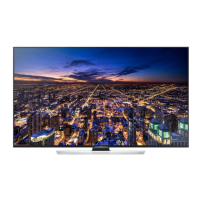
| Screen Shape | Flat |
| Smart TV | Yes |
| Operating System | Tizen |
| Refresh Rate | 120 Hz |
| HDMI Ports | 4 |
| USB Ports | 3 |
| Wi-Fi | Yes |
| Bluetooth | Yes |
| HDR | Yes (HDR10, HLG) |
| Weight | 18.5 kg (without stand) |


 To Next Page
