EasyManua.ls Logo

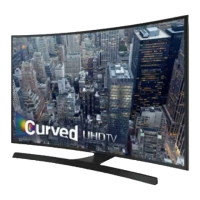
Samsung UN40JU6500FXZA - User Manual

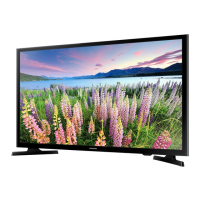
Samsung UN40JU6500FXZA
41 pages
Print Icon
To Next Page IconTo Next Page
Loading...
If you have any questions, please call us at 1-800-SAMSUNG (1-800-726-7864) for assistance.
Thank you for purchasing this Samsung product.
To receive more complete service, please register
your product at
www.samsung.com/register
Model _____________Serial No. _____________
user manual
[JU6500-ZC]BN68-06965F-00L02.indb 1 2015-06-22 오후 2:07:47
Questo manuale d’istruzione è fornito da trovaprezzi.it. Scopri tutte le offerte per Samsung JU6500 40"
(UN40JU6500FXZA) o cerca il tuo prodotto tra le migliori offerte di Televisori

Questions and Answers

  • R
    Ricardo CoxSep 1, 2025
    Why is the sound too low or not working on my Samsung Plasma TV?
    • T
      Todd BartonSep 1, 2025
      If the sound on your Samsung Plasma TV is too low or not working, first check the volume of any units connected to your TV, such as a digital broadcasting receiver, DVD player, cable broadcasting receiver, or VCR. Then, adjust the TV volume accordingly.
  • S
    Stacie ClarkAug 25, 2025
    What to do if Samsung Dishwasher dishes and flatware not clean?
    • A
      Alicia MatthewsAug 25, 2025
      If your Samsung Dishwasher isn't cleaning dishes and flatware properly, it could be due to selecting an improper wash program, try using a more intensive wash program. It may also be caused by improper rack loading, make sure that large dishware does not block the detergent dispenser and spray arms.
  • D
    David NormanSep 23, 2025
    What does 'This file may not be playable properly' mean on Samsung LED TV?
    • M
      Marc BurkeSep 23, 2025
      If your Samsung LED TV displays the message “This file may not be playable properly,” it may be due to the high bit rate of the content. The content will generally play but could experience some playability issues.
  • R
    Roger GonzalezSep 7, 2025
    What to do if Samsung Dishwasher has suds in the tub?
    • J
      Jill BryanSep 7, 2025
      If you see suds in your Samsung Dishwasher, it's likely due to using improper detergent; use only special dishwasher detergent. If suds occur, open the dishwasher and let them evaporate, then add 1 gallon of cold water. Close and latch the dishwasher, and start the “soak” wash cycle to drain the water. Repeat if needed. Another cause could be spilled rinse agent; always wipe up spills immediately.
  • A
    Anthony CarterSep 12, 2025
    What to do if my Samsung LED TV image doesn't look as good as in the store?
    • M
      Marvin YoungSep 13, 2025
      If your Samsung LED TV image doesn't look as good as it did in the store, and you have an analog cable/satellite box, consider upgrading to a digital set top box.
  • B
    Brandy FloydSep 4, 2025
    What is the reason for a strange sound from my Samsung Plasma TV?
    • D
      David CookSep 4, 2025
      This sound is caused by minor systems operation and is not a defect.
  • J
    Jo SmithAug 30, 2025
    Why Samsung Dishwasher drain pump doesn’t stop?
    • M
      Monica WalshAug 30, 2025
      The drain pump in your Samsung Dishwasher might not stop because the system has detected an overflow. This is a designed safety feature that shuts off the circulation pump and activates the drain pump.
  • M
    marmstrongSep 15, 2025
    How to fix intermittent loss of audio or video on Samsung UN40JU6500FXZA LED TV?
    • K
      Krista BrooksSep 15, 2025
      If you experience intermittent loss of audio or video on your Samsung LED TV, check the cable connections and reconnect them.
  • A
    Alexander HoganSep 9, 2025
    How to resolve digital broadcasting screen problems on Samsung LCD TV?
    • T
      Tammy BautistaSep 9, 2025
      To resolve digital broadcasting screen problems on your Samsung LCD TV, please check the digital signal strength and input antenna.
  • P
    Pamela MurphyAug 27, 2025
    What to do if my Samsung LED TV turns off automatically?
    • C
      Crystal CaldwellAug 27, 2025
      If your Samsung LED TV turns off automatically, make sure the Sleep Timer is set to Off in the Time menu.

Samsung UN40JU6500FXZA Specifications

General IconGeneral
Screen Size40 inches
Resolution3840 x 2160 (4K UHD)
Display TypeLED
HDR SupportYes
HDMI Ports4
USB Ports3
Wi-FiYes
EthernetYes
Smart TVYes
Refresh Rate120Hz
Speaker Output20W
ConnectivityHDMI, USB, Ethernet, Wi-Fi, Component, Composite

Related product manuals