
 Need help?
Do you have a question about the Samsung UN40K6250AF and is the answer not in the manual?
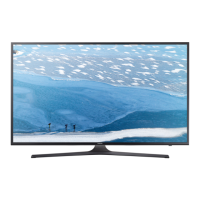
This document is a service manual for Samsung FHD TVs, specifically models UN40K6250AF, UN49K6250AF, and UN55K6250AF, all sharing the UWK60 chassis. It provides comprehensive information for servicing, maintenance, and troubleshooting these television sets.
The Samsung FHD TV is a flat-panel display device designed for home entertainment. It features a full high-definition (FHD) display with a resolution of 1920 x 1080 pixels, offering a clear and detailed picture. The TV incorporates Samsung's Smart TV platform, providing access to various applications, cloud games, and web browsing capabilities. It also supports convergence features, allowing mobile-to-TV mirroring (DLNA) and Samsung Smart View. Audio is delivered through a 20W 2CH (Down Firing + Bass Reflex) speaker system, with support for Dolby Digital Plus and DTS Codec. Connectivity options include multiple HDMI and USB ports, component and composite inputs, and Ethernet (LAN). Wireless connectivity is provided via built-in Wi-Fi and Bluetooth Low Energy.
The Samsung FHD TV offers a user-friendly experience with its Smart Hub interface, providing quick access to various content and applications. The Samsung Smart Remote simplifies navigation with a directional pad, number pad, and dedicated buttons for Smart Hub and playback controls. Voice recognition is available for smart interaction. The TV supports various picture enhancement features like Wide Color Enhancer (Plus), Auto Depth Enhancer, and Auto Motion Plus. For audio, it includes Dolby Digital Plus and DTS Codec, along with Wallmount Sound Mode and TV SoundConnect. The TV also features Instant On, Auto Channel Search, Auto Power Off, and Game Mode.
The service manual emphasizes safety precautions during servicing, including warnings about electrical shock and fire hazards. It provides detailed instructions for disassembly and reassembly of the TV components, such as removing the stand, rear cover, cables, main board, and SMPS board. Special tools like an "Open Jig Tool" and "Protective Cushion" are specified for disassembly. Troubleshooting guides are provided for common issues related to power, main board, video, audio, network, Smart Hub, and Bluetooth/WiFi module. The manual also details how to access and adjust factory mode settings, perform white balance calibration, and update the TV's software via USB or internet. It includes exploded views and parts lists for different models, aiding in component identification and replacement. Specific instructions are given for checking fault symptoms, such as verifying LED indicators, voltage levels on various boards (SMPS, Main Board), and signal integrity for video and audio. The manual highlights the importance of using a leakage current tester for safety checks after servicing.


 To Next Page
 General