
 Need help?
Do you have a question about the Samsung UN58TU700D and is the answer not in the manual?
Warnings about opening the unit, high voltage, and servicing by qualified personnel only.
Guidelines on voltage compatibility, avoiding metallic objects, and proper plug/cord handling.
Includes fire prevention, battery replacement, and warm surface cautions.
Securing wireless access points, passwords, and firewalls for network protection.
Using strong passwords and avoiding suspicious online activities.
Instructions for safely mounting the TV on a wall to prevent falls.
Precautions for installation, screw usage, tilt limits, and two-person mounting.
Advice on furniture, placement, and child safety to prevent TV from falling.
Step-by-step guide on attaching brackets and using string for wall mounting stability.
Steps to configure basic TV settings upon initial power-on.
Solutions for the TV not turning on or issues with picture/sound.
Detailed specs including resolution, screen size, sound, dimensions, and weight for various models.
Provides specifications for larger screen sizes like 65", 70", and 75" models.
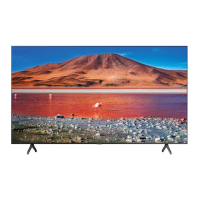
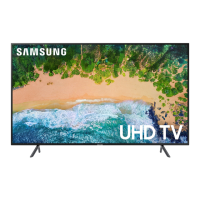
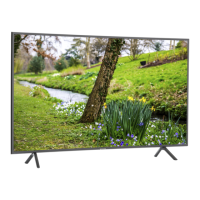
This document is a user manual for a Samsung Crystal UHD 7 Series television. It provides comprehensive information on the TV's functions, setup, maintenance, and safety guidelines.
The primary function of this device is to display high-resolution video content, offering a "Crystal UHD" viewing experience. It is part of Samsung's "7 SERIES" line of televisions.
The TV comes with both a physical user manual and an embedded e-Manual. The physical manual covers product safety, installation, accessories, initial configuration, and product specifications. For more detailed information, the e-Manual can be accessed directly from the TV's settings menu under "Support." The e-Manual includes assistance functions such as Search, Index (A-Z), Sitemap, and Recently Viewed Topics, making it easy to find specific information. It also features "Try Now" buttons to directly access corresponding menu items and "Link" buttons to navigate to underlined topics.
Initial setup is guided, starting automatically when the TV is first turned on. Users can configure basic settings to suit their viewing environment. The SmartThings app can be used for setup, requiring a Wi-Fi connection. If the pop-up for setup doesn't appear automatically, the TV can be manually added via the "Add Device" option in the SmartThings app dashboard. The SmartThings app is compatible with mobile devices running Android 6.0 or higher or iOS 10 or higher.
The TV can be controlled using the included remote control or the TV Controller button located at the bottom of the TV. The remote control features Braille points on the Power, Channel, Volume, and Select buttons for visually impaired users. It allows direct access to channels, adjusts volume, changes channels, launches the Channel List, and provides quick access to streaming apps like Netflix, Prime Video, and Samsung TV Plus. The remote also has navigation buttons for the TV menu, Home menu, and for changing values in the TV's menu. Dedicated buttons for Settings, Info, CC/VD (Accessibility Shortcuts), and media playback controls are also present.
The TV supports wall mounting, with specific instructions and VESA screw hole specifications provided to ensure safe installation. It is crucial to follow these instructions to prevent injury or damage. Proper ventilation is emphasized, requiring at least 4 inches (10 cm) clearance from other objects to prevent overheating. Safety precautions against the TV falling are detailed, including recommendations to use cabinets or stands that can safely support the TV, anchoring furniture, and educating children about the dangers of climbing. An anti-tip device can also be purchased and installed for added stability.
The manual provides troubleshooting tips for common issues such as the TV not turning on, no picture/sound, or remote control malfunction. Users are advised to check power connections, perform a TV self-diagnosis, and ensure correct cable connections. For remote control issues, checking battery polarity and proximity to the TV is recommended. If the TV settings are lost after 5 minutes, it indicates the TV is in "Retail Mode," which can be changed to "Home Mode" in the System Manager Menu.
For intermittent Wi-Fi problems, users should verify network connection status, Wi-Fi password, and the distance between the TV and the access point. Reducing interference from other wireless devices and ensuring no obstacles are blocking the signal are also suggested. For video app problems (e.g., YouTube), changing the DNS to 8.8.8.8 or resetting the Smart Hub are potential solutions.
Samsung offers a "Remote Support" service where a Samsung Technician can remotely diagnose, adjust settings, perform a factory reset, and install firmware updates on the TV. This service can be accessed by calling the Samsung service center and providing a PIN number generated through the TV's Support menu.
The TV features an "Eco Sensor" that automatically adjusts screen brightness based on ambient light to optimize power consumption. This feature can be turned off in the "Eco Solution" settings. Users are advised not to block the eco sensor, as it can decrease picture brightness.
For cleaning, the manual recommends using a soft, dry cloth to wipe the exterior and screen to prevent scratches. It explicitly warns against spraying water or any liquid directly onto the TV and against using chemicals like wax, benzene, alcohol, thinners, or detergents, as these can damage the TV's appearance or printing. For stubborn smudges, a micro-fiber cloth dampened with a small amount of water or screen cleaner can be used, followed by a dry cloth. It is important not to apply strong force to the panel during cleaning.
To decrease power consumption when the TV is off, it enters Standby mode, drawing a small amount of power. For extended periods of non-use, unplugging the power cord is recommended.
 General
| Screen Size | 58 inches |
|---|---|
| Display Technology | LED |
| Smart TV | Yes |
| Refresh Rate | 60 Hz |
| HDMI Ports | 3 |
| USB Ports | 1 |
| Wi-Fi | Yes |
| Bluetooth | Yes |
| Audio Output | 20W |
| Processor | Crystal Processor 4K |
| Operating System | Tizen |
| Resolution | 3840 x 2160 |
| HDR Support | HDR |



 To Next Page