7
INSTALLATION
Installing the clean station
Installation guide
1
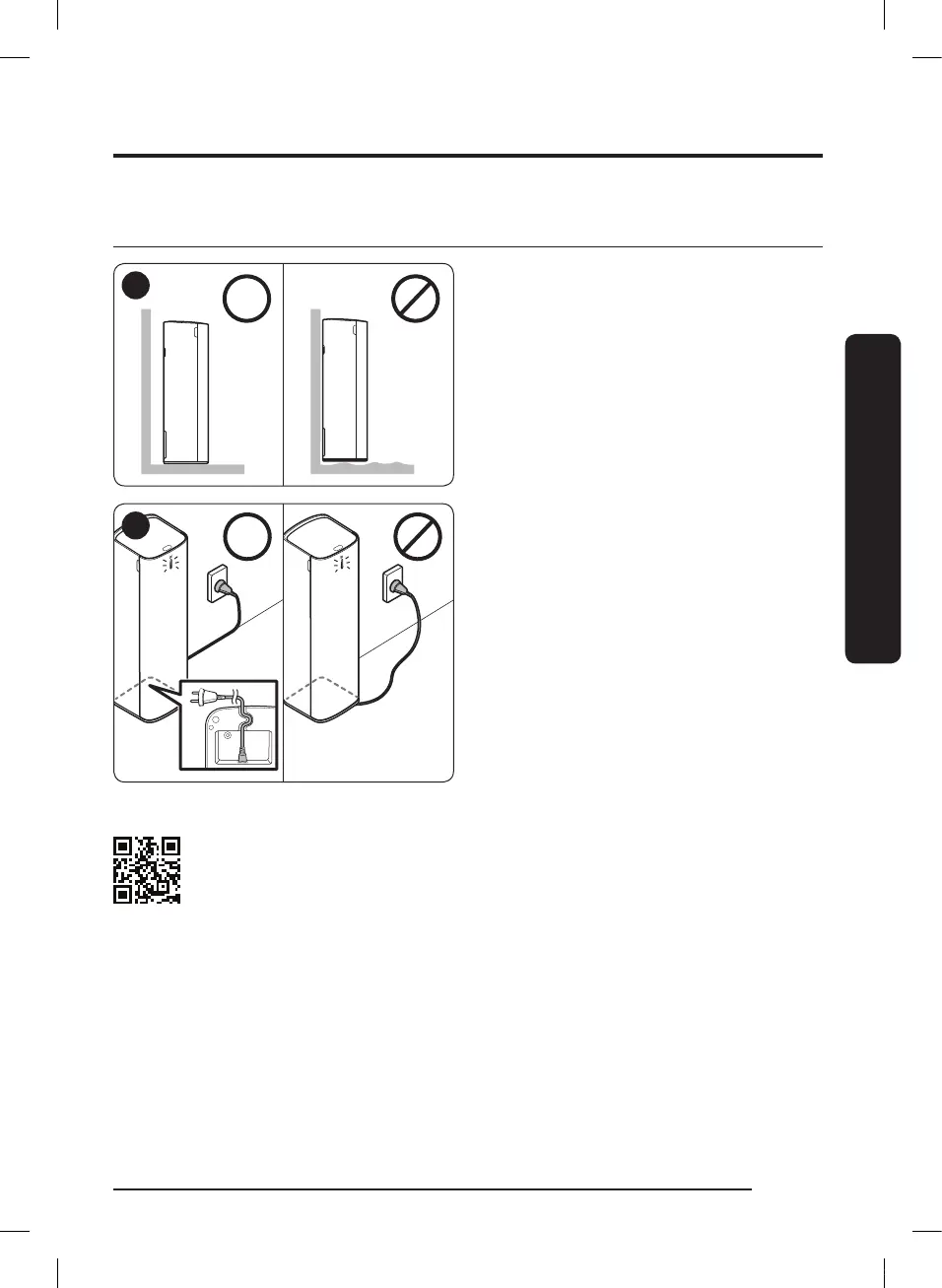
As the outlet is at the rear of the product,
do not put the product close against a wall,
allow 10 cm space between the wall and the
product, and place the product on a stable
oor.
2
Put the power cord into the groove at the
bottom of the clean station, arrange the cord
neatly along the wall and plug the product in.
• When the cord is placed on the oor
carelessly, the power cord may be damaged
or a person can trip over the cord.
• When the clean station is plugged in, the
product status indicator turns to 'blue' and
then goes off.
Please refer to the QR code for detailed information on the use of product and
cleaning methods.
INSTALLATION
VCA-SAE90_EN_00832D-00_SA.indd 7 2020-02-18 오후 8:18:06



 To Next Page
 Loading...