To Next Page

A
alexander42Jul 30, 2025
Why Samsung Digital Camera is not working after long time of disuse?
- JJustin ShieldsJul 31, 2025
If the Samsung Digital Camera has not been used for a long time, the battery may be depleted. Try changing the battery.

Why Samsung Digital Camera is not working after long time of disuse?
If the Samsung Digital Camera has not been used for a long time, the battery may be depleted. Try changing the battery.
What to do if Samsung Digital Camera lens or sensors are obstructed?
Ensure that the lens or exposure sensor of your Samsung Digital Camera is not blocked by fingers or hair. Be careful not to obstruct these components.
What to do if Samsung Digital Camera battery is not loaded correctly?
If the battery in your Samsung Digital Camera is not loaded correctly, reinsert it properly.
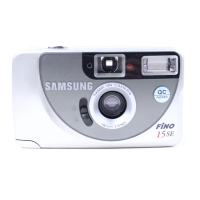
Why are my Samsung VEGA 140S Film Camera pictures partially dark or out of focus?
If the pictures taken with your Samsung Film Camera are partially dark or out of focus, ensure that your fingers or hair are not obstructing the lens or the exposure sensor. Also, you may need to release the panorama mode.
What to do if the shutter does not operate on Samsung Film Camera?
If the shutter on your Samsung Film Camera isn't working after you press the shutter button, try pressing the Power button again, reinserting the battery correctly, or changing the battery.
Explains various symbols and indicators on the LCD screen for camera functions.
Describes macro, picture area, and autofocus frames within the viewfinder.
Explains the green LED for autofocus status and conditions.
Explains the red LED for flash charging status and low light conditions.
 General
| Brand | Samsung |
|---|---|
| Model | VEGA 140S |
| Category | Film Camera |
| Language | English |