EasyManua.ls Logo

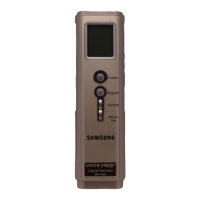
Samsung Voice yePP BR-1640 - User Manual

Samsung Voice yePP BR-1640
36 pages
Print Icon
To Next Page IconTo Next Page
Loading...
Voice yepp
BR-1320
BR-1640
• Pictures shown in this manual are for illustrative purposes
only and may be different from actual product.
ENGLISH
Question and Answer IconNeed help?

Do you have a question about the Samsung Voice yePP BR-1640 and is the answer not in the manual?

Summary

Using Voice Yepp

Turning the Power On;Off

Instructions for turning the device on and off, including auto-off.

Making a Recording

Playing Back Recordings

Playback Speed Control Function

Deleting Recordings

To Delete a Single Recording

Steps to delete a specific recorded file.

To Delete All Recordings in a Folder

Steps to delete all recordings within a selected folder.

Deleting All Recordings

Deleting Recording During Playback

Connecting an External Microphone

Microphone Mode Select Function

Recording Mode Select Function

Repeat Playback Function

Connecting to a PC

System Requirements

Installing the Voice Yepp Software

Completing Voice Yepp Software Installation

Installing USB Driver

Completing USB Driver Installation

Using Voice Yepp Manager

Using Voice Yepp Manager - File Conversion

Voice File Download;Upload

Using Voice Yepp Player - Voice Recording

Voice File Playback

Using Voice Yepp Player - Voice File Edit

Using Voice Yepp Player - Voice File Save

Using Voice Yepp Player - Sending Voice via Email

Cautions

Operating Precautions

Warnings about handling the device, exposure to conditions, and magnetic fields.

Safety Precautions

Instructions on not servicing the device yourself and avoiding use in restricted areas.

Notes on Batteries

Guidelines for battery usage, removal, and handling.

Cautions - Continued

Troubleshooting

LCD Issues

Checks and solutions for when the LCD display is not working.

Recording Problems

Checks and solutions for when sound recording fails.

Playback Problems

Checks and solutions for when playback is not functioning.

Audio Output Issues

Checks and solutions for speaker and earphone problems.

Troubleshooting - Continued

Error Messages and Button Issues

Solutions for error messages and non-responsive buttons.

Device Reset Function

Instructions to reset the device to factory defaults, erasing all data.

Specifications

Samsung Voice yePP BR-1640 Specifications

General IconGeneral
BrandSamsung
ModelVoice yePP BR-1640
CategoryVoice Recorder
LanguageEnglish

Related product manuals