IMPORTANT NOTE TO INSTALLER
Please read the following instructions carefully before installing your Washer.
These instructions should be retained for future reference.
We recommend you hire a professional for installation of this washer.
Installation flow chart
Selectinga _ Removingtheshipping Connectingthe water
location bolts(*Drumonly)and the drain
Please
check again
before
steps.
[
Yes
Adjusting the _ POweringyour washing
eve ng feet machine
Does
your washer
haveexcess Vibration
or noise?
Running a Calibration mode Einish the
(Referto the following
No description) installation
STEP 1
Selecting a Location
(_ Before you your washer, sure
install make the location:
• Has a hard, level surface without carpeting or flooring that may obstruct ventilation.
Has no dust, oil and detergent etc.
Is away from direct sunlight
Has adequate ventilation
Will not freeze (below 32°F or O°C)
Is away from heat sources such as oil or gas
Has enough slack for the power cord.
Doesn't have any carpeting that will obstruct ventilation openings.
STEP 2
Removing the Shipping Bolts
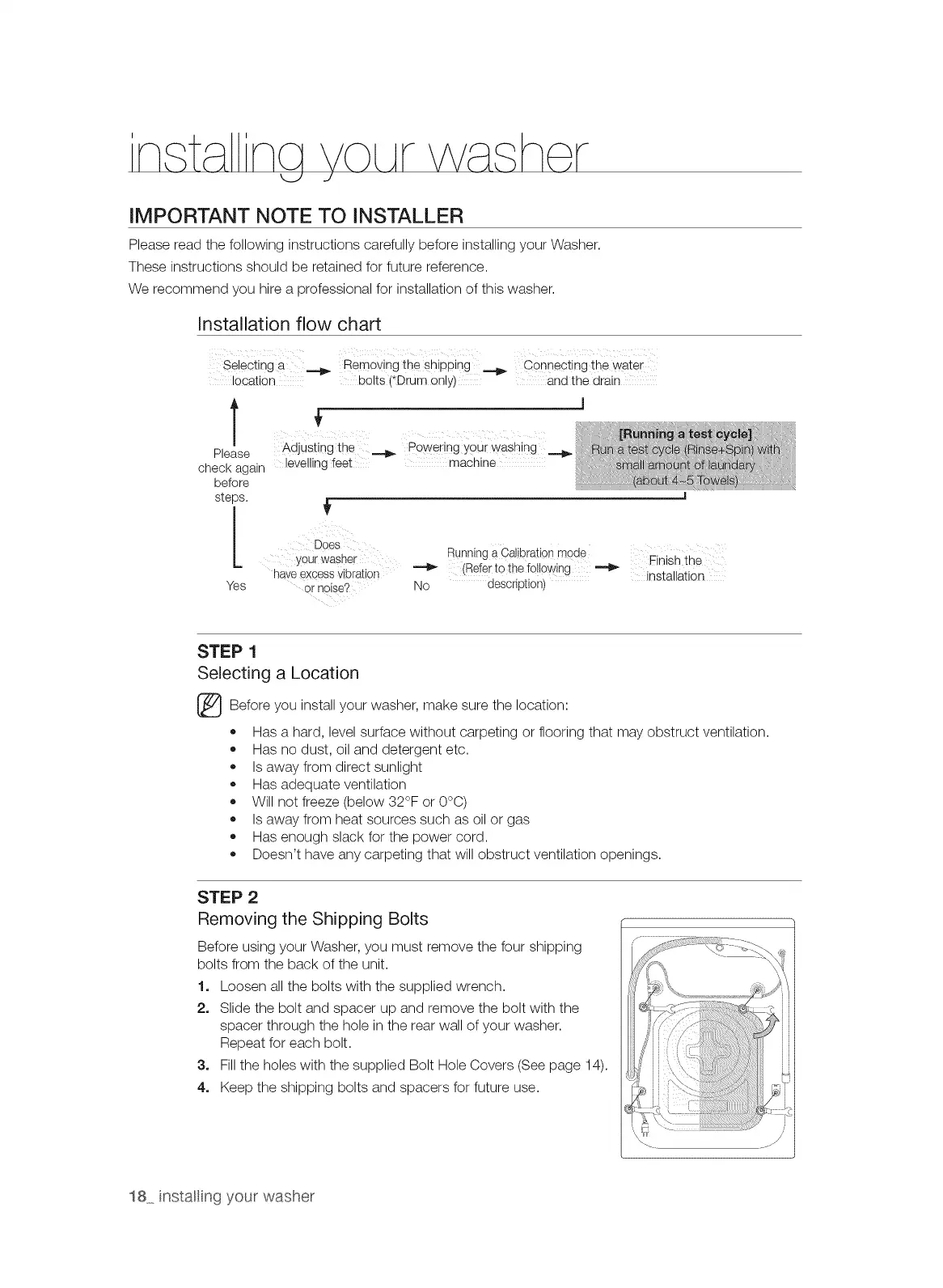
Before using your Washer, you must remove the four shipping
bolts from the back of the unit.
1. Loosen all the bolts with the supplied wrench.
2. Slide the bolt and spacer up and remove the bolt with the
spacer through the hole in the rear wall of your washer.
Repeat for each bolt.
3. Fill the holes with the supplied Bolt Hole Covers (See page 14).
4. Keep the shipping bolts and spacers for future use.
18 instaling your washer



 To Next Page