EasyManua.ls Logo

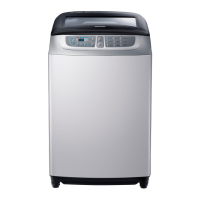
Samsung WA11F5S9 - User Manual

Samsung WA11F5S9
28 pages
Print Icon
To Next Page IconTo Next Page
Loading...
Washing Machine
user manual
imagine the possibilities
Thank you for purchasing a Samsung product.
WA12F5S7
WA11F5S9
WA11F5S5
WA10F5S5
WA90F5S7
WA90F5S5
WA80F5S5
F500S-DC68-03272C-04_EN.indd 1F500S-DC68-03272C-04_EN.indd 1 2017-05-15  5:57:192017-05-15  5:57:19

Questions and Answers

  • A
    amyrivasAug 17, 2025
    How to troubleshoot a Samsung WA11F5S9 that won't turn on?
    • T
      Terry HicksAug 17, 2025
      If your Samsung Washer isn't working, please check the following: Is the water tap opened? Is the washer plugged in? Is there a power outage? Is there enough water supply?
  • R
    Robert Thompson MDAug 19, 2025
    What to do if my Samsung WA11F5S9 won't drain water?
    • S
      Steven PhillipsAug 19, 2025
      If the water isn't draining from your Samsung Washer, check if the drain hose is positioned downwards (for models without a pump). Ensure the drain hose isn't frozen or clogged. If the water doesn't drain within 30 minutes, a buzzer will sound, and the display will show '5E'.
  • O
    Olivia WilliamsAug 22, 2025
    Why is my Samsung WA11F5S9 Washer leaking water?
    • J
      Jeffrey ClarkAug 22, 2025
      If you're experiencing a water leakage error with your Samsung Washer, verify that the end of the drain hose is correctly placed above the pump hose guide and not resting on the floor. Also, inspect the drain hose for any blockages caused by foreign objects.
  • N
    Natalie MckenzieAug 25, 2025
    Why is the spin cycle not working on my Samsung WA11F5S9?
    • E
      Edward OchoaAug 26, 2025
      If the spinning function isn't working on your Samsung Washer, ensure the laundry is spread evenly inside the washer. Also, make sure the washer is placed on a sturdy, flat surface.
  • S
    Sandra JohnsonAug 28, 2025
    Why Samsung WA11F5S9 won't turn on?
    • A
      Aaron AndrewsAug 28, 2025
      If your Samsung washer isn't working, make sure the water tap is open, the washer is properly plugged in, there isn't a power outage, and that there's sufficient water supply.
  • C
    Christopher LongAug 30, 2025
    What to do if my Samsung WA11F5S9 Washer has a water leakage error?
    • O
      Oscar YoungAug 30, 2025
      If your Samsung washer displays a water leakage error, ensure the end of the drain hose is correctly placed over the pump hose guide and not directly on the floor. Also, check the drain hose for any blockages caused by foreign substances. If the error persists, no answer.
  • E
    Eileen BridgesSep 2, 2025
    Why Samsung Washer is not spinning?
    • J
      johnsonjosephSep 2, 2025
      If the spinning function isn't working on your Samsung washer, ensure the laundry is spread evenly inside the washer. Also, confirm that the washer is placed on a sturdy, flat surface.
  • M
    Mr. Eric FergusonSep 4, 2025
    Why is no water coming into my Samsung Washer?
    • E
      Erik Miller DDSSep 4, 2025
      If water isn't being supplied to your Samsung Washer, make sure the water tap is open and that water isn't cut off. Also, check the water supply hose and its connections for any clogs. Ensure the water tap isn't frozen. If the water supply isn't finished in 1 hour, or there's no water level change 5 minutes (10 minutes for some models) after starting, the buzzer will ring, and '4E' will show on the display.
  • C
    Claudia FarleySep 7, 2025
    What to do if Samsung Washer won't drain?
    • F
      fschultzSep 7, 2025
      If your Samsung washer isn't draining, check if the drain hose is positioned downwards (for models without a pump). Also, inspect the drain hose to ensure it isn't frozen or clogged.
  • C
    Carolyn HaleySep 12, 2025
    How to fix a Child Lock error on Samsung WA11F5S9 Washer?
    • C
      christy04Sep 12, 2025
      When a Child Lock error occurs (indicated by a blinking “CL” or “dE” message), the water drains with an alarm. Once draining is complete, turn the power off and then on to resume normal operation. To clear the “CL” display, close the door after draining, then turn the power off and on.

Samsung WA11F5S9 Specifications

General IconGeneral
Water FallYes
Magic FilterYes
Air Turbo Drying SystemYes
Tempered Glass WindowYes
Child LockYes
Delay StartYes
Water Level5
Washing Capacity (kg)11 kg

Related product manuals