EasyManua.ls Logo

Samsung WAM270 - User Manual

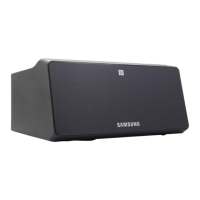
Samsung WAM270
74 pages
Print Icon
To Next Page IconTo Next Page
Loading...
User Manual
Wireless Audio - Multiroom
Link Mate
imagine the possibilities
Thank you for purchasing this Samsung product.
To receive more complete service,
please register your product at
www.samsung.com/register
WAM270

Table of Contents

Questions and Answers

  • M
    mduranAug 14, 2025
    How to fix no sound on Samsung Media Converter?
    • B
      brandtaaronAug 14, 2025
      If no sound is coming from your Samsung Media Converter, ensure that the Mute function is not enabled and the volume is appropriately adjusted. Press the Mute button to disable mute. Also, make sure that the device is connected correctly and the volume is not set to minimum.
  • G
    gerald61Aug 17, 2025
    What to do if Samsung WAM270 will not turn on?
    • S
      Steven SalazarAug 17, 2025
      If your Samsung Media Converter doesn't turn on, ensure that the power plug is securely connected to the outlet.
  • J
    Joshua DicksonAug 21, 2025
    Why is my Samsung Media Converter app not working properly?
    • J
      Judith MillerAug 21, 2025
      If the app isn't working correctly with your Samsung Media Converter, ensure your smart device is compatible with the app. Also, make sure the app is the latest version, the Link Mate's front LED turns from red to blue, the HUB and the smart device are connected to same router, and the HUB's indicator LEDs show that it is working correctly. If you experience troubles with connecting the HUB and Link Mate, try relocating the Link Mate so that the Link Mate is closer to the wireless router or HUB.
  • A
    Angela UnderwoodAug 26, 2025
    Why did the TV SoundConnect (TV pairing) fail on my Samsung Media Converter?
    • D
      Deanna RollinsAug 26, 2025
      If TV SoundConnect fails on your Samsung Media Converter, first check if your TV supports TV SoundConnect (available on some Samsung TVs released after 2012) and that your TV firmware is updated. Try pressing and holding the TV SoundConnect button to establish a connection. If an error occurs, you can also reset TV SoundConnect by pressing and holding the button for more than 5 seconds to connect a new TV.
  • T
    Timothy BuckAug 29, 2025
    What to do if Link Mate doesn't work properly with Samsung Media Converter?
    • J
      Jeffrey AlvarezAug 29, 2025
      If the Link Mate isn't functioning correctly with your Samsung Media Converter, ensure it's plugged in and that your Wi-Fi router is certified. Try unplugging and reconnecting the Link Mate, and make sure the smart device and HUB are on the same Wi-Fi network. Also, verify the HUB's indicator LEDs are working correctly. If issues persist, reset the HUB, and try relocating the Link Mate closer to the wireless router or HUB. Unplug, then plug in the HUB. Then, unplug and plug in the Link Mate.
  • M
    Marc VaughanSep 1, 2025
    Why is my Samsung WAM270 Media Converter HUB not working properly?
    • M
      Michael MatthewsSep 1, 2025
      If the HUB isn't working correctly with your Samsung Media Converter, make sure it's plugged in. Connect the LAN cable to the ETHERNET SWITCH on the back of the HUB and to your wireless router. If problems persist with connecting the HUB and Link Mate, try relocating the Link Mate closer to the wireless router or HUB.
  • S
    smithmichaelSep 5, 2025
    What to do if a function does not work when the button is pressed on Samsung WAM270?
    • T
      Theresa BurtonSep 5, 2025
      If a function doesn't work when you press a button on your Samsung Media Converter, it might be due to static electricity. Disconnect the power plug and then reconnect it.
  • M
    Michael SmithSep 8, 2025
    Why I cannot group speakers on my Samsung Media Converter?
    • R
      Robert JohnsonSep 9, 2025
      If you cannot group speakers with your Samsung Media Converter, it is because the product is connected to the network via Bluetooth, NFC tagging (Android only), TV SoundConnect, or external device. The group speakers function is unavailable in these connection modes.

Summary

Safety Information

Regulatory Compliance Statements

Explains safety symbols and statements related to electrical shock and product operation.

Wiring the Main Power Supply Plug (UK Only)

Instructions for wiring the power plug, including fuse replacement and wire color codes.

General Safety Precautions

Details precautions for power supply, installation, and usage to ensure safe operation.

Connections

Functions

Installing the Samsung Multiroom App

Steps to download and install the necessary mobile application for controlling the Link Mate.

Appendix

Troubleshooting Common Issues

Solutions for common problems encountered with the Link Mate, HUB, and app.

Specifications

Samsung WAM270 Specifications

General IconGeneral
Product colorBlack
Number of amplifier channels- channels
Number of audio source inputs-
Weight and Dimensions IconWeight and Dimensions
Depth138 mm
Width170 mm
Height85 mm
Weight700 g

Related product manuals