EasyManua.ls Logo

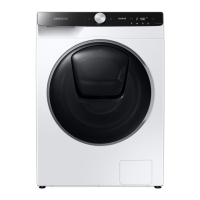
Samsung WD85T9 Series - User Manual

Samsung WD85T9 Series
72 pages
Print Icon
To Next Page IconTo Next Page
Loading...
Washing Machine
User manual
WD9*T******/WD8*T******
U-PJT_COMBO-AD_SimpleUX_DC68-04198R-00_EN.indd 1 2021/1/16 10:08:49

Questions and Answers

  • H
    Heather KnoxSep 14, 2025
    How to get rid of odors in Samsung WD85T9?
    • R
      Ross StephensSep 14, 2025
      If your Samsung Washer has odors, excessive suds collect in recesses and can cause foul odors. Run cleansing cycles to sanitize periodically. Clean the door seal (diaphragm) and dry the washing machine interior after a cycle has finished.
  • K
    Katherine WestAug 25, 2025
    How to fix Samsung WD85T9 that does not start?
    • W
      wgravesAug 26, 2025
      If your Samsung Washer doesn't start, ensure it's plugged in, the door is properly closed, and the water taps are open. Tap and hold to start the washing machine. Also, verify that Child Lock is not activated. Check the fuse or reset the circuit breaker, and confirm that power is supplied properly. If the low voltage was detected, check if the power cord is plugged in. Ensure laundry isn't caught in the door. If the AddWash door is open, close it properly and tap and hold to resume operation.
  • T
    Theresa AlexanderAug 26, 2025
    What to do if Samsung WD85T9 does not drain or spin?
    • B
      brendagallagherAug 26, 2025
      If your Samsung Washer doesn't drain or spin, ensure the drain hose is straightened and not frozen or clogged. Make sure the debris filter is not clogged. Close the door and tap and hold. Also, ensure the drain hose is connected to a drain system that is not clogged and is positioned correctly, depending on the connection type. If the washing machine is not supplied with sufficient power, the washing machine will temporarily not drain or spin. As soon as the washing machine regains sufficient power, it will operate normally. If you encounter a drain problem, call for service.
  • T
    Tim FosterNov 22, 2025
    What to do if my Samsung WD85T9 does not start?
    • L
      Lacey ThompsonNov 22, 2025
      If your Samsung Washer isn't starting, there are several things to check: * Ensure the washing machine is plugged in correctly. * Confirm that the door is completely closed. * Verify that the water taps are fully open. * Press and hold the start button to initiate the cycle. * Check that Child Lock is not activated. * Examine the fuse or reset the circuit breaker. * Confirm that power is being supplied properly to the washer. * Make sure no laundry is caught in the door. * If your model has an AddWash door, ensure it's closed properly. If the “AddWash door is open” message appears, close the door and press and hold the start button. To add laundry, open the AddWash door, insert the items, close it completely, and then tap and hold the start button to resume operation. A...
  • P
    pamelaschultzSep 14, 2025
    What does dispenser open message mean on Samsung Washer?
    • C
      Catherine OconnorSep 14, 2025
      If a message appears on the display of your Samsung Washer alerting that the dispenser is open, check if the detergent drawer is closed properly. Open the detergent drawer and close it again, making sure it’s closed properly.
  • J
    Johnathan ButlerSep 23, 2025
    How to eliminate odors from Samsung Washer?
    • K
      Kristen JohnstonSep 23, 2025
      To eliminate odors from your Samsung Washer, know that excessive suds can collect in recesses and cause foul odors. Run cleansing cycles periodically to sanitize the machine. Clean the door seal (diaphragm) and dry the washer's interior after each cycle.
  • K
    Kristen SotoSep 6, 2025
    Why does detergent remain in the drawer of Samsung WD85T9 Washer after cycle?
    • J
      Joel HarveySep 7, 2025
      If detergent remains in the detergent drawer of your Samsung Washer after a cycle, ensure the washing machine is running with sufficient water pressure. Make sure the detergent is added to the center of the detergent drawer and the rinse cap is inserted properly. If using granular detergent, make sure the detergent selector is in the upper position. Remove the rinse cap and clean the detergent drawer.
  • M
    michellediazSep 7, 2025
    How to fix Samsung Washer with insufficient water supply?
    • G
      gavintorresSep 7, 2025
      To address insufficient water supply in your Samsung Washer, fully open the water tap. Ensure the door is properly closed. Check that the water supply hose is not frozen, kinked, or clogged. Verify sufficient water pressure. Ensure the cold and hot water taps are correctly connected. Clean the mesh filter, as it may be clogged.
  • M
    michellemannSep 23, 2025
    Why no bubbles are seen in my Samsung Bubble Washer?
    • J
      Jeffrey ClarkSep 23, 2025
      If you don't see bubbles in your Samsung Bubble Washer, it may be due to too many items in the drum or severely contaminated laundry.
  • H
    howardnathanAug 31, 2025
    Why is the water supply insufficient in my Samsung WD85T9?
    • B
      Brandon NguyenAug 31, 2025
      If your Samsung Washer isn't getting enough water, or no water at all, consider the following: * Fully open the water tap. * Ensure the door is properly closed. * Check that the water supply hose isn't frozen, kinked, or clogged. * Make sure there's sufficient water pressure. * Verify that the cold and hot water taps are correctly connected. * Clean the mesh filter, as it may be clogged.

Samsung WD85T9 Series Specifications

General IconGeneral
BrandSamsung
ModelWD85T9 Series
CategoryWasher
LanguageEnglish

Related product manuals