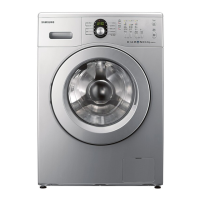
This document is a user manual for a Samsung front-loading washing machine, covering models WF8624GF, WF8622GF, WF8620GF, WF8502GF, WF8500GF, WF8508GF, WF8624BF, WF8622BF, WF8620BF, WF8624SF, WF8622SF, WF8620SF, WF8502SF, WF8500SF, and WF8508SF. The manual provides comprehensive information on the appliance's features, technical specifications, usage, and maintenance.
Function Description
The Samsung washing machine is designed to efficiently clean laundry using various wash programs and settings. It incorporates several advanced technologies to ensure effective cleaning, fabric care, and user convenience. Key functions include:
- Silver Wash Health System (Selected models): This system utilizes silver technology to sanitize clothes by releasing silver ions into the water through electrolysis. It effectively removes 99.9% of odor-causing bacteria and offers a "Super Clean" wash without heating water, making it energy efficient. The silver plates are designed to last for two years and can be replaced by a Service Technician if needed.
- Baby Care System: This feature includes wash programs that protect children from sensitive skin by minimizing detergent residue. It uses specific laundry characteristics to ensure clothes are thoroughly rinsed and free of irritants.
- Child Lock: This function prevents children from playing with the washing machine by deactivating the control panel.
- Wool Certified: The machine is certified by Woolmark Company for washing machine washable wool products, ensuring gentle care for delicate wool items.
- Delay End: Users can delay the end of a wash cycle for up to 19 hours in one-hour increments, providing flexibility in managing laundry tasks.
- Quick Wash: This program allows for a quick wash in less than 30 minutes, ideal for lightly soiled items or when time is limited.
- Delicates & Hand Wash Program: This special care program is designed for delicate items, providing gentle washing action and appropriate water temperature.
- Ceramic Heater for Durability & Energy Saving (selected models): The ceramic heater is twice as durable as regular heaters, saving energy and preventing calcium compound build-up.
- Wide Door: An extra-wide door aperture facilitates convenient loading and unloading of laundry, especially for large items like bedding and towels.
The washing machine operates with a user-friendly control panel that allows selection of various wash programs, temperature settings, spin speeds, and additional options. It also includes a detergent drawer with compartments for main wash detergent, pre-wash detergent, softener, and bleach or stain removal products.
Important Technical Specifications
The washing machine models vary slightly in specifications, particularly in capacity and dimensions.
General Specifications (WF8624/WF8622/WF8620 models):
- Dimensions (W x D x H): 600mm x 550mm x 850mm
- Water Pressure: 50 kPa – 800 kPa
- Water Volume: 48 liters
- Net Weight: 61 kg
- Wash and Spin Capacity: 6.2 kg
- Power Consumption (Washing): 220V/150W or 240V/150W
- Power Consumption (Wash and Heating): 220V/2000W or 240V/2400W
- Power Consumption (Spin): 230V/580W (WF8624), 230V/530W (WF8622), 230V/500W (WF8620)
- Power Consumption (Pumping): 34W
- Spin Revolutions (rpm): 1400 (WF8624), 1200 (WF8622), 1000 (WF8620)
General Specifications (WF8502/WF8500/WF8508 models):
- Dimensions (W x D x H): 600mm x 450mm x 850mm
- Water Pressure: 50 kPa – 800 kPa
- Water Volume: 40 liters
- Net Weight: 53 kg (WF8502), 52 kg (WF8500/WF8508)
- Wash and Spin Capacity: 5.0 kg
- Power Consumption (Washing): 220V/150W or 240V/150W
- Power Consumption (Wash and Heating): 220V/2000W or 240V/2400W
- Power Consumption (Spin): 230V/550W (WF8502), 230V/500W (WF8500), 230V/430W (WF8508)
- Power Consumption (Pumping): 34W
- Spin Revolutions (rpm): 1200 (WF8502), 1000 (WF8500), 800 (WF8508)
Energy Efficiency (EU No. 1061/2010):
The washing machines are rated for energy efficiency, with most models achieving an A+ or A+++ rating. Key energy consumption figures (per cycle for 60°C cotton program with full load) are provided in kWh/yr, along with water consumption (L/yr) and spin efficiency classes (B or C).
Usage Features
The manual details how to use the washing machine effectively, from loading laundry to selecting programs and understanding various settings.
Washing a Load of Laundry:
- Power On: Press the Power button.
- Open Door: Open the door and load laundry without overfilling.
- Add Detergent: Add detergent, softener, and pre-wash detergent (if necessary) into the appropriate compartments of the detergent drawer.
- Close Door: Close the door.
- Turn On Water Supply: Ensure the water supply to the machine is on.
- Select Cycle: Turn the Cycle Selector to choose the appropriate wash program (e.g., Cotton, Synthetics, Denim, Sports Wear, Wool, Handwash, Baby Care, Daily Wash, Quick 29').
- Adjust Settings: Press the Temp. button to select the desired water temperature (Cold, 30°C, 40°C, 60°C, 95°C). Press the Rinse button to select the number of rinses (up to 5). Press the Spin button to select the spin speed (e.g., No Spin, Rinse Hold, 400, 600, 800, 1000, 1200, 1400 rpm depending on model).
- Select Options: Choose additional options like Delay End (up to 19 hours), Wash Option (Soak, Intensive, Easy Iron, Pre Wash), Time Saving, and Silver Wash (if available).
- Start Cycle: Press the Start/Pause button to begin the wash cycle. The process indicator will light up, and the remaining time for the cycle will display.
- Pause Option: During a cycle, press Start/Pause to add/remove laundry items.
- End of Cycle: The machine will automatically power off when the cycle is finished.
Laundry Guidelines:
- Sorting: Sort laundry by fabric type, color, and degree of soiling.
- Empty Pockets: Remove all items from pockets to prevent damage to the machine or clothes.
- Pre-washing: For heavily soiled items, pre-washing is recommended.
- Detergent Use: Use appropriate detergent for the fabric type and water hardness. Do not use detergent that is hardened or solidified.
- Load Capacity: Adhere to the recommended load capacities for different fabric types (e.g., Cotton: 6.2 kg/5.0 kg, Synthetics: 2.5 kg, Denim: 2.5 kg, Sports Wear: 2.0 kg, Wool: 2.0 kg/1.5 kg, Handwash: 2.0 kg/1.5 kg, Baby Care: 3.0 kg/2.5 kg, Daily Wash: 3.0 kg/2.5 kg, Quick 29': 2.0 kg).
- Brasieres: Insert brasieres into a laundry net to prevent damage to the material and the machine.
- Small Items: Place small items like socks and handkerchiefs in a laundry net.
Maintenance Features
Regular maintenance is crucial for the longevity and optimal performance of the washing machine.
Draining the Washing Machine in an Emergency:
- Unplug: Unplug the washing machine from the power supply.
- Open Filter Cover: Open the filter cover using a coin or key.
- Pull Drain Tube: Pull forward the emergency drain tube and place it into a bowl.
- Remove Drain Cap: Remove the emergency drain cap to allow water to flow into the bowl.
- Re-attach Cap: Re-attach the cap to the emergency drain tube and then fix the tube to the guide hook.
- Replace Filter Cover: Replace the filter cover.
Cleaning the Exterior:
- Wipe Surfaces: Wipe the washing machine surfaces, including the control panel, with a soft cloth using a non-abrasive household detergent.
- Dry Surfaces: Use a soft cloth to dry the surfaces.
- Avoid Water: Do not pour water onto the washing machine.
Cleaning the Detergent Drawer and Release Recess:
- Release Lever: Press the release lever on the inside of the detergent drawer and pull the drawer out.
- Remove Divider: Remove the liquid detergent divider from the detergent drawer.
- Wash Parts: Wash all parts under running water.
- Clean Recess: Clean the drawer recess with an old toothbrush.
- Replace Divider: Replace the liquid detergent divider by pushing it firmly into the drawer.
- Push Drawer Back: Push the drawer back into place.
- Rinse Cycle: To remove any remaining detergent, perform a rinse cycle without any laundry in the drum.
Cleaning the Debris Filter:
- Open Filter Cover: Open the filter cover using a key or coin.
- Unscrew Cap: Unscrew the emergency drain cap by turning it to the left and drain off all the water.
- Unscrew Filter Cap: Unscrew the debris filter cap.
- Wash Filter: Wash any dirt or other material from the debris filter. Make sure the drain pump propeller behind the debris filter is not blocked.
- Replace Filter Cap: Replace the debris filter cap.
- Replace Cover: Replace the filter cover.
Cleaning the Water Hose Mesh Filter:
- Turn Off Water Supply: Turn off the water supply to the washing machine.
- Unscrew Hose: Unscrew the hose from the back of the washing machine. To prevent water from gushing out due to the air pressure in the hose, cover the hose with a cloth.
- Gently Pull Out Filter: Gently pull out the mesh filter from the end of the hose using a pair of pliers and rinse it under water until clean. Also, clean inside and outside the threaded connector.
- Push Filter Back: Push the filter back into place.
- Screw Hose Back: Screw the hose back onto the washing machine.
- Check Connections: Make sure the connections are watertight and turn on the tap.
Repairing a Frozen Washing Machine:
- Unplug: Unplug the washing machine.
- Warm Water: Pour warm water over the tap to loosen the water supply hose.
- Remove Hose: Remove the water supply hose and soak it in warm water.
- Pour Warm Water into Drum: Pour warm water into the washing machine drum and let it sit for 10 minutes.
- Reconnect Hose: Reconnect the water supply hose to the water tap and check if the water supply and drain are operating normally.
Storing Your Washing Machine:
If the machine is to be stored for an extended time, it's best to drain and disconnect it. If the machine has been stored in below-freezing temperatures, allow time for any leftover water in the machine to thaw out before using it.
Troubleshooting and Information Codes:
The manual provides a comprehensive troubleshooting guide for common problems like the machine not starting, no water supply, detergent residue, vibrations, and the door not locking. It also lists information codes (dE, 4E, 5E, UE, cE/3E) with their corresponding solutions, advising users to contact customer service if problems persist.
Calibration Mode:
Samsung washing machines detect the laundry weight automatically. For more accurate weight detection, users can run Calibration Mode after installation.
- Remove laundry or any contents in the machine and turn off the machine.
- Press the Temp button and Delay End button simultaneously, and press the Power button in addition. Then the machine turns on.
- Press the Start button to activate "Calibration Mode".
- The drum rotates clockwise and counterclockwise approximately for 3 minutes.
- When "Calibration Mode" is finished, "End(En)" appears on the display, and the machine automatically turns off. The washing machine is now ready for use.

 Need help?

 To Next Page
 General