EasyManua.ls Logo

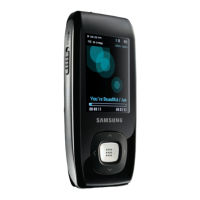
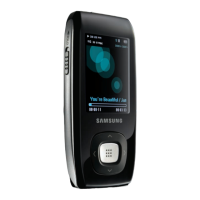
Samsung YP-T10 - User Manual

Samsung YP-T10
98 pages
Print Icon
To Next Page IconTo Next Page
Loading...
MP3 Player
user manual
imagine the possibilities
Thank you for purchasing this Samsung product.
To receive more complete service, please
register your product at
www.samsung.com/global/register
YP-T10

Table of Contents

Other manuals for Samsung YP-T10

Questions and Answers

  • B
    Brandon GarciaAug 19, 2025
    How to fix Samsung MP3 Player that will not turn on?
    • K
      kelly52Aug 19, 2025
      If your Samsung MP3 Player isn't turning on, it could be due to a completely drained battery. Recharge the battery and try turning the power on again. Alternatively, try pressing the Reset hole.
  • O
    osteeleAug 21, 2025
    Why does my Samsung YP-T10 keep turning off?
    • R
      rcollinsAug 22, 2025
      Your Samsung MP3 Player might be turning off because the battery is completely drained. Recharge the battery. Also, check if is selected in ? . If it is, turn the player on.
  • A
    Amy CastanedaAug 25, 2025
    Why Bluetooth connections could not be made on Samsung YP-T10?
    • T
      Timothy WillisAug 25, 2025
      Bluetooth connections may fail on your Samsung MP3 Player if the stereo headset is not Bluetooth-certified. If you turned the player or stereo headset off and on, try to connect again.
  • A
    Amy EllisAug 26, 2025
    What to do if file upload doesn't work on Samsung YP-T10 MP3 Player?
    • V
      Vanessa MorganAug 26, 2025
      If file upload isn't working on your Samsung MP3 Player, first check if the USB cable is securely connected; reconnect if necessary. Also, press the Reset hole.
  • A
    Andrea BowenAug 28, 2025
    How to fix disabled connection to PC on Samsung YP-T10 MP3 Player?
    • H
      Heidi WrightAug 28, 2025
      If the connection to your PC is disabled on your Samsung MP3 Player, check if the USB cable is correctly connected and try again. Also, on your PC, press to run Windows Update, select Key Updates and Service Packs, then update all. Reboot your PC and reconnect.
  • C
    Claudia MooreAug 30, 2025
    Why is the file transfer rate so slow on my Samsung YP-T10?
    • A
      Allison ElliottAug 30, 2025
      The file transfer rate on your Samsung MP3 Player might be slow because the player was formatted on Windows 2000. Format the player on Windows XP or Vista and try again. Also, if you are running multiple programs, including on your PC, exit unnecessary programs and try transferring again.
  • M
    Melanie WilsonSep 1, 2025
    What to do if buttons do not work on Samsung YP-T10 MP3 Player?
    • W
      wendy49Sep 1, 2025
      If the buttons on your Samsung MP3 Player aren't working, check if the switch is in the direction of the arrow position. Also, ensure you are pressing the correct button, and try pressing it again. You can also try pressing the Reset hole.
  • B
    Brent DouglasSep 3, 2025
    Why isn't my Samsung MP3 Player playing?
    • B
      Brandon JamesSep 3, 2025
      If your Samsung MP3 Player isn't playing, check if the available file has been saved in the memory. Also, check if there is enough battery power.
  • J
    Jesse KeithSep 6, 2025
    What to do if the screen will not turn on Samsung YP-T10?
    • J
      jon66Sep 6, 2025
      If the screen on your Samsung MP3 Player won't turn on, consider that the screen may not be visible under direct sunlight. Also, if is selected from ? , tap any button and see if it turns on.
  • B
    Brenda ScottSep 7, 2025
    What causes missing files on Samsung MP3 Player?
    • C
      Cole AcostaSep 7, 2025
      If files or data are missing from your Samsung MP3 Player, it could be because the USB cable was disconnected during file or data transmission. Be extra cautious, as Samsung is not responsible for data loss.

Summary

Features of Your MP3 Player

Safety Information and Precautions

Understanding Safety Icons

Explains the meaning of warning and caution icons used in the manual.

Personal Safety Guidelines

Provides instructions to prevent injury from product use, especially with headphones.

Protecting the Device

Offers advice on preventing damage to the MP3 player from environmental factors and mishandling.

Getting Started with Your MP3 Player

Player Overview and Controls

Details the physical components, buttons, ports, and screen indicators of the MP3 player.

Customizing Player Settings

Resetting the System

Provides instructions for troubleshooting by re-initializing the player's system.

Samsung Media Studio and PC Connection

Music Playback and Management

Playlist Creation and Management

Covers creating playlists, adding/deleting files, and transferring playlists.

Music Menu Options

Explains advanced music options like sound effects, DNSe, playback modes, and screen customization.

Bluetooth Music Playback

Guides on connecting and disconnecting Bluetooth stereo headsets for music playback.

Video Playback and Management

Video Playback Controls

Covers pausing, seeking frames, and navigating between video files.

Picture Viewing and Management

FM Radio Functions

Bluetooth Connectivity and Settings

Using Bluetooth Stereo Headsets

Covers registering, connecting, and disconnecting Bluetooth headsets.

Troubleshooting Common Issues

Power, Button, and Screen Problems

Addresses issues with power, buttons, and the screen not responding or displaying correctly.

Battery, Software, and Connectivity Issues

Covers battery life, software malfunctions, PC connection, and file transfer problems.

Samsung YP-T10 Specifications

General IconGeneral
Player media typeFlash memory
Total storage capacity4 GB
Built-in speaker(s)No
Voice recordingYes
Display resolution320 x 240 pixels
Battery recharge time2.5 h
Continuous audio playback time30 h
Continuous video playback time4 h
Blister dimensions (W x D x H)151.6 x 185.6 x 47.25
Outer carton dimensions (W x D x H)440 x 148 x 177 mm
Weight and Dimensions IconWeight and Dimensions
Depth7.9 mm
Width41.5 mm
Height96 mm
Weight43 g

Related product manuals