Basics
26
Home screen
Home screen
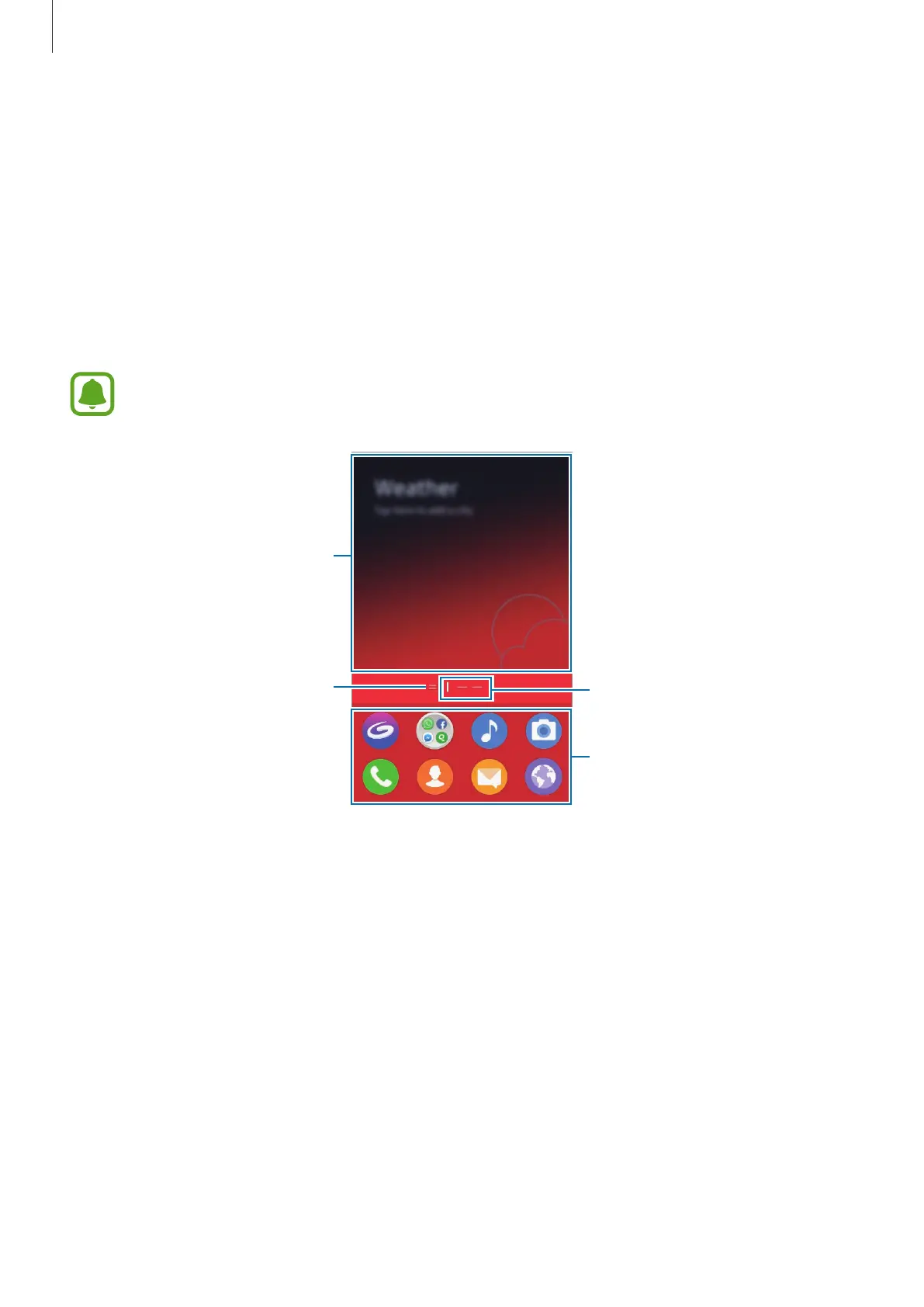
The Home screen is the starting point for accessing all of the device’s features. It displays
widgets, favourite apps, and more.
To view other panels, swipe to the left or right, or tap one of the screen indicators at the
bottom of the screen.
The Home screen may appear differently depending on the region or service
provider.
A widget
Screen indicators
Favourite apps
The Quick reads page indicator.
View the latest articles in various
categories.











 To Next Page