SAMWON ENG CO.,LTD SU-105 Controller User Manual Page 2/3
▶
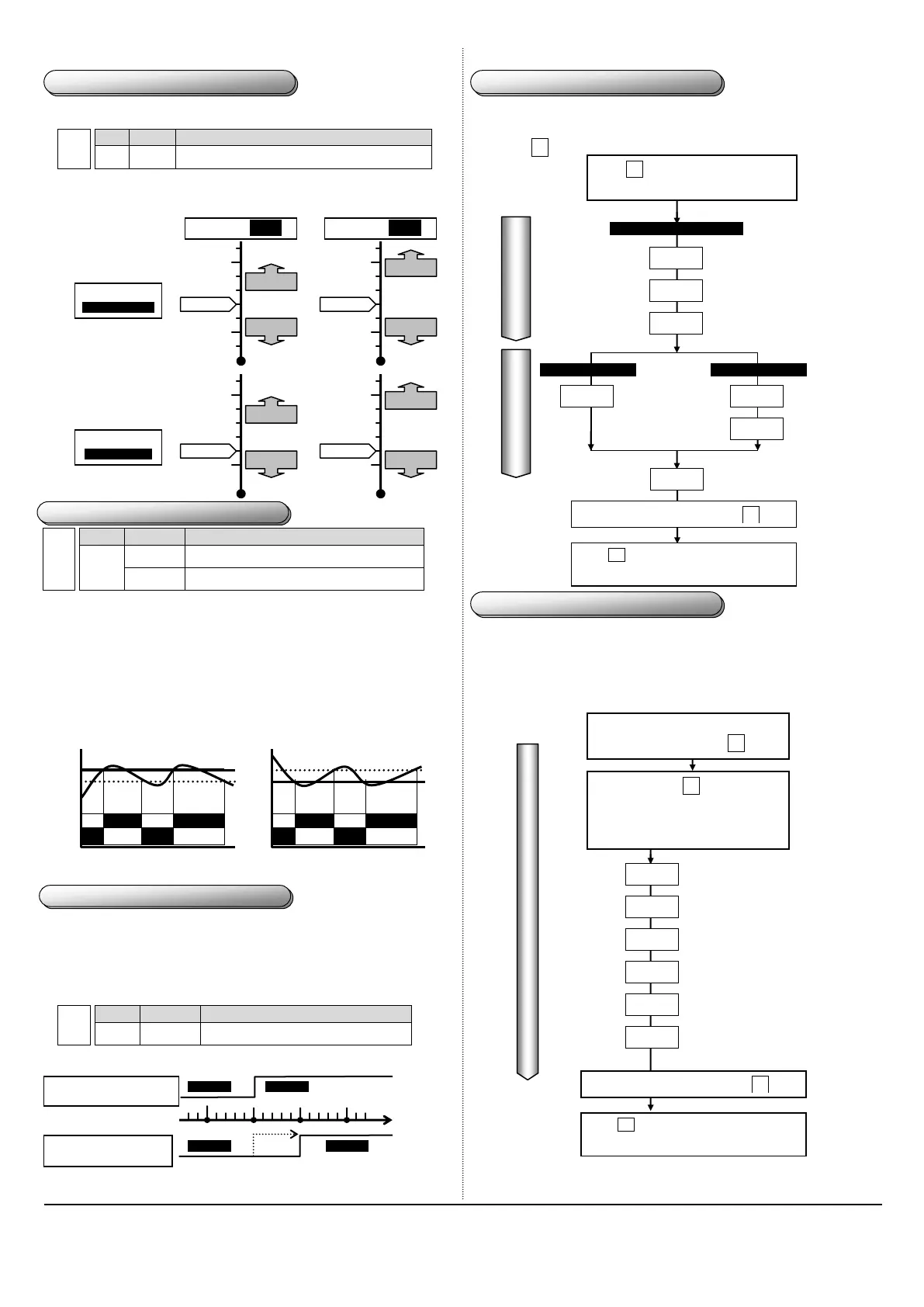
To change hysteresis, press SET key for longer than 5 seconds. Release the key when
the display unit shows diF.
▶
Set the configuration as following using Up and Dn keys.
Prevent relay vibration from hysteresis
▶
Store the setting in memory by pressing the SET key for longer than 5 seconds.
▶
Description of ON/OFF control based-on hysteresys value
Controls the cooler (Reverse output)
Controls the heater (Normal output)
①
Cooler On/Off control
▶
When the current temperature becomes higher than a configured temperature, the main
output relay turns on.
▶
You can use a delay timer to protect a compressor.
②
Heater On/Off control
▶
When the current temperature becomes lower than a configured temperature, the main
output relay turns on.
Note: In general, the B contact of a relay is used for reverse output. In this case, be
cautious since the contact B is ON even though the power to the unit is turned off.
For example)
Heater control Cooler control
SV
=50.0,
diF
=5.0,
dLt
=0,
tyP
=H
SV
=-25.0,
diF
=5.0,
dLt
=0,
tyP
=C
▶
In order to change the delay timer setting, press SET key for longer than 5 seconds
while the display unit shows the current temperature. Release the key when the display
unit shows diF. Press SET key several times to select dLt.
▶
After selecting a value using Up or Dn key, press SET key to store the setting in the
memory.
Description: When the delay time expires, the output turns on.
Output become on after specified time
▶
How the delay timer works
Case: the delay time is 0 second => the relay turns on as soon as output signal arrives.
Case: the delay time is 5 seconds => the relay turns on after 5 seconds upon the arrival o
output signal.
▶The following diagram shows configurable items. Select an item by
pressing set key.
▶
Make a note of the factory default settings before changing any one of them. Before
making any change, understand and verify the validity of your setting(s).
▶
Invalid factory settings may require service from the manufacturer.
10.User configurable settings
Normal/Reverse selection
C:Coller,H:Heater
Sensor input correction
-50.0~+50.0
Press set key when the display unit
shows a current temperature
Press set key for longer than 5 seconds
to save the configuration.
Upper limit temperature
Temperature Range for each sensor
Keep pressing set key until you
see StH on the display unit.
Release the key when the
display unit shows StH.
※
diF
가 나타나면 다시 하세요
Lower limit temperature
Temperature Range for each sensor
Locking Function for user
0:Release, 1:Locking
Timer on setting
0~999Min
Timer off setting
0~999Min
Alarm Setting Temp.
Temperature Range
for each sensor
11.Factory default settings
Alarm hysteresis
0.1℃~ 9.9℃
Alarm delay timer
0~240sec
Aux output:Timer/Normal/Reverse Selection
C:Cooler,H:Heater(C:Upper Alarm,H:Lower Alarm),t:Timer
Turn off the power. Turn on the
power while pressing set key.
To go back to the top, press set key
Press set key for longer than 5 seconds
to save the configuration.
To go back to the top, press set key



 To Next Page
 Loading...