Revision status 23.05.2016
9
Operation of the ozone generator
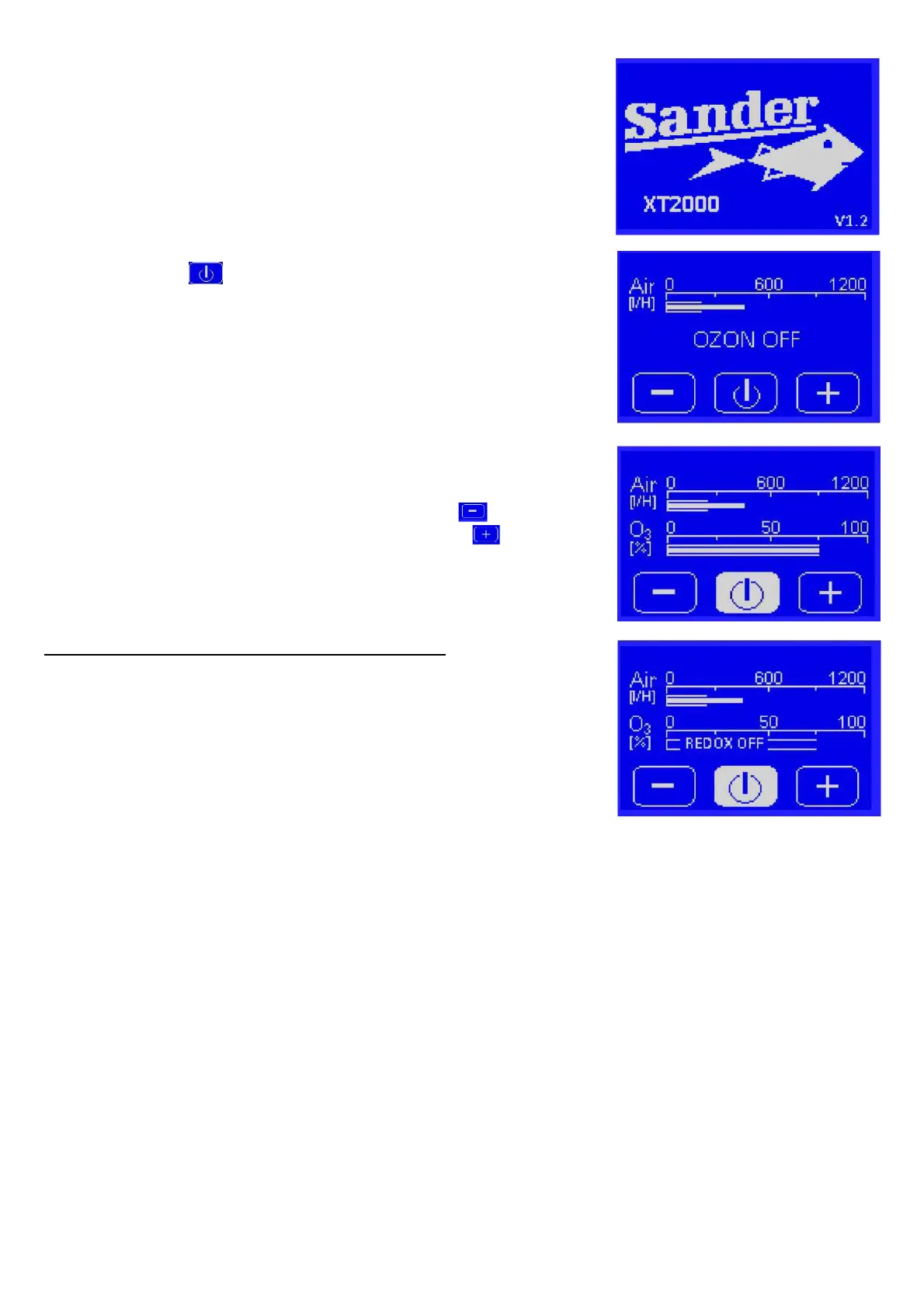
After connecting the power supply the XT 2000 will start
automatically. During start up the Sander logo is briefly visible on
the display (1), then the operating menu appears.
The ozone production is switched on and off by pressing the
Start/Stop button .
The display ozone OFF means that ozone generation is switched
off.
The upper bar graph indicates the volume of the air flow through
the device (in l/h).
On the lower bar graph you can see the set ozone value (in %).
The ozone output can be reduced using the – key .
The ozone output can be increased using the + key .
When connecting a Redox measurement device:
When the redox set value is reached, the ozone generation is
switched off.
If the actual value sinks below the redox set value, the ozone
generator is switched on again.
Reduced ozone output when air flow is less than 250l/h
At an air flow of less than 250l/h, the ozone generator throttles the power down smoothly to protect
the unit from overheating.
Example: At an air flow of 125 l/h and a nominal value of 100% the ozonizer operates with a
restricted power of 50%.
The minimum flow rate is 75l/h.


 To Next Page