EasyManua.ls Logo

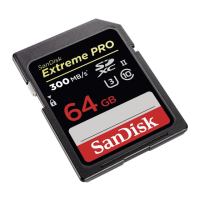
SanDisk Extreme Pro 64 GB - User Manual

SanDisk Extreme Pro 64 GB
2 pages
Print Icon
To Next Page IconTo Next Page
Loading...
SanDisk Extreme Pro 64 GB microSDXC Memory Card + SD
Adapter Troubleshooting Steps
Card reader not being detected by the PC
Why can't my card reader/writer be detected by my PC?
SOLUTION 1 - Verify if minimum system requirement is met.
SanDisk card readers support Windows Vista, Windows XP SP2 and Windows 2000 SP4,
Windows 7.
NOTE: No additional drivers need to be downloaded for the card readers as they are native to
the above mentioned supported operating systems.
For Mac users, see Troubleshooting USB device on Mac
SOLUTION 2 - Verify the reader's status under Device Manager.
STEP 1 - Connect the reader to the PC
NOTE: It is recommended that you plug your card reader to the back USB port on your PC to
ensure that there is enough power from the USB port for the card reader to be detected properly.
STEP 2 - Check under Device Manager
1. Right-click My Computer.
2. Select Manage.
3. On the left pane, click Device Manager.
NOTE: The card reader will appear in two places: Disk Drives and Universal Serial Bus
controls as USB Mass Storage. If there is a yellow exclamation point (!) or question mark (?)
next to the device, try to refresh the drivers.
STEP 3 - Refresh the drivers
1. Right-click the entry with the error mark, select Uninstall.
2. On the top menu, click Action, and then click Scan for hardware changes.
STEP 4 - Verify if the reader is detected
1. Double-click My Computer.
2. Look for the card reader under Devices with removable storage.
SOLUTION 3 - Try other USB ports.
A yellow exclamation point (!) under Device Manager usually means that the device is not
receiving enough power. If the reader is not receiving ample amount of power from the USB
port, it may not function properly.
Question and Answer IconNeed help?

Do you have a question about the SanDisk Extreme Pro 64 GB and is the answer not in the manual?

Summary

Card Reader Not Detected

Verify System Requirements

Ensure your SanDisk card reader supports the operating system.

Check Reader Status in Device Manager

Verify the card reader's status and refresh drivers via Device Manager.

Try Alternative USB Ports

Test the card reader with different USB ports on your PC.

SD Card Write Protection

Unlock the Memory Card

Check the physical lock switch on the SD card; ensure it's in the unlock position.

Address Loose Lock Switch

If the lock switch is loose, the card may need replacement.

Overview

This document outlines troubleshooting steps for a SanDisk Extreme Pro 64 GB microSDXC Memory Card and its accompanying SD Adapter, primarily focusing on issues related to card reader detection and write protection.

Function Description

The SanDisk Extreme Pro 64 GB microSDXC Memory Card, when used with its SD Adapter, is designed for data storage and transfer. It allows users to store various types of digital content, such as photos, videos, and documents, and then access or transfer this data using a compatible card reader connected to a computer. The SD Adapter facilitates the use of the microSDXC card in devices that accept standard SD cards, expanding its compatibility. The core function revolves around providing reliable and high-capacity portable storage for digital media.

Usage Features

The primary usage involves inserting the microSDXC card into the SD Adapter, and then inserting the adapter into a compatible card reader. The card reader then connects to a computer, typically via a USB port, to enable data access.

  • Card Reader Detection: The document addresses common issues where the card reader is not detected by the PC.

    • System Requirements: For Windows users, the card reader is compatible with Windows Vista, Windows XP SP2, Windows 2000 SP4, and Windows 7. No additional drivers are required as they are native to these operating systems. Mac users are directed to a separate troubleshooting guide for USB devices.
    • Connection Recommendations: It is recommended to plug the card reader into a back USB port on the PC. This is crucial because back USB ports often provide more stable and sufficient power, which is essential for the card reader to be detected and function correctly. Insufficient power is a common cause for detection failures.
    • Device Manager Verification: Users can check the status of the card reader in the Device Manager.
      • Accessing Device Manager: This involves right-clicking "My Computer," selecting "Manage," and then clicking "Device Manager" in the left pane.
      • Expected Appearance: The card reader should appear in two locations: "Disk Drives" and "Universal Serial Bus controls" as "USB Mass Storage."
      • Error Indicators: A yellow exclamation point (!) or question mark (?) next to the device indicates a problem, often related to driver issues or power.
    • Driver Refresh: If an error mark is present, users can attempt to refresh the drivers. This involves right-clicking the problematic entry, selecting "Uninstall," then going to the "Action" menu at the top and clicking "Scan for hardware changes." This process attempts to reinstall or re-detect the drivers.
    • Verification of Detection: After troubleshooting, users can verify if the reader is detected by double-clicking "My Computer" and looking for the card reader under "Devices with removable storage."
    • Trying Different USB Ports: If detection issues persist, especially with a yellow exclamation point in Device Manager, it's advised to try other USB ports. This is because a yellow exclamation point often signifies insufficient power, and different USB ports might provide varying power levels.
    • Changing Drive Letters: In some cases, changing the drive letters assigned to the card reader can resolve detection issues. For specific reader models (SDDR-89, SDDR-189, SDDR-289), four drive letters should be visible under "My Computer."
  • Write Protection/Locking: The document also addresses instances where the SD/SDHC/SDXC memory card is write-protected or locked, preventing file transfers.

    • "The disk is write-protected" Message: This message indicates that data cannot be modified or deleted on the card.
    • Unlocking the Memory Card: The primary solution is to check the physical "Lock" switch on the left side of the SD card. This switch must be slid up to the "unlock" position. If the switch is in the down position, the card is locked, and no changes can be made to its contents.
    • Toggling the Lock Switch: If the lock switch feels loose or moves easily, it's possible that it slides into the locked position when the card is inserted into a host device. In such cases, the card is considered faulty and would need to be replaced.

Maintenance Features

While the document doesn't explicitly detail routine maintenance, it implicitly guides users on how to maintain the functional integrity of their SanDisk memory card and adapter system through troubleshooting.

  • Driver Management: The process of checking and refreshing drivers in Device Manager serves as a maintenance step to ensure the card reader's software components are functioning correctly. This helps in resolving software-related conflicts or corruption that might prevent detection.
  • Power Management: The recommendation to use back USB ports and try different ports highlights the importance of stable power supply, which is crucial for the longevity and reliable operation of USB devices like card readers. Ensuring adequate power prevents potential damage or erratic behavior.
  • Physical Inspection: The instruction to check the physical "Lock" switch on the SD card encourages users to physically inspect their media for proper configuration. This simple check can prevent frustration and unnecessary troubleshooting if the issue is merely a physical switch setting.
  • Warranty Awareness: For cases where the lock switch is faulty, the document advises contacting SanDisk support to check warranty status. This is a crucial maintenance aspect, as it guides users on how to obtain a replacement for a defective product, ensuring continued functionality.

In summary, the document provides a comprehensive guide for troubleshooting common issues with SanDisk Extreme Pro memory cards and adapters, focusing on ensuring proper detection by the computer and resolving write protection problems. It emphasizes practical steps, from checking physical connections and system settings to driver management, all aimed at maintaining the usability and reliability of the storage solution.

SanDisk Extreme Pro 64 GB Specifications

General IconGeneral
Capacity64 GB
InterfaceUHS-I
WarrantyLifetime limited warranty
Write Speed90 MB/s
Operating Temperature-25°C to 85°C
Storage Temperature-40°C to 85°C