17
GB
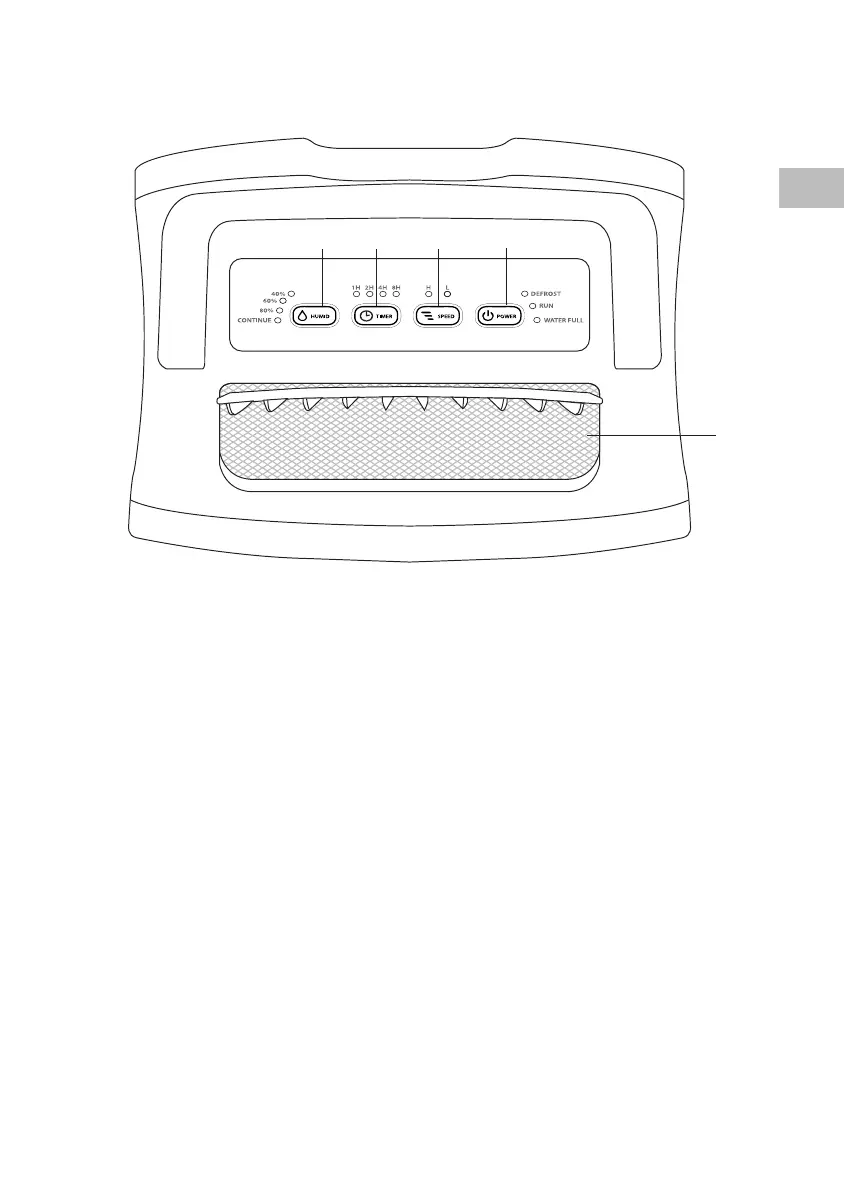
Control Panel
1 2 3
4
1. HUMIDITY button
40%: Maintain room humidity at 40%.
60%: Maintain room humidity at 60%.
80%: Maintain room humidity at 80%.
CONTINUE: Continuous
dehumidication regardless of room
humidity.
2. TIMER button
Select the auto shut o function (select
from 1/2/4/8 hours.)
3. SPEED button
H: Quiet dehumidication with high
fan speed
L: Quiet dehumidication with low fan
speed
4. POWER button
To turn the unit on and o.
DEFROST indicator:
Illuminates when the unit enter defrost
mode.
RUN indicator:
Illuminates when the dehumidier is
on.
WATER FULL indicator:
Illuminates when the water tank is full.
5. Air Outlet
5
SDH20L13E_IB_5L_RC_171219_grace.indb 17 19/12/17 5:04 pm



 To Next Page