EasyManua.ls Logo

Sangean PS-300 - User Manual

Sangean PS-300
15 pages
Print Icon
To Next Page IconTo Next Page
Loading...
User Manual of Product 1:
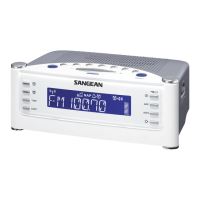
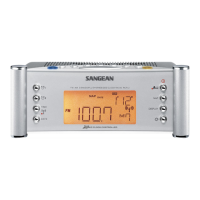
Sangean RCR-22 Atomic Clock with FM-RDS / AM / Aux-in
Digital Tuning Clock Radio, silver, one size
User Manual of Product 2:
Sangean PS-300 Pillow Speaker with In-line Volume Control
and Amplifier (White)
Question and Answer IconNeed help?

Do you have a question about the Sangean PS-300 and is the answer not in the manual?

Summary

Important Safety Instructions

Controls

LCD display

Using the clock radio for the first time

Clock

Manually set the hour and minute digits for the clock.

Manual date setting

Manually set the year, month, and date digits for the clock.

Change 12;24 hour clock format

Select between 12-hour and 24-hour clock display formats.

Change date format

Choose the desired format for displaying the date.

D.S.T. (Daylight Saving Time)

Activate or deactivate Daylight Saving Time (+1H or OFF).

Radio operation

Tuning into radio stations

Learn manual, scan, and preset methods for tuning radio stations.

Presetting and recalling stations

Save and retrieve favorite radio stations using preset buttons.

Setting up the tuning step increment

Adjust the tuning step increment for FM and AM radio frequencies.

Display modes - FM

Explore RDS features like station name, program type, and radio text.

Setting the clock time

Radio-controlled clock

Automatically synchronize clock time with radio-controlled signal.

Radio Data System (RDS)

Synchronize clock time using RDS data with CT signals from stations.

Manual setting

Manually set clock time, disabling radio-controlled and RDS functions.

Alarm operation

Setting alarms

Configure alarm hour, minute, frequency, type (buzzer/radio), and volume.

Alarm sounds

Details on how buzzer and radio alarms activate and their volume progression.

Disabling;cancelling alarm setting

Cancel an alarm setting by pressing and holding the alarm button.

Snooze

Snooze operation

Silence alarm for 5 minutes; adjust snooze time via menu settings.

Sleep timer - radio auto shut off

Sleep Timer setting

Set the radio to turn off automatically after a preset time (15-120 mins).

Nap timer

Nap timer operation

Set and manage a nap timer with adjustable durations from 5 to 120 minutes.

Time zone setting

Time zone selection

Choose the correct time zone for accurate clock display.

Software version

Loudness

Loudness function

Enable or disable the loudness function for frequency compensation.

Display backlight

Factory reset

Performing factory reset

Restore the radio to original factory settings, clearing presets and alarms.

RESET the radio

Auxiliary input socket

Connecting external audio

Connect external audio devices like iPod or MP3 players via the AUX IN socket.

Headphone socket

Specifications

PS-300 Pillow Speaker

Input connector

3.5mm input connector for audio signal input.

Amplifier on; off

Switch the amplifier on or off to adjust audio output level.

Volume control

Adjust the audio output level to desired listening volume.

Battery compartment

Compartment for installing a single AAA/UM-4/R3 battery.

Pillow speaker

The pillow speaker unit itself.

Overview

This document describes two Sangean products: the RCR-22 Atomic Clock Radio and the PS-300 Pillow Speaker.

The Sangean RCR-22 Atomic Clock Radio is a digital tuning clock radio with FM-RDS, AM, and Aux-in capabilities. It features an atomic clock for precise timekeeping and comes in a silver finish.

Function Description:

The RCR-22 serves primarily as a clock radio, offering both time display and radio functionality. Its atomic clock feature allows for automatic time synchronization, ensuring accuracy. Users can tune into FM-RDS and AM radio stations, with options for manual, scan, and preset tuning. The radio also includes alarm functions, allowing users to wake up to either a buzzer or a chosen radio station. A sleep timer is available for automatically turning off the radio after a set period, and a nap timer provides a short, customizable alarm. An auxiliary input allows connection of external audio devices like iPods, MP3 players, or CD players, expanding its utility as an audio playback device. The display backlight can be adjusted for comfort, and a loudness function enhances audio quality at lower and higher frequencies.

Usage Features:

  • Clock Setting: The clock can be set automatically via radio-controlled time signals (DCF77 for Europe, WWVB for US, JJY40/60 for Japan), FM Radio Data System (RDS) with CT signals, or manually. The display indicates when a radio-controlled time signal is being received and synchronized. If no signal is found, the clock can be set manually, including the date.
  • Time Format: Users can choose between 12-hour and 24-hour clock formats.
  • Daylight Saving Time (DST): The radio supports DST adjustments, allowing users to activate or deactivate the +1H setting.
  • Radio Operation:
    • Bands: Supports both AM (MW) and FM wavebands.
    • Tuning: Offers three tuning methods:
      • Manual Tuning: Adjust frequency step by step.
      • Scan Tuning: Automatically scans for stations of sufficient strength in upward or downward directions.
      • Preset Tuning: Allows users to save up to 7 stations for each AM and FM band for quick recall. Presets can be overwritten.
    • Tuning Step Increment: The tuning step for FM can be set to 50kHz or 100kHz, and for AM to 9kHz or 10kHz (with Russian versions having 50kHz/10kHz FM options).
    • FM Display Modes (RDS): When tuned to an FM station transmitting RDS data, the display can cycle through:
      • Station name
      • Programme Type (e.g., Pop, Classic, News)
      • Radio text messages If RDS data is unavailable or the signal is weak, only the FM frequency will be displayed.
  • Alarm Functions:
    • Dual Alarms: Two independent alarms (Alarm 1 and Alarm 2) can be set.
    • Wake-up Source: Alarms can be set to wake users with a buzzer, FM radio, or AM radio.
    • Alarm Frequency: Options include ONCE, DAILY, WEEKDAY, and WEEKEND.
    • Volume: Alarm volume can be adjusted.
    • Humane Waking System (HWS): Radio alarms activate with a gradual volume increase. Buzzer alarms start softly, gradually increase, sound for 1 minute, silence for 1 minute, and repeat for 60 minutes.
    • Snooze: Pressing any button (except Standby) when an alarm sounds activates the snooze function, silencing the alarm for a customizable period (5, 10, 15, or 20 minutes).
    • Cancelling Alarms: A sounding alarm can be deactivated by pressing the Standby button. An active alarm setting can be cancelled by pressing and holding its corresponding alarm button before it sounds.
  • Sleep Timer: Automatically turns off the radio after a preset duration (15, 30, 45, 60, 90, or 120 minutes).
  • Nap Timer: Provides a short, customizable alarm from 5 to 120 minutes.
  • Time Zone Setting: Allows users to select their specific time zone (e.g., -2H to +3H for Europe, EST, CST, MST, PST, ALAS, HAW for US).
  • Loudness Function: Compensates for lower and higher frequencies to improve audio perception, especially at lower volumes. Can be toggled ON or OFF.
  • Display Backlight: The brightness of the LCD display can be adjusted both in Standby mode and during use. A dedicated button illuminates the display, and a control knob on the bottom adjusts the backlight level.
  • Auxiliary Input: A 3.5mm stereo jack allows connection of external audio sources. The radio will display "AUX IN" when this mode is selected.
  • Headphone Socket: A 3.5mm stereo headphone jack is provided. Inserting headphones mutes the internal loudspeaker. Mono earphones are not supported.

Maintenance Features:

  • Factory Reset: If the radio malfunctions, has missing display digits, or if users wish to restore original settings, a factory reset can be performed through the Menu. This clears station lists, presets, alarms, and timer settings.
  • RESET Button: A physical RESET button (accessible with a paper clip) on the bottom of the radio can be pressed for at least 2 seconds to reset the microprocessor clock and clear all stored stations.
  • Software Version Display: The current software version of the radio can be viewed through the Menu for reference.

The Sangean PS-300 Pillow Speaker is designed to be placed under a pillow, providing personal audio without disturbing others. It includes an in-line volume control and an amplifier.

Function Description:

The PS-300 delivers audio discreetly, making it ideal for listening in bed without using headphones or disturbing a partner. It connects to an audio source via a 3.5mm input connector. An integrated amplifier can be switched on to increase the audio output level, and an in-line volume control allows for easy adjustment of the sound.

Usage Features:

  • Connection: Connects to any audio device with a 3.5mm headphone jack.
  • Volume Control: Features an in-line rotary control to adjust the audio output level.
  • Amplifier: An on/off switch activates an internal amplifier to boost the audio output.
  • Battery Operation: The amplifier requires one AAA/UM-4/R3 battery (not included) for power.
  • Placement: Designed to be placed under a pillow for personal listening.

Maintenance Features:

  • Battery Replacement: The battery compartment allows for easy replacement of the AAA battery when needed to power the amplifier.

Important Notes for PS-300:

  • The amplifier should only be connected to a headphone jack. Connecting it to a higher output speaker connection could cause damage to the device.
  • Excessive sound pressure from earphones and headphones can cause hearing loss. This warning applies to the use of the pillow speaker as well, implying that users should be mindful of volume levels.

Sangean PS-300 Specifications

General IconGeneral
BrandSangean
ModelPS-300
CategoryClock Radio
DisplayLCD
Radio TunerAM/FM
Power SourceAC adapter
Battery BackupYes
AlarmDual Alarm
SnoozeYes
Sleep TimerYes
Presets10 (5 AM, 5 FM)
Speaker Size3 inches

Related product manuals