Need help?
Do you have a question about the Sangean RCR-11 WF and is the answer not in the manual?
Details on the required AC power adaptor and its connection.
Steps for connecting the radio to a computer network via Wi-Fi.
Steps to connect to a different WiFi network using the Network wizard.
Detailed steps for manually configuring network parameters like IP address.
How to find stations by choosing a continent and country.
How to save and recall favorite radio stations.
Details on using the Music Player with different operating systems and UPnP servers.
How to search and select media by criteria like Album, Artist, or Genre.
How to select and play an entire album.
Initial steps for using DAB mode, including scanning for stations.
How to tune and listen to FM radio stations using auto-tune.
How to configure FM scanning for strong stations only or all stations.
Steps to manually set the time, date, and time zone.
Detailed steps to set up and configure the alarm.
Steps to select and play audio files from a USB device.
How to reset the radio to its initial factory state.
How to update the radio's internal software via the internet.
 General
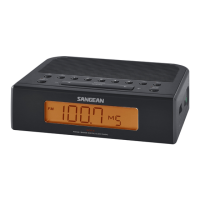
| Brand | Sangean |
|---|---|
| Model | RCR-11 WF |
| Tuning | Digital |
| Display | LCD |
| Speaker | Built-in |
| Presets | Yes |
| Snooze | Yes |
| Sleep Timer | Yes |
| Backup Battery | Yes |
| Radio Bands | FM |
| Power Source | AC adapter |

 To Next Page