
 Need help?
Do you have a question about the Sangean RCR-20 and is the answer not in the manual?
User cautions, FCC compliance, and RF exposure guidelines.
Critical guidance on AC adapters and potential AM band interference.
Advice on avoiding damage from water, heat, liquids, and extreme temperatures.
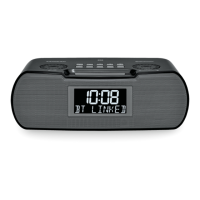
Identification and function of controls on the top and front panels of the radio.
Description of the LCD display and the remote control sensor.
Identification of various input/output sockets on the rear of the radio.
Location of the backup battery compartment and device information.
Explanation of various icons shown on the radio's display.
Detailed explanation of each button's function on the remote control.
Instructions for using the AC power adapter and backup batteries.
Methods for searching and manually tuning AM/FM radio stations.
Options for viewing station data and RDS information.
How to switch between stereo and mono modes for FM reception.
Procedures for saving and accessing favorite radio stations.
Steps for connecting a Bluetooth device for the first time.
Using the radio or device to control music playback.
Reconnecting, clearing memory, and disconnecting Bluetooth devices.
Using NFC for quick Bluetooth pairing and playback.
Configuring clock and date display formats.
Introduction to RDS and manual clock setting.
Detailed instructions for manually setting the clock and date.
How the radio automatically sets time using RDS signals.
Setting alarm time, daily/weekly options.
Choosing alarm source (radio/buzzer) and sound level.
Power requirements, stopping alarms, and disabling settings.
How to temporarily silence an alarm.
How to automatically turn off the radio after a set period.
Adjusting the LCD backlight level.
Customizing audio with bass, treble, and loudness.
How to mute audio and connect external devices.
Using headphones and important hearing safety advice.
Checking software version and adjusting tuning increments.
Configuring FM frequency bands and charging mobile devices.
Steps to perform a factory reset to resolve operational issues.
Details on power, frequency, Bluetooth, and circuit features.
Information on environmentally responsible disposal of the product.
 Power
Power| AC power adapter requirements | DC 9V/2A |
|---|---|
| USB socket power | 5V/1A Max. |
 Frequency Range
| FM frequency range | 87.5 – 108 MHz |
|---|---|
| AM frequency range (9K) | 522 – 1710 KHz |
| AM frequency range (10K) | 520 – 1710 KHz |
 Battery
| Back-up battery | 2 x1.5V Size "AA"/UM-3/LR6 |
|---|---|
| Remote control battery | 2 x1.5V Size "AAA"/UM-4/R03 |
Audio Specifications| Loudspeaker | 2.5” 8 ohm x 2 full range |
|---|---|
| Output power | 3W+3W |
| Headphone socket | 3.5mm dia stereo |
Bluetooth| Bluetooth version | Bluetooth® Ver 4.1 |
|---|---|
| Profile support | A2DP, AVRCP1.4 |
| Line of sight range | 10 meters/30 feet |

 To Next Page