EasyManua.ls Logo

Sangean WFR-32 - User Manual

Sangean WFR-32
19 pages
Print Icon
To Next Page IconTo Next Page
Loading...
GB
Version 1
WFR-32

Table of Contents

Question and Answer IconNeed help?

Do you have a question about the Sangean WFR-32 and is the answer not in the manual?

Summary

IMPORTANT SAFETY INSTRUCTIONS

For United States: FCC Cautions

Regulatory compliance notice for FCC Rules, including interference and radiation limits for US users.

YOUR WFR-32 RADIO

INTRODUCTION

Overview of the Sangean WFR-32 radio features and capabilities.

WHATS IN THE BOX

Lists the items included with the WFR-32 radio package.

MAIN UNIT CONTROLS

Details the buttons and ports on the main WFR-32 unit for operation.

REMOTE CONTROL LAYOUT

Identifies and describes the functions of buttons on the WFR-32 remote control.

BEFORE USING THE RADIO

FINDING A SUITABLE LOCATION

Guidelines for placing the radio to ensure proper ventilation and reception.

INSTALLING BATTERIES

Instructions for inserting AAA batteries into the remote control.

NAVIGATION AND TEXT INPUT

Explains how to navigate menus and input text using the radio and remote.

GETTING STARTED

CONNECTING THE AC POWER ADAPTER

Steps for connecting the power adapter and powering on the device.

INITIAL SETUP WIZARD

Guide through the first-time setup process, including language and network configuration.

SETTING THE MENU LANGUAGE

Procedure for selecting the on-screen menu language for the radio.

MOBILE APP PRIVACY POLICY

Information regarding the privacy policy for the companion mobile app.

CONFIGURING NETWORK CONNECTION

Steps for connecting the radio to a Wi-Fi network for internet features.

SETTING THE DATE AND TIME

Instructions to manually set or automatically sync the radio's date and time.

SETTING THE LOCATION

Guide to manually or automatically set the radio's location for local radio features.

MANAGING ALARMS AND TIMERS

Comprehensive guide to setting, adjusting volume, stopping, snoozing, deactivating alarms, and setting sleep/regular timers.

AIRMUSIC CONTROL APP

Information about the companion app for controlling the radio remotely.

THE CONFIGURATION MENU

Time Display Settings

Options for digital/analog time display and digit color selection.

Manage mediaU

Enables/disables mediaU management and provides portal access for custom station lists.

Network Configuration

Settings for connecting and managing Wi-Fi network connections.

Date & Time Settings

Manual configuration of date, time format, and Daylight Saving Time.

Alarm & Volume Settings

Detailed configuration for Alarm 1, Alarm 2, NAP Alarm, and alarm volume.

Timer Settings

Configuration options for the scheduled playing timer.

Language Settings

Selection of the language for the radio's on-screen menus.

Dimmer and Display Settings

Adjusting display brightness and choosing between color/monochrome modes.

Power Management and Sleep Timer

Setting auto power-off duration and configuring the sleep timer.

Weather Settings

Configuration for weather display, location, and temperature units.

Local Radio Setup

Manually setting location for local radio or enabling auto-detection.

Playback and Menu Customization

Configuring playback modes and selecting main menu items.

Equalizer and Resume Settings

Choosing equalizer presets and setting radio behavior on power-on.

Device Information and Updates

Accessing system info, renaming, app links, software updates, and factory reset.

LISTENING TO INTERNET RADIO

TUNING INTO INTERNET RADIO STATIONS

Guide to accessing and selecting internet radio stations via the main menu.

LOCAL RADIO MENU OPTIONS

Selecting local stations via HD (Wi-Fi), Top10, or All lists.

INTERNET RADIO MENU OPTIONS

Accessing favorite stations, global lists, genre, country, and recommended stations.

ADJUSTING THE VOLUME

Methods for increasing, decreasing, or muting the radio's audio volume.

STORING PRESET; FAVORITE STATIONS

Procedure for saving favorite internet radio stations using radio controls.

STORING PRESET; FAVORITE STATIONS USING THE REMOTE

Steps for saving favorite stations using the remote control's interface.

RECALLING PRESET; FAVORITE STATIONS

Ways to access and listen to stored favorite radio stations.

SPOTIFY CONNECT AND MEDIA CENTER FEATURES

AUDIO PLAYBACK VIA SPOTIFY CONNECT

Using a phone/tablet as a remote for Spotify playback.

MEDIA CENTER FEATURES

Accessing cloud music services, UPnP servers, and USB devices.

Podcasts

Searching for, adding, and managing podcast subscriptions.

AUDIO PLAYBACK VIA CLOUD MUSIC SERVICES

Connecting to services like Amazon Music, Deezer, Napster, Qobuz, TIDAL.

AUDIO PLAYBACK VIA UPNP SERVER

Streaming audio from UPnP servers like Windows Media Player.

UPNP SERVER SETUP AND PLAYBACK

Detailed steps for configuring Windows Media Player for UPnP streaming.

CASTING MUSIC TO THE RADIO

Using Windows Media Player to cast music without direct radio control.

LISTENING TO MUSIC VIA USB DEVICE

PLAYBACK FROM A USB DEVICE

Instructions for playing audio files from a connected USB storage device.

SUPPORTED FILE FORMATS

List of audio file formats and specifications supported by the USB playback.

LISTENING VIA BLUETOOTH STREAMING

PAIRING YOUR BLUETOOTH DEVICE

Steps to establish a Bluetooth connection between your device and the radio.

BLUETOOTH AUDIO PLAYBACK

Playing music from a connected Bluetooth device using radio controls.

RECONNECTING BLUETOOTH DEVICES

How the radio reconnects to previously paired Bluetooth devices.

DISCONNECTING BLUETOOTH DEVICE

Methods to disconnect an active Bluetooth connection.

LISTENING TO MUSIC USING THE AUX IN JACK

CONNECTING EXTERNAL DEVICES VIA AUX-IN

Steps to play audio from external devices using the 3.5mm Aux-in port.

LISTENING TO MUSIC USING THE HEADPHONE JACK

CONNECTING HEADPHONES

How to connect headphones to the 3.5mm jack and disable internal speakers.

Troubleshooting

No Power or Function Issues

Solutions for when the radio does not turn on or function correctly.

Function Disturbance Issues

Troubleshooting steps for general operational issues or disturbances.

No Internet Connection Issues

Steps to resolve issues with connecting to the internet.

Time and Date Errors

How to correct incorrect time or date settings on the radio.

SPECIFICATIONS

AC Power Adapter Requirements

Details the input voltage and current requirements for the AC power adapter.

Remote Control Battery

Specifies the type and quantity of batteries for the remote control.

Wi-Fi Specifications

Details Wi-Fi standards, encryption, and frequencies supported by the radio.

Bluetooth Specifications

Information on Bluetooth version, profile support, audio codec, and range.

Loudspeaker and Output Power

Specifications for the radio's speaker size and total output power.

USB Port Specifications

Details the specifications for the USB ports, including charging output.

Audio Socket Specifications

Specifications for the headphone output and auxiliary input sockets.

Operating Temperature and Barcode

Environmental operating temperature range and definition of the barcode label.

DISPOSAL OF YOUR OLD PRODUCT

Environmental Disposal Guidelines

Guidance on responsible disposal of waste electrical products.

Overview

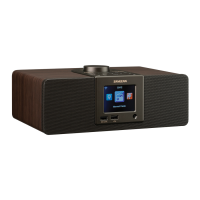
The Sangean WFR-32 is a versatile internet radio designed to provide a wide range of audio entertainment and smart features. It offers access to over 40,000 internet radio stations globally, along with support for various cloud music services, UPnP servers, and USB device playback. The radio can be controlled via its physical buttons, an included remote control, or a dedicated mobile app, offering flexible user interaction.

Function Description:

The WFR-32 serves as a comprehensive audio hub, primarily functioning as an internet radio. It allows users to:

  • Tune into Internet Radio Stations: Access a vast library of internet radio stations and podcasts from around the world. It includes "Local Radio" for local stations and "Internet Radio" for global content, with options to browse by genre, country/location, or popular lists.
  • Media Center Playback: Play audio from various sources through its Media Center. This includes:
    • Spotify Connect: Stream music directly from Spotify using a phone, tablet, or computer as a remote.
    • Cloud Music Services: Connect to popular streaming services like Amazon Music, Deezer, Napster, Qobuz, and TIDAL (requires paid subscriptions for most).
    • UPnP Server Playback: Stream music files from a UPnP server (e.g., a computer running Windows Media Player) on the same Wi-Fi network.
    • USB Storage Device Playback: Play music files directly from a USB flash memory device connected to the USB playback port.
  • Bluetooth Streaming: Pair with Bluetooth-enabled devices (e.g., smartphones, tablets) to stream audio wirelessly to the radio's speakers.
  • Aux-In Playback: Connect external audio devices (e.g., MP3 players, CD players) via the 3.5mm Aux-in jack to play audio through the radio.
  • Headphones Output: Listen to audio privately by connecting headphones to the 3.5mm headphone jack.
  • Alarm and Timer Functions: Set up to three alarms (Alarm 1, Alarm 2, and NAP Alarm) with customizable sounds (Beep, Melody, Internet Radio, USB, Spotify) and repeat settings. It also features a sleep timer to automatically turn off the radio after a set period and a regular timer for countdowns.
  • Scheduled Playing: Configure the radio to play during specified periods with chosen sound sources.
  • Weather Information Display: Show weather information on the standby screen, including location and temperature unit (Celsius/Fahrenheit).
  • USB Charging Port: Charge USB devices (e.g., smartphones) via a dedicated USB charging port.

Important Technical Specifications:

  • AC Power Adapter Requirements: DC 9V / 2.5A, Center Pin Positive (+).
  • Included Remote Control Battery: 2 x 1.5V Size "AAA" / UM-4 / R03.
  • Wi-Fi: 802.11b/g/n (WLAN) Encryption: WEP, WPA, WPA2 (PSK), WPS.
  • Bluetooth:
    • Specification: Bluetooth® Ver 5.0.
    • Profile Support: A2DP v1.3, AVRCP v1.6.
    • Audio Codec: SBC / AAC.
    • Transmitting Power: Class 2.
    • Line of Sight Range: 10 meters / 30 feet.
  • Loudspeaker: 2.5" 8ohm x 2 full range.
  • Output Power: 3W + 3W.
  • USB Type-A Ports:
    • USB-L (Playback): 5V / 1A.
    • USB-R (Charging): 5V / 1A.
  • Headphone Socket: 3.5mm diameter Stereo Output.
  • Auxiliary Socket: 3.5mm diameter Stereo Input.
  • Operating Temperature Range: 0°C to +35°C.
  • Supported USB File Systems: FAT, FAT32, and exFAT. NTFS is not supported.
  • Supported USB File Formats: MP3 (up to 320 Kbits/s, 48 KHz sampling rate), AAC/AAC+ (up to 320 Kbits/s, 48 KHz sampling rate), WMA (up to 320 Kbits/s, 48 KHz sampling rate), WAV/FLAC (up to 48 KHz sampling rate).
  • USB Memory Device Capacity: Tested to support up to 256GB.
  • Presets: Up to 250 favorite stations.

Usage Features:

  • Navigation and Text Input: Menus can be navigated using the Volume control and Previous/Next buttons on the radio, or arrow buttons and Enter button on the remote. Text input for passwords or date/time can be done via the radio's controls or the remote's numeric buttons.
  • Initial Setup Wizard: Guides users through language selection, network configuration (Wi-Fi, WPS, or manual setup), and privacy policy agreement upon first power-on or after a factory reset.
  • Mobile App Control (AirMusic Control): A companion app for Android and iOS devices allows for remote control of the radio over a Wi-Fi network, offering an intuitive interface and facilitating text input.
  • Preset/Favorite Stations: Store up to 250 favorite internet radio stations. The first 5 can be saved and recalled using dedicated preset buttons on the radio; all 250 can be managed via the remote or the "My Favorite" menu.
  • Equalizer Modes: Select from 9 equalizer modes (Normal, Flat, Jazz, Rock, Soundtracks, Classical, Pop, News, My EQ) to customize audio output.
  • Dimmer Function: Adjust the display brightness for power saving or normal operation, either through the configuration menu or directly via the remote control.
  • Time and Date Synchronization: Automatically sets time and date via internet connection if connected to Wi-Fi. Manual setup options are also available.
  • Power Management: Configure the radio to automatically power off after being idle for a set duration (5, 15, or 30 minutes).
  • Resume Playback: Option to continue playing the last internet radio station when the radio is powered on.
  • Firmware Updates: Supports software updates to ensure optimal performance and access to new features.
  • Factory Reset: Option to reset all settings, Wi-Fi passwords, and stored presets/favorites to default.

Maintenance Features:

  • Cleaning: Unplug the radio from the AC power outlet before cleaning. Use only a damp cloth for cleaning the exterior.
  • Battery Replacement (Remote Control): The remote control requires two AAA batteries. Instructions are provided for opening the battery compartment and inserting new batteries with correct polarity.
  • Software Update: The radio can be updated via its software update feature. It is crucial not to switch off power during an update to prevent permanent damage.
  • Troubleshooting Guide: The manual includes a troubleshooting section to address common issues such as no power, function disturbance, no internet connection, or incorrect time/date, offering potential causes and solutions (e.g., checking power connections, performing a factory reset, reconfiguring network settings).
  • Disposal of Old Product: Instructions advise against disposing of the product with household waste and encourage recycling through appropriate facilities, adhering to Waste Electrical and Electronic Equipment Directive guidelines.
  • Safety Instructions: Comprehensive safety guidelines are provided, covering aspects like proper placement, ventilation, power source connection, AC adapter handling, avoiding water exposure, and professional servicing requirements. These instructions are crucial for safe operation and longevity of the device.

Sangean WFR-32 Specifications

General IconGeneral
BrandSangean
ModelWFR-32
CategoryPortable Radio
LanguageEnglish

Related product manuals