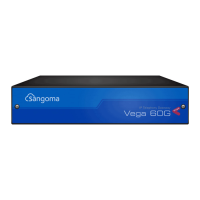
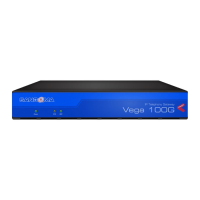
100G/200G
QUICK START GUIDE
V E G A10 0 G VEGA200G
Selecting OK to the above question will activate most
Quick Cong settings. Some parameters, like the IP
address of the Vega, will however require the Vega to
be re-booted. If a reboot is required the Vega will ask
whether this should occur immediately or whether you
wish to do it manually later. If later is selected, the reboot
button on the left hand side menu will be left RED to
indicate that a reboot is still required to activate certain
new parameters.
If you decide that you want to abandon the changes just
made in Quick Cong then select Exit. A conrmation
request will be displayed, select OK to exit or cancel to
return to the Quick Cong pages.
6. Archive the Conguration
Save the conguration in an archive, off the Vega,
by selecting Expert Cong > System, then in the
Conguration section select the Download button and
save the le cong.txt.
Certications
Safety
IEC 60950-1/A1:2009
Tele com
FCC part 68
ACTA Registration Number:
SANISNANVEGAX00G
Ringer Equivalence Number (REN): NA
Facility Interface Code (FIC): 04DU9.BN, 04DU9.
DN, 04DU9.1KN, 04DU9.1SN
Service Order Code (SOC): NA
USOC Jack Type: RJ45
IC CS-03,
Issue9,
Part VI
IC Registration Number: 5668A-VEGAX00G
TBR4 European Standard
AS/ACIF
S038
Australian Standard
EMC (Pending)
Emissions:
EN 55022:2010
EN 55022:2006 inc A1:2007 & A2:2010
VCCI (V-3/2012.04), AS/NZS CISPR 22
SANS 222:2006 / CISPR 22:2006
FCC/CFR 47:Part 15
Canadian Standard ICES-003:Issue 5
EN 61000-3-2:2006 inc A1/A2:2009
EN 61000-3-3:2008
Immunity:
EN 55024:2010
SANS 224:1997 / CISPR 24:1997
Warranty
Standard 12-month warranty is included. Additional
warranty services available, contact your Sales
representative for more information.
How to Get Support
If you encounter problems, please visit wiki.sangoma.com
or contact your authorized reseller directly.
Type Description
1
ST
LINE
SUPPORT
Visit the online knowledge base
at wiki.sangoma.com
Our knowledge base contains hundreds of step-by-
step tutorials, guides and troubleshooting information
to help you nd what you’re looking for and get back
to work as quickly as possible.
2
ND
LINE
SUPPORT
Contact your Point-of-Purchase
(Reseller/Distributor)
3
RD
LINE
SUPPORT
Contact Sangoma Support at
support.sangoma.com
Log onto our online support portal to submit your
support requests directly with Sangoma customer
Engineers, processed in a priority sequence.
End-User License Agreement
http://www.sangoma.com/legal/
P17-175 70 _ 3 .0

 Need help?

 To Next Page

 General