EasyManua.ls Logo

Sanitaire SC785 SERIES - User Manual

Sanitaire SC785 SERIES
16 pages
Print Icon
To Next Page IconTo Next Page
Loading...
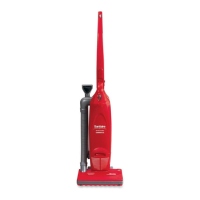
COMMERCIAL UPRIGHT
VACUUM CLEANER
OWNER’S GUIDE
SC785 SERIES
For location of nearest
Eureka/Sanitaire Warranty Station
or service information call
1-800-282-2886.
Index
Important Safeguards.................. 2
General Information .................... 6
Use ........................................... 7-8
Accessories................................. 9
Dust Bag ................................... 10
Filters ........................................ 11
Brush Roll ................................. 12
Brush Roll Belt .......................... 12
Warranty.................................... 15
www.eureka.com
Question and Answer IconNeed help?

Do you have a question about the Sanitaire SC785 SERIES and is the answer not in the manual?

Summary

Important Safeguards

Grounding Instructions

General Information

Service Information

Contact details for warranty and service information, including toll-free numbers.

Rating Plate

Location and importance of model, type, and serial numbers for service inquiries.

Cleaner Care

Instructions for cleaning the vacuum cleaner and storing it when not in use.

How to Use

Power Switch

Controls operation modes (Off, floor cleaning, carpet cleaning with brush roll).

Handle Release

Mechanism to adjust and lock the handle position from collapsed to upright.

Performance Indicator

Light indicating drop in vacuum performance due to blockages or full bag.

Cord Management

Features for securing and storing the power cord during use and storage.

Handle Adjustment

Controls for collapsing, releasing, and locking the handle.

Reset & Indicator Lights

Button and light for resetting motor cutoff and indicating brush roll issues.

How to Use Accessories

Accessory Attachment

How to connect dusting brush and upholstery nozzle to hose/wand.

Dusting Brush Usage

Using the dusting brush for furniture, blinds, books, lamps, shelves.

Crevice Tool Usage

Using the crevice tool for corners, baseboards, and between cushions.

Hose Elbow Rotation

Rotating hose elbow for easier use and disconnecting/reconnecting the hose.

How to Maintain

Dust Bag Replacement

Steps for removing the front cover, used dust bag, and installing a new dust bag.

Filters Maintenance

Checking, cleaning, and replacing motor and exhaust filters.

Brush Roll Belt Replacement

Step-by-step guide to replace the brush roll belt.

Brush Roll Care

Maintaining the brush roll by removing hair/threads and when to replace it.

Commercial Limited Warranty

Warranty Coverage Details

Specifies what the one-year warranty covers and excludes.

Eureka Companys Obligation

Explains the company's commitment to repair or replace defective parts.

Warranty Registration

Instructions for completing and returning the warranty registration card.

Obtaining Warranty Service

Procedures and contact information for seeking warranty repair.

Warranty Limitations and Exclusions

Details on implied warranties, liability for damages, and state rights.

Overview

This document is an owner's guide for the Sanitaire SC785 Series Commercial Upright Vacuum Cleaner. It provides comprehensive information on the vacuum's function, technical specifications, usage, and maintenance.

Function Description:

The Sanitaire SC785 Series Commercial Upright Vacuum Cleaner is designed for commercial use to pick up dirt and dust particles. It features a powerful suction system and a revolving brush roll to effectively clean various surfaces, particularly carpets. The vacuum is equipped with a 3-position ON/OFF switch that allows for different cleaning modes: Off, floor cleaning with accessories (brush roll off), and carpet cleaning (brush roll on). A performance indicator light alerts the user to a drop in vacuum performance, prompting checks for a full dust bag, dirty filters, or clogs. The handle can be collapsed for storage and rotated into an upright position for use. It also includes cord storage hooks for convenient cable management.

Important Technical Specifications:

While specific numerical technical specifications like motor wattage or airflow are not explicitly listed, the manual highlights several key operational and safety features:

  • Power: Operates on a nominal 120-volt circuit and requires a properly grounded outlet.
  • Grounding: Equipped with an equipment-grounding conductor and grounding plug to reduce the risk of electric shock.
  • Brush Roll: Features a revolving brush roll for effective carpet cleaning, which can be turned off for floor cleaning with accessories.
  • Belt: Uses a cogged, non-stretch belt for the brush roll. A reset button and light system are in place to indicate and address brush roll jams.
  • Dust Bag: Utilizes Style SL disposable dust bags, which are crucial for the cleaner's efficiency.
  • Filters: Includes a motor filter and an exhaust filter, both requiring regular cleaning or replacement for optimal performance.
  • Safety: Designed with important safeguards, including warnings against outdoor or wet use, operating without a dust bag, and touching hot belt pulleys. It also emphasizes unplugging before servicing and keeping openings clear.

Usage Features:

The vacuum cleaner is designed for user-friendly operation with several convenient features:

  • 3-Position ON/OFF Switch:
    • Top position: Off.
    • Middle position: For floor cleaning and cleaning with accessories (brush roll does not turn).
    • Bottom position: For cleaning carpets (brush roll turns).
  • Handle Release: A button allows the handle to be released from its collapsed position and rotated upright. A pedal located at the back of the cleaner between the wheels also facilitates handle release for comfortable operating positions.
  • Handle Collapse Button: Used to collapse the handle from the upright position for storage.
  • Cord Retainer: A feature to firmly push the electrical cord down into the retainer, keeping it out of the way during vacuuming.
  • Cord Storage Hooks: Two hooks on the handle for winding and securing the electrical cord.
  • Performance Indicator: A light that illuminates when vacuum performance drops, signaling the need to check the dust bag, filters, or for clogs.
  • Reset Button and Light: If the brush roll jams, the motor shuts off, and the reset light illuminates. The user must turn off, unplug, clear the jam, and then press the reset button to resume cleaning.
  • Accessories: Includes a dusting brush and a crevice tool (built into the upholstery nozzle) that fit on both the hose and wand. The hose elbow rotates for easy use of attachments.
    • Dusting Brush: For dusting furniture, blinds, books, and lamps.
    • Crevice Tool: For cleaning corners, baseboards, and between cushions.
  • Hose Disconnection: The hose can be disconnected from the elbow by aligning a notch with an arrow on the main body, allowing for inspection and clearing of blockages.

Maintenance Features:

Routine maintenance is crucial for the vacuum's longevity and optimal performance. The manual provides detailed instructions for several maintenance tasks:

  • Cleaner Care: The exterior can be wiped with a damp cloth and mild soap solution, then dried thoroughly. Chemical cleaners should be avoided.
  • Dust Bag Replacement (Style SL):
    1. Remove the front cover by grasping the handle and pulling it out and up.
    2. Push the top of the bag retainer latch inside the bag compartment and pull the used bag down and out.
    3. Position a new bag collar (notch toward front) on the bag rails, push it up, and lock it into place with the bag release button.
    4. Replace the front cover by aligning tabs into slots and pushing until it snaps into place.
    • Note: The dust bag should be checked frequently, especially when vacuuming fine particles or new carpet, as a clogged bag significantly reduces efficiency.
  • Filter Maintenance:
    • Motor Filter: Located below the dust bag. Remove the front cover and dust bag to access. Clean by brushing debris into a trash bin or vacuuming with another cleaner. Replace if dirty.
    • Exhaust Filter: Located behind the dust filter grille below the bag compartment. Remove the front cover, then lift the exhaust grille handle. The filter is attached to the back of the grille. Clean by brushing debris or vacuuming. To replace, tuck the bottom of the filter behind the two lower retainers, then the top behind the two upper retainers, and press it onto the pegs in the center of the grille before replacing the grille and front cover.
    • Note: Filters should be checked at each dust bag change and cleaned or replaced if dirty.
  • Brush Roll Belt Replacement:
    1. Remove 10 screws from the bottom of the power nozzle, flip it upright, and remove the hood. (Be mindful of the spring-loaded reset button cover).
    2. Remove the broken belt. Pinch the new belt together and engage its teeth with the cog pulley on the motor shaft.
    3. Place the other end of the belt around the brush roll. Align the left end of the brush roll into the base by rotating slightly until the end cap slides into place, then secure the right end.
    4. Ensure the reset button cover is in position on its spring. Replace the hood and screws.
  • Brush Roll Maintenance: Regularly remove hair and threads wrapped around the brush roll dowel with scissors to maintain effective carpet brushing. The brush roll should be replaced when bristles wear down to about 1/4" in length, following the same steps as belt replacement to access the power nozzle.

The manual also includes important safety instructions, grounding instructions, and warranty information. It advises users to contact Eureka/Sanitaire Authorized Warranty Stations for service and provides toll-free numbers for USA, Mexico, and Canada. It explicitly states not to oil the motor or brush roll as bearings are permanently lubricated.

Sanitaire SC785 SERIES Specifications

General IconGeneral
BrandSanitaire
ModelSC785 SERIES
CategoryVacuum Cleaner
LanguageEnglish

Related product manuals