PANEL
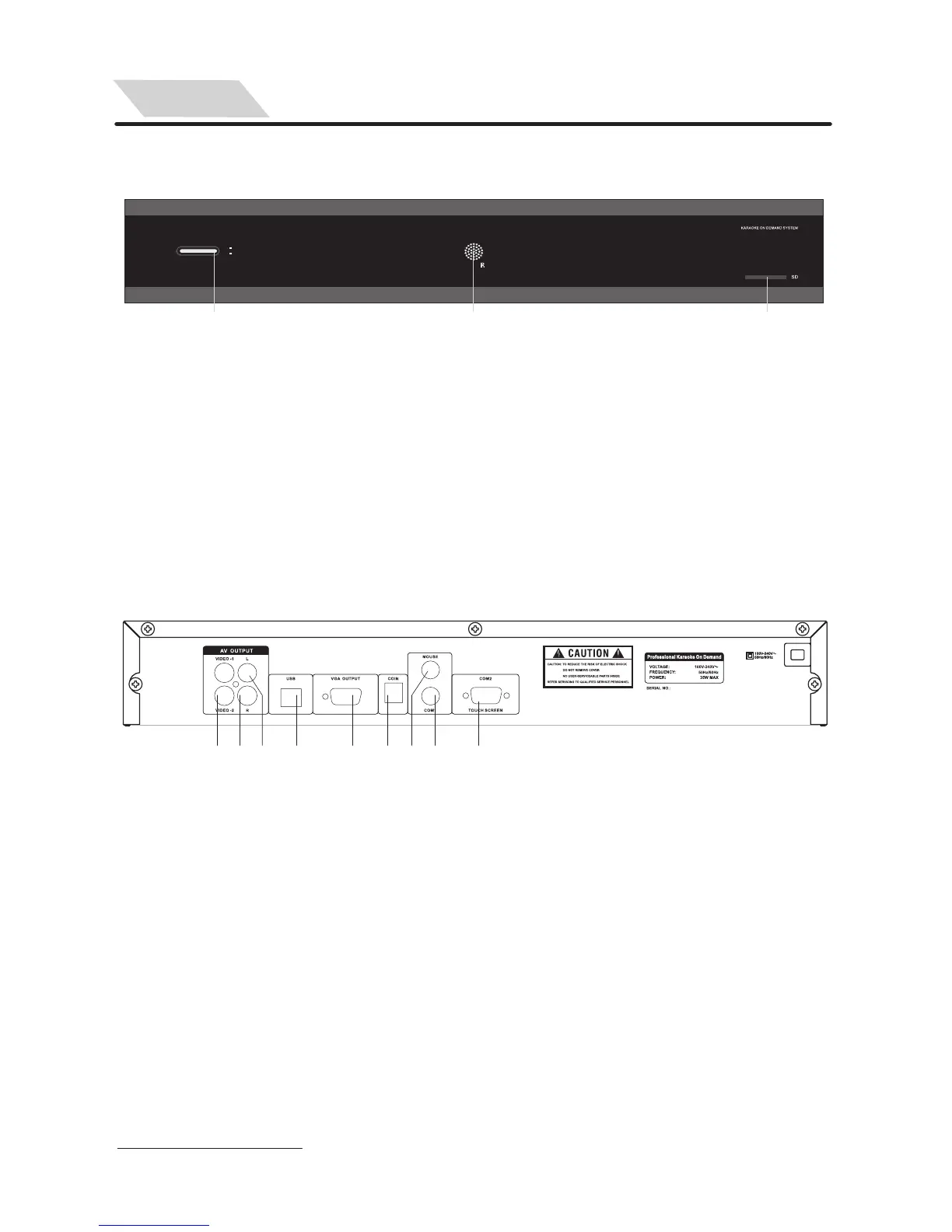
Front Panel View
1. Video Output
2. Right Channel Audio Output
3. Left Channel Audio Output
4. USB
5. VGA Output
Real Panel View
4
1 2 3 4 5 6 7 8 9
Note: COM1 and COM2 can not support two touch screens at the same time.
Please select the right one for your touch screen according to the shape
of plug.
6. COIN Selector Input
7. MOUSE Input
8. COM1 Input(For touch screen,
Extension Control Panel& MCU update)
9. COM2 Input (For touch screen)
Front Panel View
1 2 3
1. Power Button
2. Remote Sensor
3. SD Card Reader
POWER
ON
OFF


 To Next Page