EasyManua.ls Logo

Sankyo 8-CM - Battery Management; How to insert batteries; Testing of Batteries; Camera Handling and Accessories

Sankyo 8-CM
20 pages
Print Icon
To Next Page IconTo Next Page
To Previous Page IconTo Previous Page
Loading...
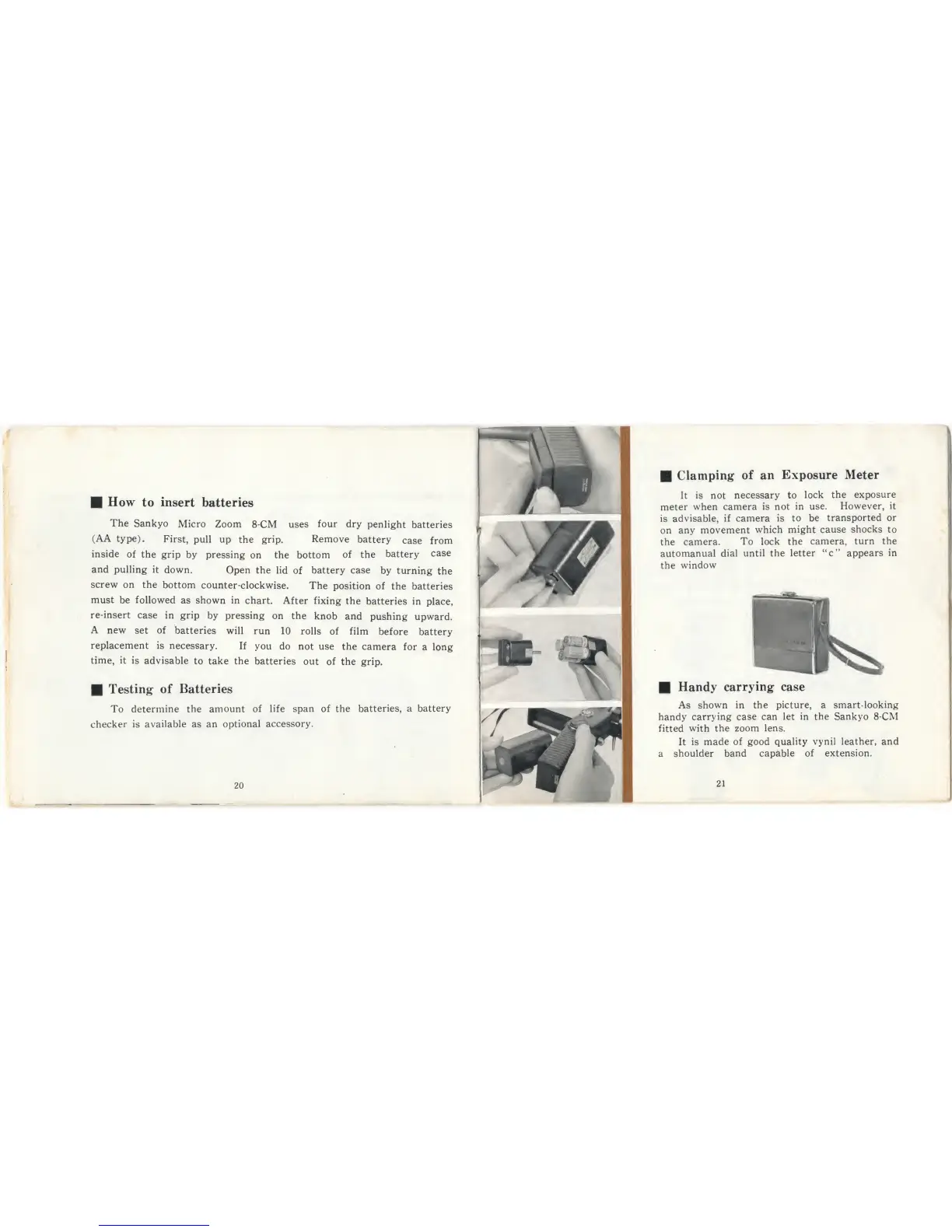
How
to
insert
batteries
The
Sankyo
Micro
Zoom
8-CM
uses
four
dry
penlight
batteries
(AA type).
First,
pull
up
the
grip.
Remove
battery
case from
inside
of the
grip
by pressing
on the bottom
of the
battery
case
and
pulling
it
down.
Open
the lid
of
battery
case
by
turning
the
screw on the
bottom
counter-clockwise.
The
position
of
the
batteries
must
be
followed
as
shown in
chart.
After
fixing
the
batteries in
place,
re-insert
case
in
grip
by
pressing
on the
knob and
pushing
upward.
A
new
set
of
batteries
will run
10 rolls
of
film
before
battery
replacement
is
necessary.
If
you do
not use the
camera
for
a long
time,
it
is advisable
to
take the
batteries
out
of the grip.
Testing
of Batteries
To
determine the
amount of
life span of the
batteries,
a battery
checker
is available as an
optional
accessory.
20
Handy
carrying case
As shown in
the picture, a
smart-looking
handy
carrying case
can let
in
the Sankyo
8-CM
fitted
with
the
zoom lens.
It
is
made
of
good
quality
vynil leather, and
a
shoulder
band capable
of extension.
21
Clamping
of
an
Exposure Meter
It
is
not
necessary to
lock
the
exposure
meter
when
camera
is
not
in use.
However, it
is
advisable,
if camera
is to
be
transported or
on
any
movement
which
might
cause
shocks
to
the
camera.
To lock
the
camera,
turn
the
automanual
dial
until
the letter “c”
appears
in
the
window