EasyManua.ls Logo

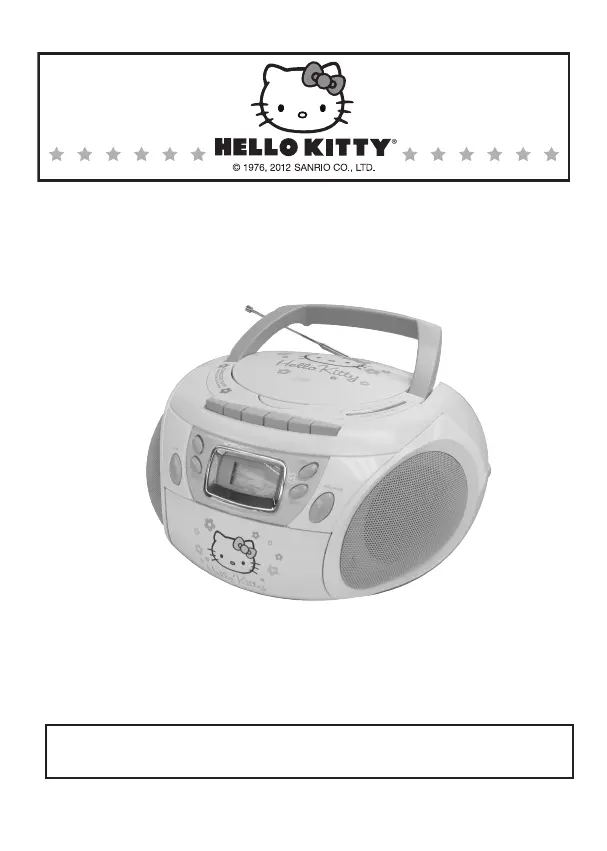
Sanrio Hello Kitty KT2028A - User Manual

Default Icon
11 pages
Print Icon
To Next Page IconTo Next Page
Loading...
AM/FM STEREO CD CASSETTE RECORDER
USER MANUAL
KT2028A
CAUTION: Electrically Operated Product – Please use care
when plugging into AC outlet.

Questions and Answers

  • J
    Jonathan MooreAug 16, 2025
    How to fix noise or distorted sound on Sanrio Cassette Player AM/FM broadcast?
    • M
      Miranda FaulknerAug 16, 2025
      If the Sanrio Cassette Player produces noise or distorted sound on AM or FM broadcast, try these solutions: * Retune the AM or FM broadcast station to ensure it's properly tuned. * If you are listening to FM, extend the FM telescopic antenna fully. * If you are listening to AM, reposition the unit until you get the best reception.
  • S
    smithericAug 19, 2025
    What to do if Sanrio Hello Kitty KT2028A CD skips while playing?
    • C
      Curtis MarshallAug 19, 2025
      If your Sanrio CD player skips while playing, it might be due to a dirty or scratched disc. Try wiping the CD with a clean cloth or using another disc to see if that resolves the issue.
  • A
    Alexis CooperAug 22, 2025
    Why does the Sanrio Hello Kitty KT2028A CD have intermittent sound?
    • T
      Thomas WattsAug 22, 2025
      If you're experiencing intermittent sound from the CD Player on your Sanrio Cassette Player, here are a few things to try: 1. Clean or replace the disc, as it may be dirty or defective. 2. Clean the lens using a CD-lens cleaning disc. 3. Relocate the player away from sources of excessive shock or vibration.
  • R
    Robert RobertsonAug 26, 2025
    What to do if Sanrio Hello Kitty KT2028A CD player will not play?
    • C
      Christian MooreAug 26, 2025
      If the Sanrio Cassette Player CD player will not play, consider the following: * Ensure the unit is in CD function mode. * Make sure the CD is inserted correctly, with the label side up. * If using a self-compiled CD, the media may not be compatible. Try using better quality blank media and retest. * If the batteries are exhausted, replace them with new ones.
  • A
    Ashley CookAug 28, 2025
    What to do if Sanrio Hello Kitty KT2028A Cassette Player AM or FM has no sound?
    • W
      Wesley WashingtonAug 29, 2025
      If you're getting no sound from the AM or FM radio on your Sanrio Cassette Player, make sure the Function/Power Switch is in the RADIO position and increase the volume.
  • R
    Richard GrahamAug 31, 2025
    What to do if Sanrio Hello Kitty KT2028A has no sound in Cassette mode?
    • A
      Ashley BerryAug 31, 2025
      If you are experiencing no sound from the cassette player on your Sanrio Cassette Player, ensure that the Function/Power Switch is set to TAPE and increase the volume.
  • N
    Nathan Stevens DDSSep 3, 2025
    How to fix distorted sound on Sanrio Hello Kitty KT2028A?
    • S
      suarezstanleySep 3, 2025
      If the sound is distorted on your Sanrio Cassette Player, the tape head might be dirty. Try cleaning the head.
  • R
    Rebecca GoodwinSep 6, 2025
    Why does Sanrio Cassette Player speed vary?
    • E
      Erin GonzalezSep 6, 2025
      If the speed varies on your Sanrio Cassette Player, it could be due to an old or worn tape. Try replacing the tape. Alternatively, the roller and capstan might be dirty; try cleaning them.
  • T
    Thomas RamosSep 9, 2025
    What to do if Sanrio Hello Kitty KT2028A will not record?
    • D
      Debra FaulknerSep 10, 2025
      If your Sanrio Cassette Recorder will not record, it might be because the prevention tab has been removed. Cover the hole with tape.
  • T
    Thomas VasquezSep 12, 2025
    How to resolve distorted sound on playback with Sanrio Hello Kitty KT2028A?
    • A
      Andrew PottsSep 12, 2025
      If you are experiencing distorted sound on playback with your Sanrio Cassette Player, the tape may be defective or the tape head may be dirty. Try replacing the tape or cleaning the tape head.

Summary

Important Safety Instructions

Laser Safety Precautions

Guidance on protecting eyes from laser radiation when operating the CD player.

Unit Placement and Environment

Instructions for placing the unit in suitable environments and handling condensation.

Functions and Controls Overview

Power Source and Operation Modes

Battery Operation

Details on how to operate the unit using batteries.

AC Power Operation

Instructions for powering the unit using AC electricity.

CD Player Operation

CD Programmed Playback

Guide to setting up and playing tracks in a programmed sequence.

Radio Reception

Tips for Best Radio Reception

Recommendations for optimizing FM and AM radio signal reception.

Cassette Recorder Operation

Cassette Automatic Stop

Explanation of the automatic stop feature for cassette playback.

Cassette Tape Operating Tips

AUX In Operation

Care and Maintenance

FCC Compliance Regulations

Troubleshooting Guide

90-Day Limited Warranty and Service

Sanrio Hello Kitty KT2028A Specifications

General IconGeneral
BrandSanrio
ModelHello Kitty KT2028A
CategoryCassette Player
Power SourceBattery
Built-in SpeakerYes
Headphone JackYes
DesignHello Kitty
FeaturesCassette Playback