Unoicial Sansui F50 User Manual
Changing the menu language
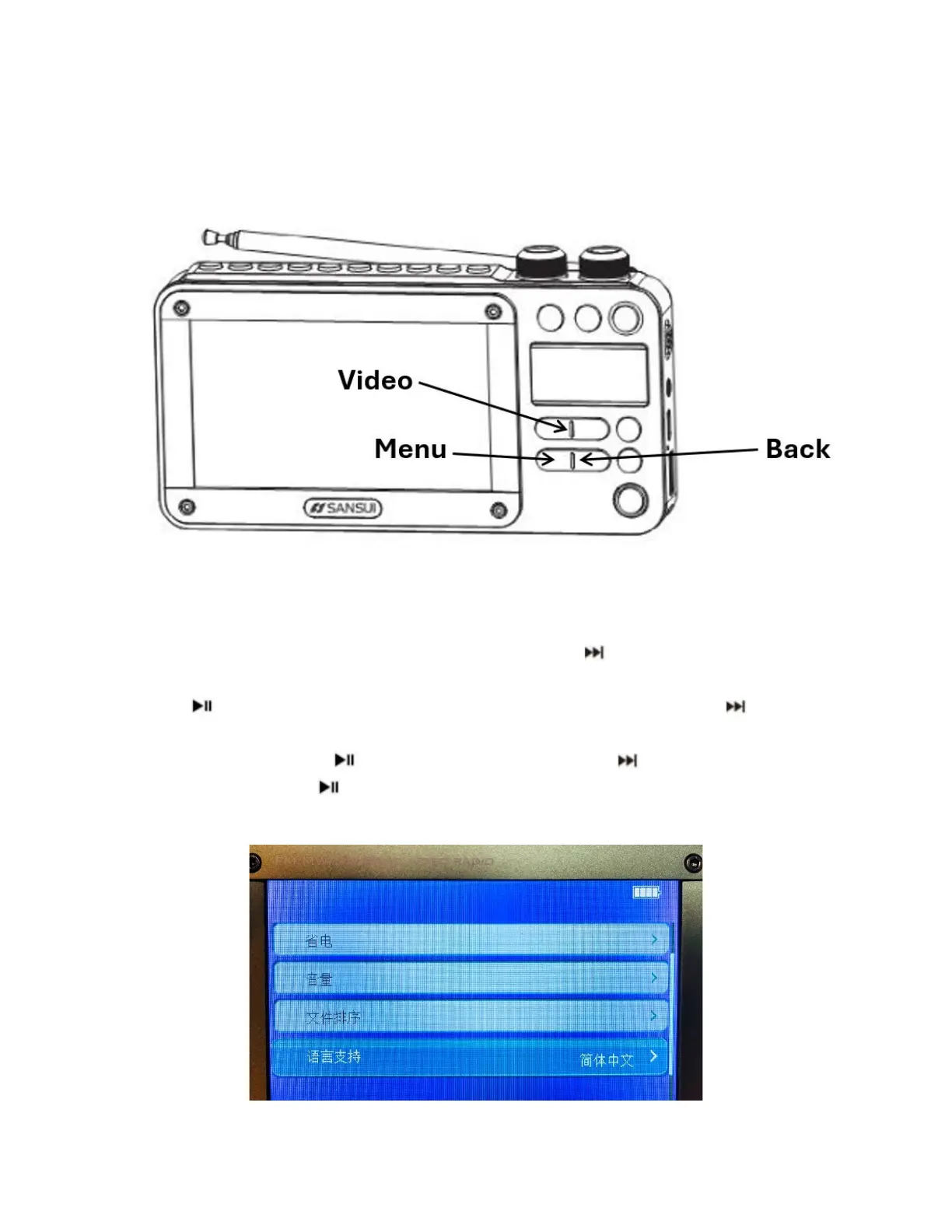
Refer to the following diagram for button labels:
Turn the unit on and press the Video button; this turns on the large display screen and
shows menu selections after playing a short video. Use the button to move through the
display icon selections until reaching the Settings icon (bottom right) that looks like a gear.
Press the button to select Settings and enter the settings menu. Press the button
repeatedly to advance to the fth option (check the image below to conrm which entry is
for language) and press the button to select it. Then use the button to highlight your
language of choice. Click to select the language (a check mark will appear), then press
the Back button to return to the main menu.



 To Next Page