EasyManua.ls Logo

Sansui MR-6 - Auto Function

Sansui MR-6
12 pages
Print Icon
To Next Page IconTo Next Page
To Previous Page IconTo Previous Page
Loading...
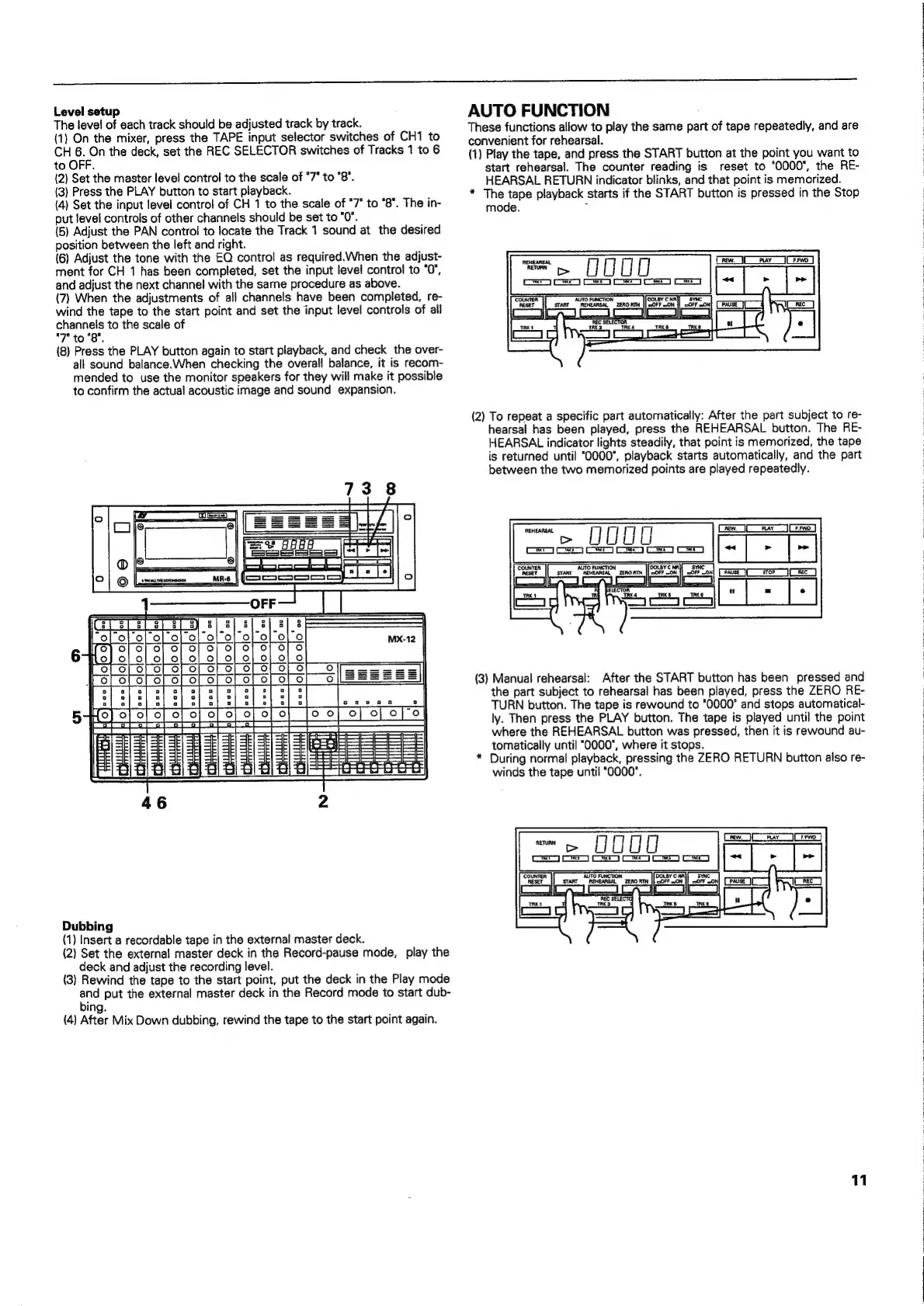
Level
setup
The
level
of
each
track
should
be
adjusted
track
by
track.
(1)
On
the
mixer,
press
the
TAPE
input
selector
switches
of
CH1
to
CH
6.
On
the
deck,
set
the
REC
SELECTOR
switches
of
Tracks
1
to
6
to
OFF.
(2)
Set
the
master
level
control
to
the
scale
of
"7*
to
"8".
(3)
Press
the
PLAY
button
to
start
playback.
(4)
Set
the
input
level
control
of
CH
1
to
the
scale
of
"7"
to
“8°.
The
in-
put
level
controls
of
other
channels
should
be
set
to
"0".
(5)
Adjust
the
PAN
control
to
locate
the
Track
1
sound
at
the
desired
position
between
the
left
and
right.
(6)
Adjust
the
tone
with
the
EQ
control
as
required.When
the
adjust-
ment
for
CH
1
has
been
completed,
set
the
input
level
control
to
"0",
and
adjust
the
next
channel
with
the
same
procedure
as
above.
(7)
When
the
adjustments
of
all
channels
have
been
completed,
re-
wind
the
tape
to
the
start
point
and
set
the
input
level
controls
of
all
channels
to
the
scale
of
"7"
to
"8".
(8)
Press
the
PLAY
button
again
to
start
playback,
and
check
the
over-
all
sound
balance.When
checking
the
overall
balance,
it
is
recom-
mended
to
use
the
monitor
speakers
for
they
will
make
it
possible
to
confirm
the
actual
acoustic
image
and
sound
expansion.
Dubbing
(1)
Insert
a
recordable
tape
in
the
external
master
deck.
(2)
Set
the
external
master
deck
in
the
Record-pause
mode,
play
the
deck
and
adjust
the
recording
level.
(3)
Rewind
the
tape
to
the
start
point,
put
the
deck
in
the
Play
mode
ich
put
the
external
master
deck
in
the
Record
mode
to
start
dub-
ing.
(4)
After
Mix
Down
dubbing,
rewind
the
tape
to
the
start
point
again.
AUTO
FUNCTION
These
functions
allow
to
play
the
same
part
of
tape
repeatedly,
and
are
convenient
for
rehearsal.
(1)
Play
the
tape,
and
press
the
START
button
at
the
point
you
want
to
start
rehearsal.
The
counter
reading
is
reset
to
"0000",
the
RE-
HEARSAL
RETURN
indicator
blinks,
and
that
point
is
memorized.
*
The
tape
playback
starts
if
the
START
button
is
pressed
in
the
Stop
mode.
-
(2)
To
repeat
a
specific
part
automatically:
After
the
part
subject
to
re-
hearsal
has
been
played,
press
the
REHEARSAL
button.
The
RE-
HEARSAL
indicator
lights
steadily,
that
point
is
memorized,
the
tape
is
returned
until
"0000",
playback
starts
automatically,
and
the
part
between
the
two
memorized
points
are
played
repeatedly.
ee
ee
GEE
re
OE
EE)
EE)
CE
OE)
(3)
Manual
rehearsal:
After
the
START
button
has
been
pressed
and
the
part
subject
to
rehearsal
has
been
played,
press
the
ZERO
RE-
TURN
button.
The
tape
is
rewound
to
"0000"
and
stops
automatical-
ly.
Then
press
the
PLAY
button.
The
tape
is
played
until
the
point
where
the
REHEARSAL
button
was
pressed,
then
it
is
rewound
au-
tomatically
until
"0000",
where
it
stops.
*
During
normal
playback,
pressing
the
ZERO
RETURN
button
also
re-
winds
the
tape
until
"0000".
=>
UUU0
ES
OE
OE)
CE)
OS
ee
11