Need help?
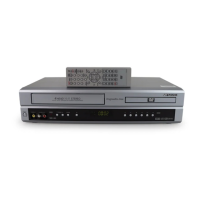
Do you have a question about the Sansui VRDVD4005 and is the answer not in the manual?
Explains how to set the TV/CATV menu option for TV or Cable Television mode.
Provides the website address for information on other products.
Details the one-year full warranty for the DVD Recorder and repair service.
Explains the benefits and coverage of Sears' Master Protection Agreements for extended product life.
Warns against removing covers, exposing to rain/moisture, and handling with wet hands.
Advises caution with the laser system and warns against direct exposure to the laser beam.
Lists essential safety precautions for operating the unit, including cleaning and ventilation.
Covers power source, grounding, polarization, and lightning protection for safe operation.
Details precautions regarding overloading, liquid entry, electrical hazards, and heat sources.
Warns about the disc tray pinch hazard and laser beam exposure.
Advises on proper disc handling and provides grounding examples for CATV systems.
Explains condensation prevention and lists copyright and trademark notices.
Provides instructions on how to handle, store, and clean discs to prevent damage.
Lists compatible discs, region management, and incompatible disc types to avoid.
Details DVD-RW and DVD-R discs usable for video recording.
Explains VR mode and Video mode, and format compatibility for different discs.
Describes the partitioning of DVD-Video and Audio CDs into titles, chapters, and tracks.
Explains finalization for playback on other DVD players and compatibility notes.
Identifies and explains the function of front panel buttons and connection jacks.
Details the various input and output jacks located on the rear panel of the unit.
Explains the meaning of various symbols and codes displayed on the unit's display window.
Lists each remote control button and its corresponding function and page number.
Guides on battery insertion, basic remote control use, and unit operation.
Details how to connect the unit to a standard AC power outlet.
Illustrates methods for connecting combination and separate UHF/VHF antennas to the DVD/VCR.
Shows three common methods for connecting the DVD/VCR to a TV using coaxial cables and splitters.
Illustrates three connection methods for CATV systems, including the use of converter/descrambler boxes.
Presents three additional CATV connection methods, detailing allowances and preventions.
Explains how to connect the unit to a TV using Audio/Video or S-Video cables for playback.
Details connecting to a TV with component video inputs for high-quality picture.
Guides on connecting to stereo or AV amplifiers using audio and digital outputs.
Explains how to connect using an optical digital cable for audio output.
Describes the automatic clock setting process and manual adjustments for time zone and daylight saving.
Explains how to set the TV channel for video playback from the VCR.
Provides a step-by-step guide on navigating and using the unit's SETUP MENU.
Explains how to select languages for on-screen display, DVD menus, audio tracks, and subtitles.
Details how to set parental control levels to restrict playback of certain discs.
Explains how to temporarily bypass parental control settings for specific DVDs.
Guides on manually setting the date, year, and current time on the unit.
Covers selecting time zones and managing daylight saving time for accurate clock settings.
Explains automatic and manual formatting for new DVD-RW discs in VR or Video mode.
Details how to reformat recorded discs and finalize them for playback on other players.
Covers protecting discs from erasure and cancelling finalization for DVD-RW discs.
Explains how to adjust display brightness and turn the screen display on or off.
Guides on selecting TV screen aspect ratios and still image display modes.
Covers disabling background noise and setting priority for external video inputs.
Explains how to control the image brightness level for optimal viewing.
Details Dynamic Range Control, Virtual Surround, and External Audio Input modes.
Covers Second Audio Program (SAP) and initial recording settings like TO, MODE, AUTO CHAPTER, INDEX PICTURE.
Explains settings for initial recording destination, mode, auto chapter, and index picture.
Explains TV/CATV selection, auto channel memory, and manual channel adding/deleting.
Sets the time interval for displaying JPEG files during a slide show.
Guides on inserting a disc, closing the tray, and starting/stopping DVD playback.
Explains how to display and select titles or playlists for playback from the title menu.
Details how to view various information about the loaded disc, such as titles, format, and remaining time.
Details advanced playback controls for searching, pausing, and slow-motion.
Guides on using SKIP buttons to navigate between chapters or tracks.
Explains how to use the CM SKIP button to bypass commercials during playback.
Details how to search for playback by time, chapter, or title.
Covers one-touch repeat and A-B repeat playback for repeating specific sections.
Explains various repeat playback modes including title, chapter, and random.
Guides on selecting titles from the title menu for playback.
Explains how to use the DVD menu to select languages, subtitles, and other disc options.
Details how to change viewing angles on discs that support multi-angle playback.
Explains how to zoom in on video frames and adjust the view position.
Guides on selecting different audio languages for multilingual discs.
Explains how to toggle subtitles and select subtitle languages.
Details how to play specific tracks from a music CD.
Explains how to hide or show tracks on a CD, effectively excluding them from playback.
Covers random playback, repeating selected tracks or all tracks, and programming playback order.
Guides on initiating playback from a specific time point on a CD.
Explains how to navigate the browser screen to view files on MP3/WMA/JPEG discs.
Details how to filter files shown on the browser screen by type: Music Only, Pictures Only, or All.
Guides on playing back MP3 and WMA audio files from discs.
Explains how to play JPEG files, view thumbnails, and use slide show features.
Details how to activate progressive scan for enhanced picture quality on compatible TVs.
Provides instructions for inserting, ejecting, and handling VHS/S-VHS cassette tapes.
Lists tape speeds and their corresponding maximum recording times.
Guides on initiating, stopping, and resuming playback of video tapes.
Explains how to fast wind tapes, search for specific points, and use picture search modes.
Details special playback features like picture search, still frames, slow motion, and frame-by-frame advance.
Covers adjusting tracking for clear picture and displaying VCR operation status.
Explains the zero return function for stopping at 00:00:00 and switching between clock/counter displays.
Describes how to record and search for index marks on tapes for easier locating of recorded content.
Lists compatible DVD-RW and DVD-R discs for video recording.
Explains the four recording modes (XP, SP, LP, SLP) and their impact on quality and time.
Discusses disc remaining time in VR and Video modes, and title erasure limitations.
Explains copy-restriction signals (Free, Never, Once) and limitations on recording protected content.
Guides on choosing recording modes (VCR/DVD) and selecting TV channels for recording.
Explains how to stop or temporarily pause recording sessions.
Details how to switch to TV mode to watch a different channel while recording.
Guides on setting the recording mode, TV/CATV option, and channel for OTR.
Describes how to access and initiate a new timer recording program.
Covers setting the recording type (Once, Everyday), date, start/end times, and channels.
Guides on selecting the recording destination (DVD/VCR) and recording mode.
Explains how to confirm timer programs, activate the timer, and handle potential program overlaps.
Details how to record MTS stereo broadcasts and select audio output options.
Introduces title menus, original titles, and playlists for editing recorded content.
Compares editable items for original titles and playlists in VR and Video modes.
Guides on creating a playlist by selecting and combining original titles.
Explains how to change the name of a playlist using the on-screen keyboard.
Guides on erasing specific scenes from a playlist to manage content.
Details how to precisely set start and end points for scene erasure and preview the changes.
Explains how to combine multiple titles into a single playlist for playback or editing.
Guides on how to erase a playlist without affecting the original titles.
Explains how to manually add chapter marks to original titles for easier navigation.
Guides on combining existing chapters within an original title.
Explains how to change the name of an original title using the on-screen keyboard.
Guides on how to erase unnecessary scenes from original titles to save disc space.
Explains how to erase entire original titles from a disc.
Guides on how to change the disc's name using the on-screen keyboard.
Explains the different keyboard screen types (Letters, Numbers, Signs) and methods for character input.
Details methods for erasing input characters and selecting between uppercase and lowercase letters.
Guides on confirming entered names and cancelling input operations.
Explains how to set up the unit for dubbing video or audio from a tape onto a disc.
Guides on setting up the unit for dubbing from a disc onto a video tape.
Explains how to connect and dub using other VCRs or camcorders.
Provides definitions for terms like A-B Repeat Playback, Angle, Auto Chapter, Auto Clock, Blue Background, Browser Screen, CATV, Chapter, CM Skip, Copy Guard, Dolby Digital, DTS, DVD Menu.
Defines terms like Playlist, Progressive Scanning, Region Number, Setup Menu, Slide Show, Subtitle Language, Title, Title Menu, Top Menu, Track, TRACK INFO screen, Video Mode, Virtual Surround, VR Mode.
Lists language codes required for initial settings like DVD Menu, Audio, and Subtitle.
Lists common error/warning messages during power on, playback, and recording, with causes and solutions.
Provides solutions for common problems like unit not operating, no picture, no sound, and remote control issues.
Addresses problems with VCR recording, picture display, and on-screen information.
Explains the importance of video head cleaning and precautions to avoid damage.
Lists detailed technical specifications for the unit's power, dimensions, VCR, and DVD sections.
 General
| Type | DVD VCR Combo |
|---|---|
| Brand | Sansui |
| Model | VRDVD4005 |
| DVD Player | Yes |
| VCR Player | Yes |
| Number of Discs | 1 |
| Video Output | Composite, S-Video |
| Audio Output | Stereo |
| Remote Control | Yes |
| Region Code | 1 |
| Output Resolution | 480p |
| Recordable Media | DVD-R, DVD-RW |
| Playback Formats | DVD, CD, VCD |

 To Next Page