31 32
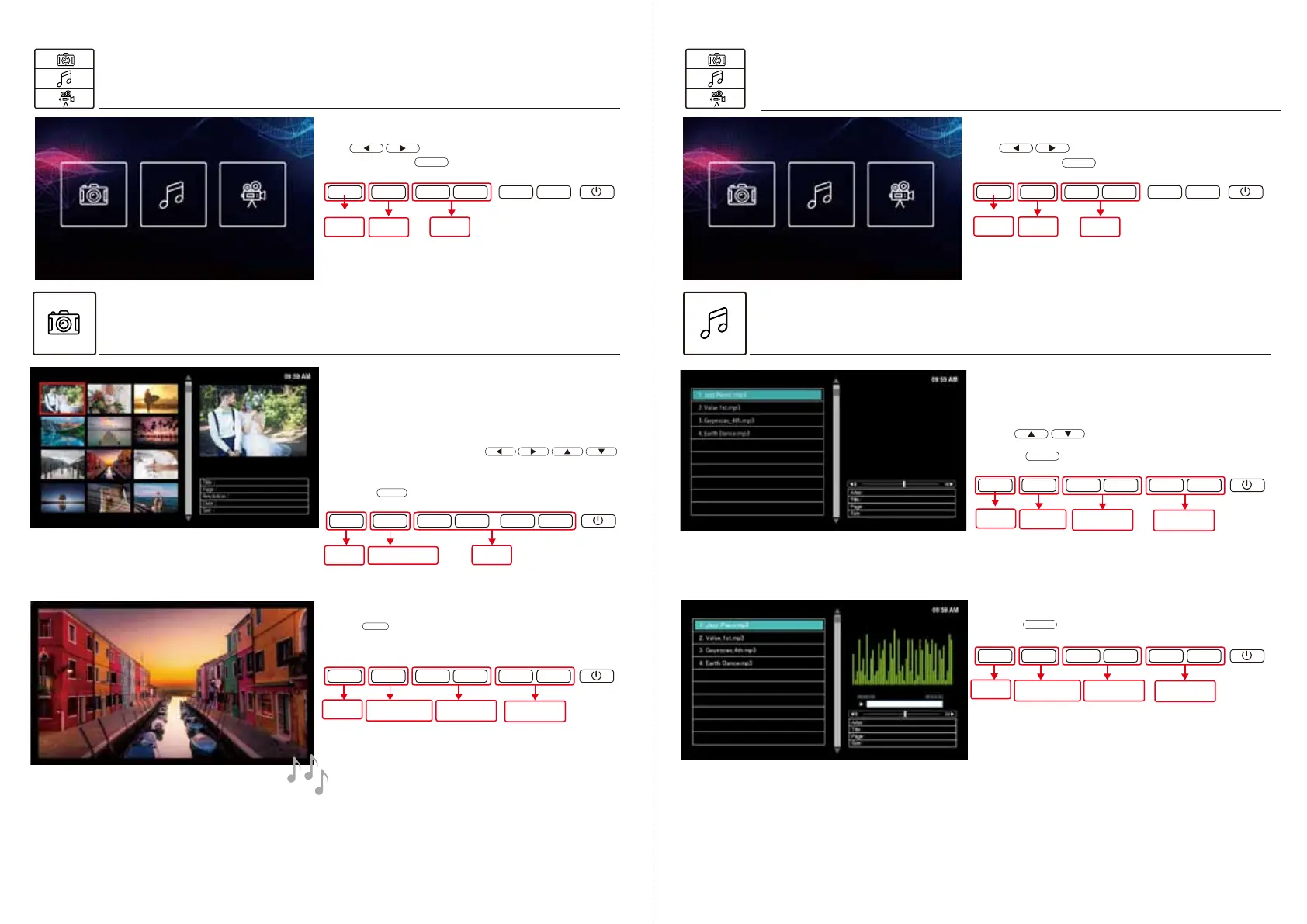
Selecting[Photo]
Photoslideshows
Selecting[Music]
Afterentering[Photo]/[Music]/[Video]menu,
usetochoose[Photo]icon
andthenpresstoconfirm.
OK
Afterentering[Photo]/[Music]/[Video]menu,
usetochoose[Music]icon
andthenpresstoconfirm.
OK
OK
Duringmusicplay
※Whenispressed,musicwillstop.
※Randomplayandrepeatfunctionarenotavailable.
※Possibletoplaydefaultmusic.
①InsertSDcard/USBcorrectly.
Playphotos(insupportedformat)intheformof
slideshowsfromloadedSDcard/USBmemory
②Fromphotooverview,use
toselectpreferredphototobeginwith.
③Pressandthenslideshowwillstart.
OK
Playsongs(insupportedformat)fromloadedSD
card/USBmemorystick.
OK
Playingmusic
Duringslideshow
OK
OK
▼
▼
▼
▼
MENU
OK
▼
▼
▼
▼
MENU
OK
▼
▼
▼
▼
MENU
Resume/Stop
(SlideShow)
Adjust
MusicVolume
OK
▼
▼
▼
▼
MENU
Resume/Stop
(Music)
SelectPhoto
OK
▼
▼
▼
▼
MENU
Enter
(StartSlideShow)
OK
▼
▼
▼
▼
MENU
※Whenispressed,slideshowwillstop.
※If[BGMmode]ison,thenmusicwillbeplayed.
(RefertoP.9forBGMsetting)
※PleaseusetheupperUSBport.
(BottomUSBportisdesignedforchargingonly)
Select
Return
(Cancel)
Confirm
Return
(Cancel)
Return
(Cancel)
Enter
(PlayMusic)
Adjust
MusicVolume
SelectMusic
Return
(Cancel)
Adjust
MusicVolume
SelectMusic
Return
(Cancel)
Select
Select
Return
(Cancel)
Confirm
②Presstoplay.
②Frommusiclist,
usetoselectpreferredsong.



 To Next Page
 Loading...