 Need help?
Do you have a question about the Sanwa MT-R RX-493i and is the answer not in the manual?
Essential safety advice for using the RC system.
Proper setup and operational procedures for the R/C system.
Guidelines for safe operation and avoiding trouble during use.
Advice on handling the transmitter and proper storage conditions.
Safety notes regarding 2.4GHz band, interference, and antenna usage.
Explanation of symbols used to indicate important information.
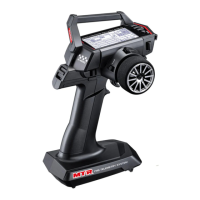
Lists the components included in the MT-R R/C system set.
Details the technical specifications for the transmitter and receiver.
Customizing the feel of steering and throttle triggers.
Modifying the trigger's position for user comfort and control.
Modifying brake trigger size for better finger fit and control.
Instructions on how to properly install batteries in the transmitter.
Steps to bind the transmitter and receiver for communication.
Labels and identification of various parts on the transmitter.
Details about the receiver's functions and LED indicators.
Visual guide for connecting receiver, servos, and ESC.
Best practices for mounting and positioning the receiver antenna.
Explanation of how to use the transmitter's buttons for navigation and settings.
Understanding the information shown on the transmitter's display panel.
Correctly attaching the servo horn to the servo for neutral positioning.
Adjusting servo neutral position using the Sub Trim function.
Understanding the distinct uses of Sub Trim and Trim adjustments.
Customizing steering travel limits for left and right turns.
Adjusting overall steering sensitivity and response rate.
Overview of the transmitter's menu system and its sections.
How to adjust Dual Rate settings during operation and via menu.
Controlling servo response time for smoother steering and throttle.
Modifying servo response linearity for Mild, Linear, or Quick settings.
Configuring fail-safe for loss of signal or low battery voltage.
Setting Reverse, Sub Trim, and EPA for channels simultaneously.
Detailed EPA settings for Steering and Throttle channels.
Detailed EPA settings for AUX1 and AUX2 channels.
Fine-tuning servo neutral position using Trim controls.
Configuring ALB for stable braking on low-grip surfaces.
Adjusting throttle neutral for improved engine start-up performance.
Choosing throttle bias (forward/brake) for different speed controllers.
Setting operating quantity for AUX channels using trims or switches.
Assigning specific servo positions (points) to AUX channels.
Configuring 4WS modes for coordinated steering.
Adjusting drive ratio for dual-motor RC cars.
Mixing steering or throttle inputs to AUX channels.
Using Code AUX for communication with compatible devices.
Loading and switching between saved model configurations.
Creating custom names for stored model data.
Duplicating settings from one model to another.
Resetting model settings to default values.
Measuring and recording lap times for RC car runs.
Configuring interval and countdown timers for various purposes.
Configuring the logger to record temperature, voltage, and RPM data.
Configuring alerts for temperature, voltage, and hold time.
Adjusting telemetry units, log step, and RPM ratio.
Steps to establish a secure wireless connection between transmitter and receiver.
Customizing switch functions for operational shortcuts.
Customizing trim functions and their behavior.
Adjusting buzzer sound and volume for alerts and operations.
Configuring LCD contrast, backlight mode, and time.
Selecting battery type and setting low voltage alarm thresholds.
Calibrating steering and throttle neutral/endpoints for accuracy.
Step-by-step wizard for initial RC car configuration.
Selecting car type, RF mode, and response mode during setup.
Setting response modes and performing the binding process.
Table mapping functions to trims and switches.
Guide to understanding transmitter LED states and their meanings.
Solutions for power loss, intermittent connections, and low battery issues.
Troubleshooting slow servos, misaligned steering, and operational problems.
Information regarding manufacturer defects and warranty coverage.
How to get help for technical questions or problems.
 General
| Brand | Sanwa |
|---|---|
| Model | MT-R RX-493i |
| Category | Control Systems |
| Language | English |

 To Next Page