EasyManua.ls Logo

Sanyo DC-TS750 - User Manual

Sanyo DC-TS750
28 pages
Print Icon
To Next Page IconTo Next Page
Loading...
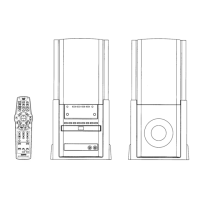
INSTRUCTION MANUAL
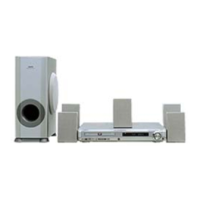
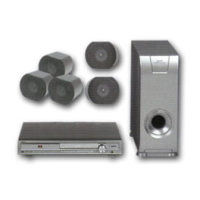
DVD Home Theatre System
DC-TS750
REMOTE CONTROLLER RB-TS750ST

Other manuals for Sanyo DC-TS750

Questions and Answers

  • S
    Susan ReyesJul 29, 2025
    Why does the remote control not work properly with my Sanyo DC-TS750?
    • K
      Kimberly DiazJul 29, 2025
      If the remote control for your Sanyo Home Theater System isn't working correctly, start by checking the batteries. Ensure they are not weak and are installed with the correct polarity (+ or –). If they are fine, replace them. Also, make sure you're aiming the remote control directly at the remote sensor window on the Sanyo unit.
  • F
    Frederick OdomAug 2, 2025
    Why is there no picture on my Sanyo DC-TS750?
    • D
      daniel43Aug 2, 2025
      If your Sanyo Home Theater System shows no picture, there might be a few reasons. First, ensure you've selected the correct function on the system. Second, check that a disc is loaded and that it's a playable disc, considering the disc logo, type, color system, and regional code. Finally, make sure your TV is set to receive the signal from the Sanyo unit by selecting the correct input function on your TV.
  • W
    Willie BuckleyAug 6, 2025
    How to fix no sound on Sanyo Home Theater System?
    • B
      brittanystewartAug 7, 2025
      If your Sanyo Home Theater System has no sound, there are a couple of things to check. First, make sure you've selected the correct function on the system. Second, verify that the volume control isn't set to the minimum. If it is, simply turn up the volume.
  • S
    Steven GutierrezAug 10, 2025
    What to do if my Sanyo DC-TS750 Home Theater System player does not start?
    • L
      Latasha MorrisonAug 11, 2025
      If your Sanyo Home Theater System player doesn't start, make sure a disc is loaded. Also, check that the disc is playable, considering the disc logo, type, color system, and regional code. Ensure the disc is loaded correctly, with the label side up. If the disc is dirty, clean or replace it. Finally, if 'Parental' control is set, cancel the parental lock function or change the rating level, and reset it after playing.
  • R
    rodriguezjamesAug 15, 2025
    Why is the playback picture poor on my Sanyo Home Theater System?
    • J
      josephreeseAug 16, 2025
      If the playback picture on your Sanyo Home Theater System is poor, the issue might be with the disc. Ensure that you load a playable disc, and check the disc logo, type, color system, and regional code to confirm compatibility.
  • R
    Robert ReynoldsAug 19, 2025
    What does it mean when a strange character appears on the TV screen with my Sanyo DC-TS750?
    • K
      Kenneth ParsonsAug 19, 2025
      If your Sanyo Home Theater System displays a strange character on the TV screen, it means that the selected function cannot be performed at this time. This can happen because the feature is not currently available, the DVD software restricts it, or the DVD software does not support the feature (e.g., angles).
  • A
    Ashley BarnesAug 25, 2025
    How to reset Sanyo DC-TS750 Home Theater System when the operation or display is not normal?
    • D
      david64Aug 25, 2025
      To reset your Sanyo Home Theater System when the operation or display is not normal: 1. Disconnect the mains lead. 2. Press the RESET button (located on the bottom of the unit) for at least 30 seconds.

Summary

Precautions and Safety

Unit Controls and Indicators

Front Panel Layout

Identifies and describes buttons and indicators on the unit's front panel.

Display Indicator Meanings

Explains the meaning of various indicators shown on the unit's display.

Remote Control Operations

Remote Control Button Functions

Detailed description of each button on the remote control and its operation.

Basic Connections Guide

Speaker Wiring Instructions

Instructions for connecting speaker wires to the main unit and speakers correctly.

Aerial Connection Setup

TV Video Connection

How to connect the unit to a television using a video cable for viewing.

Additional Connection Examples

Connecting TV via S-Video Cable

Detailed steps for connecting a television using an S-video cable for improved picture quality.

Connecting TV via EURO-AV;SCART Cable

Detailed steps for connecting a television using a EURO-AV/SCART cable for high-quality playback.

System Connection Diagrams

JCX-TS750, TV, and Audio Equipment Setup

Diagram showing connections for TV, audio equipment, and the main unit.

JCX-TS750, TV, and VCR Setup

Diagram illustrating connections for TV, VCR, and the main unit.

More System Connection Examples

JCX-TS750, TV, VCR, and Audio Equipment

Diagram for connecting multiple devices including TV, VCR, and audio equipment.

Before Operation Guide

Power On;Off and Standby Modes

Instructions for powering the unit on, off, and using ecology standby mode.

Troubleshooting Operation Issues

Steps to resolve abnormal unit operation or display problems.

Various Audio Adjustments

Disc Playback Procedures

Preparation and Playback Control

Steps to prepare for playback and instructions for starting, stopping, and pausing discs.

Advanced Disc Playback Controls

DVD Menu, Title, and Chapter Navigation

Accessing DVD menus, titles, chapters, and skipping between them.

Additional Disc Playback Features

MP3 CD Playback Guide

Playing MP3 CDs and File Navigation

Steps for playing MP3 CDs, including file skipping, repeat play, and navigation.

Initial System Settings

Display and TV Type Configuration

Adjusting display parameters, including TV aspect ratio and output format.

Audio Settings and Adjustments

Parental Control Setup and Password

Establishing parental controls and password protection for content access.

Radio Listening Guide

Radio Tuning Methods

Instructions for automatic and manual tuning of FM and AM radio stations.

Timer Operation Functions

Troubleshooting Common Issues

Sanyo DC-TS750 Specifications

General IconGeneral
BrandSanyo
ModelDC-TS750
CategoryHome Theater System
LanguageEnglish

Related product manuals