EasyManua.ls Logo

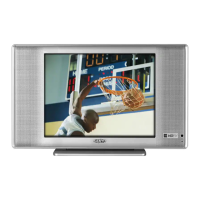
Sanyo DP19649 - User Manual

Sanyo DP19649
60 pages
Print Icon
To Next Page IconTo Next Page
Loading...
ESPAÑOL ENGLISH
37I0521A_EnSp.indb 137I0521A_EnSp.indb 1 3/24/09 4:19:46 PM3/24/09 4:19:46 PM

Other manuals for Sanyo DP19649

Questions and Answers

  • M
    Michael Dunn Jr.Aug 19, 2025
    What to do if my Sanyo LCD TV does not operate?
    • V
      vhooperAug 19, 2025
      If your Sanyo LCD TV isn't operating, ensure the power cord is properly plugged in and try a different AC outlet. Also, check the fuse or circuit breaker. As a last resort, unplug the unit for an hour, then plug it back in.
  • J
    jcabreraAug 21, 2025
    What to do if there is no CATV reception on Sanyo LCD TV?
    • T
      Terry JonesAug 21, 2025
      To resolve no CATV reception on your Sanyo LCD TV, check all Cable TV connections. Set the Air/Cable menu option to the Cable mode. If the problem persists, it might be station or Cable TV system problems; try another station.
  • A
    Alexander McbrideAug 23, 2025
    How to fix no reception above channel 13 on Sanyo LCD TV?
    • J
      Jody EwingAug 25, 2025
      To fix the issue of no reception above channel 13 on your Sanyo LCD TV, make sure the Signal Type option is in the appropriate mode. If you're using an antenna, check the UHF antenna connections.
  • K
    Kimberly HernandezAug 26, 2025
    Why is my Sanyo LCD TV remote not working?
    • Y
      yesenia46Aug 26, 2025
      If your Sanyo LCD TV remote isn't working, start by checking the batteries to ensure they are not weak, dead, or inserted incorrectly. Then, move closer to the TV (within 15 feet) and make sure the remote is aimed at the sensor with no obstructions in between. Finally, verify the TV's power cord is plugged in.
  • C
    Carlos RodriguezAug 28, 2025
    How to fix poor sound on Sanyo LCD TV?
    • S
      Shari NguyenAug 28, 2025
      If your Sanyo LCD TV has poor sound or no sound, try tuning to another station to rule out station or cable TV problems. Check your sound adjustments, including volume and mute settings. Also, check for potential sources of interference.
  • J
    Jesse WallaceAug 30, 2025
    Why is the picture on my Sanyo LCD TV so poor?
    • B
      Benjamin MorrisAug 30, 2025
      If your Sanyo LCD TV picture quality is poor or there is no picture, try tuning to another station to rule out station or cable issues. Make sure channels are set into the memory. Check the antenna or cable TV connections and adjust the antenna if needed. Also, check for sources of potential interference and review your picture control adjustments.
  • K
    Kathryn FisherSep 1, 2025
    Why does my Sanyo LCD TV keep shutting off?
    • D
      Dawn BridgesSep 1, 2025
      If your Sanyo LCD TV is shutting off unexpectedly, check if the Sleep Timer is set and turn it off if it is. Also, check if there was a power interruption.
  • V
    Vanessa WallaceSep 3, 2025
    How to improve poor reception on Sanyo LCD TV?
    • Z
      zgreenSep 3, 2025
      If you're experiencing poor reception on some channels with your Sanyo LCD TV, try tuning to another station to rule out station or cable TV problems. Make sure the channels are set into memory. If the station is weak, adjust the antenna to improve reception. Check for sources of possible interference.
  • D
    Dr. Richard FoxSep 5, 2025
    What to do if closed caption is not activated on Sanyo LCD TV?
    • R
      Rodney WilsonSep 5, 2025
      If your Sanyo LCD TV isn't displaying closed captions, try tuning to another channel to rule out TV station issues or programs that are not closed captioned. Check the Cable TV connection or VHF/UHF antenna, and reposition or rotate the antenna. Also, set the closed caption decoder in the menu.
  • S
    Sandra HarrisSep 8, 2025
    Why is the color on my Sanyo LCD TV bad?
    • P
      Paul McdonaldSep 8, 2025
      If the color on your Sanyo LCD TV is poor or missing, try tuning to another station to rule out station or cable TV problems. Ensure the channels are set into memory. Check the picture control adjustments, antenna or cable TV connections, and adjust the antenna. Also, check for sources of possible interference.

Summary

Warranty Information

Warranty Application, Obligations, and Claims

Details the terms, obligations, and procedure for the one-year limited warranty.

Product Trademarks and Compliance

Safety Warnings and Symbols

Electrical and Fire Hazard Alerts

Highlights critical safety warnings related to electricity and fire risks.

Important Safety Instructions

General Operating and Installation Safety

Covers 19 essential safety guidelines for proper and safe operation.

Child Safety and Usage Guidelines

Operational Safety Precautions

LCD Panel Handling and Condensation Prevention

Provides guidance on LCD panel care and managing condensation issues.

Stand Installation and Removal

Product Features and Power Source

Key Features and AC Power Connection

Outlines major features and the process for connecting AC power safely.

Device Parts and Controls Overview

Front, Side, and Rear Panel Identification

Identifies all controls, indicators, and connection ports on the TV unit.

Remote Control Operation

Remote Functions and Battery Management

Explains remote buttons, installation, and battery precautions.

Antenna Connection Guide

Cable TV Connection Options

External Device Connectivity (Part 1)

Connecting VCRs and DVD Players

Instructions for connecting VCRs, DVD players, and camcorders via various inputs.

External Device Connectivity (Part 2)

Connecting Audio Systems and HDMI;DVI Devices

Guides for connecting AV amplifiers and HDMI/DVI devices.

PC and Monitor Connections

Computer Connection and Resolution Chart

Explains PC connection via RGB/DVI and lists compatible resolutions.

Initial Setup and Basic TV Operation

Starting Setup and Channel Selection

Guides through initial setup, language, and basic TV operation including channel tuning.

Quick Operation Guide

Display Information and Menu Navigation

Explains the DISPLAY button and provides a quick guide to menu operations.

Convenience Functions Overview

Customizing Picture, Audio, and System Settings

Details various settings for picture, audio, PC, channel, lock, and setup.

Channel Management Features

Memorizing, Searching, and Editing Channels

Instructions for memorizing channels, automatic search, and adding/deleting channels.

Channel and Input Labeling

Checking Signal Strength and Labeling Inputs

Explains how to check digital signal strength and label channels/video inputs.

V-Chip Parental Control System

Password Setup and V-Chip Activation

Guides on registering a password and setting up the V-Chip for content restriction.

Advanced V-Chip and Closed Captioning

Downloadable V-Chip and Caption Settings

Covers downloading V-Chip ratings, clearing settings, and configuring Closed Captioning.

Picture Size Adjustment Options

Selecting and Understanding Picture Formats

Details various picture size options like Natural, Cinema Wide, Full, and Native.

Reception Issues and Maintenance

Common Reception Disturbances

Describes common TV interference types and their causes.

Troubleshooting Checklist

Identifying and Resolving TV Problems

Provides a checklist of common symptoms and their solutions for TV issues.

Technical Specifications

General and Input;Output Details

Lists detailed specifications including power, dimensions, inputs, outputs, and accessories.

Sanyo DP19649 Specifications

General IconGeneral
BrandSanyo
ModelDP19649
CategoryHDTV
LanguageEnglish

Related product manuals