EasyManua.ls Logo

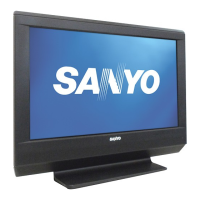
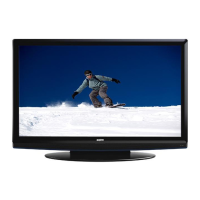
Sanyo DP26640 - User Manual

Sanyo DP26640
20 pages
Print Icon
To Next Page IconTo Next Page
Loading...
© 2011 Sanyo Manufacturing Corporation
Table of Contents
Tabla de contenido
Table des matières
1JC6P1P0372- -1JC6P1P0372- -
Part No. / No. de parte / Nº de piece:
For assistance:
We’ll be glad to Help
Owners Manual
Manual del usuario
Manuel d’instructions
TVHD ACL
TVHD de LCD
HDTV LCD
www.sanyoctv.com
1-800-877-5032
M
M
a
T
VH
D
A
C
L
TVHD
d
e LC
D
HDTV L
D
Model No. / No. de Modelo / Nº de modèle
DP26640
4
22
40
N8MJ/US1Y

Other manuals for Sanyo DP26640

Question and Answer IconNeed help?

Do you have a question about the Sanyo DP26640 and is the answer not in the manual?

Summary

Important Safety Instructions

Owners Manual

Specifications

Protecting the LCD Screen

Handling Precautions

Getting Started

Battery Installation

Instructions for installing two 'AA' batteries into the remote control.

Antenna Connection for Off-Air Signals or Cable

Guide for connecting antenna or cable service to the HDTV's ANT terminal.

HDTV Input;Output Reference

Video Inputs and Outputs

Reference for various inputs like USB, PC, HDMI, Component, Composite, and outputs.

Audio;Video Connections

Initial Channel Search

Channel and AV Signal Search

Performing channel searches for antenna/cable and signal searches for AV inputs.

Remote Control Operation

Key Functions

Detailed explanation of all remote control buttons and their functions.

On-Screen Menu Operation

Setup

V-Chip (Parental Control)

Adjusting the V-Chip Ratings

Blocking programs based on MPAA movie and TV ratings for parental control.

Picture

Pix Shape

Sound

PC Input

PC Setting

Configuring PC input settings like Auto Adjustment, Dot Clock, Phase, and Position.

USB Input

One-Year Limited Parts and Labor Warranty

Warranty Application

Details on warranty coverage for manufacturing defects in materials and workmanship.

Obligations

Manufacturer's warranty commitment for product defects under normal use.

How to Make a Claim Under This Warranty

Procedure for contacting customer service to initiate a warranty claim.

Summary

Important Safety Instructions

Owners Manual

Specifications

Protecting the LCD Screen

Handling Precautions

Getting Started

Battery Installation

Instructions for installing two 'AA' batteries into the remote control.

Antenna Connection for Off-Air Signals or Cable

Guide for connecting antenna or cable service to the HDTV's ANT terminal.

HDTV Input;Output Reference

Video Inputs and Outputs

Reference for various inputs like USB, PC, HDMI, Component, Composite, and outputs.

Audio;Video Connections

Initial Channel Search

Channel and AV Signal Search

Performing channel searches for antenna/cable and signal searches for AV inputs.

Remote Control Operation

Key Functions

Detailed explanation of all remote control buttons and their functions.

On-Screen Menu Operation

Setup

V-Chip (Parental Control)

Adjusting the V-Chip Ratings

Blocking programs based on MPAA movie and TV ratings for parental control.

Picture

Pix Shape

Sound

PC Input

PC Setting

Configuring PC input settings like Auto Adjustment, Dot Clock, Phase, and Position.

USB Input

One-Year Limited Parts and Labor Warranty

Warranty Application

Details on warranty coverage for manufacturing defects in materials and workmanship.

Obligations

Manufacturer's warranty commitment for product defects under normal use.

How to Make a Claim Under This Warranty

Procedure for contacting customer service to initiate a warranty claim.

Sanyo DP26640 Specifications

General IconGeneral
BrandSanyo
ModelDP26640
CategoryLCD TV
LanguageEnglish

Related product manuals