— 7 —
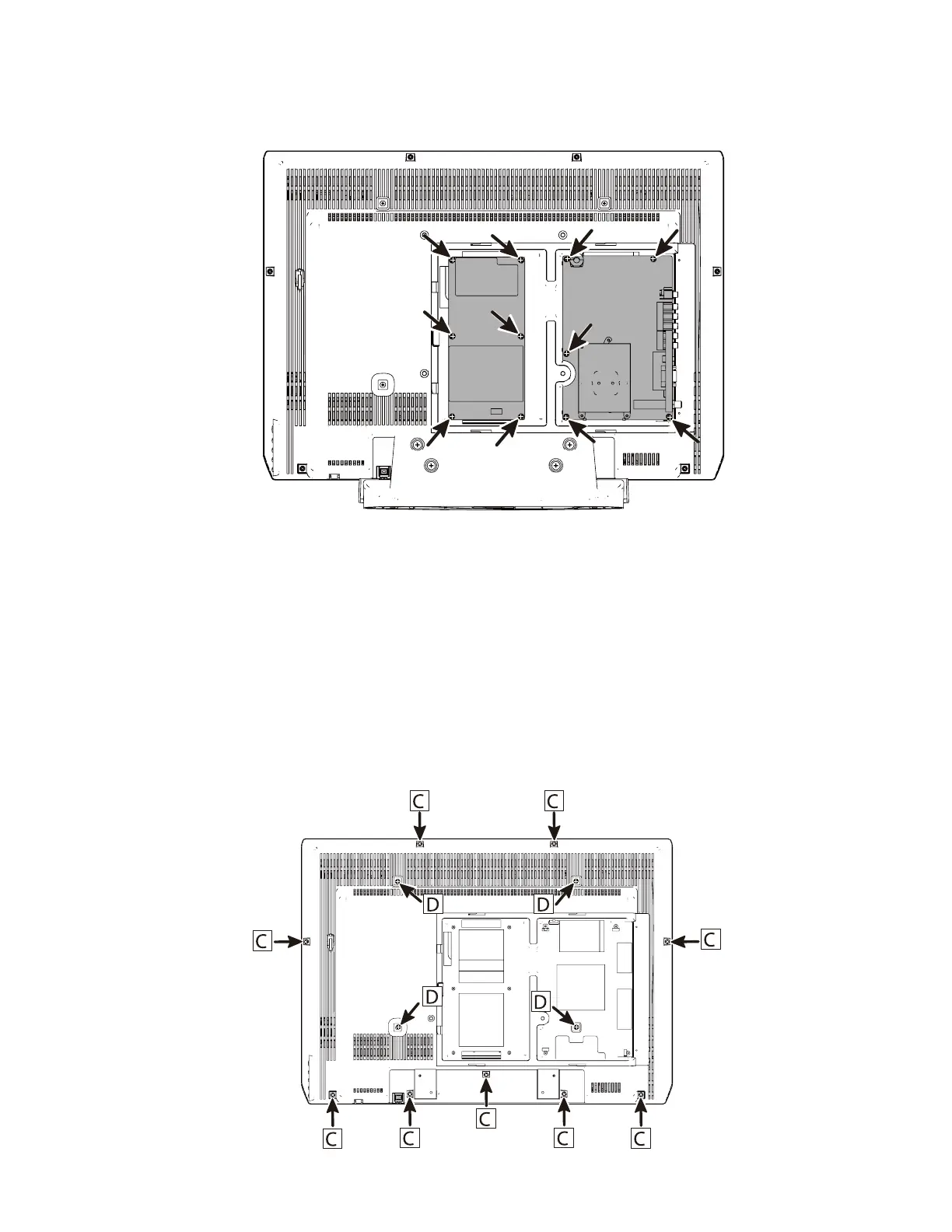
POWER AND MAIN BOARD REMOVAL
LCD panel removal Removal
1. Disconnect the lead wires from LCD panel, speakers, and control board.
2. Once you have taken off the Lid back, stand base, power unit and main board remove 9
screws (C:3X14) and 4 screws (D:4X8) to take the back cabinet off.
3. Lift the LCD panel from the front cabinet.
1: Main Board Removal
Remove 5 screws (3X14) to take the main board off.
2: Power Unit Removal
Remove 6 screws (3X14) to take the power unit off


 To Next Page