
EasyManua.ls Logo

Sanyo VPC-CG20EX - User Manual

Sanyo VPC-CG20EX
201 pages
Print Icon
To Next Page IconTo Next Page
Loading...
VPC-CG20EX
VPC-CG20
VPC-CG20GX
VPC-CG20PX
VPC-CG20TA
INSTRUCTION MANUAL
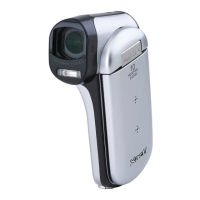
Dual Camera
Please read these instructions carefully before using the camera.
Make sure to read and understand the separate booklet “SAFETY MANUAL”.
Keep this manual in a safe place for later reference.
Important note
This manual explains how to safely operate the VPC-CG20EX, VPC-CG20,
VPC-CG20GX, VPC-CG20PX and VPC-CG20TA.
Any information regarding only one of these products will be labeled as such.

Table of Contents

Questions and Answers

  • S
    santiagojessicaSep 23, 2025
    Why doesn't the audio guide sound on my Sanyo Dual camera?
    • L
      leemichaelSep 23, 2025
      If the audio guide does not sound on your Sanyo Dual camera, the audio guide setting might be set to "OFF". Set the audio guide setting to "ON".
  • P
    paula00Aug 23, 2025
    Why doesn't the flash work on my Sanyo Dual camera?
    • D
      David ManningAug 25, 2025
      If the flash on your Sanyo Dual camera isn't working, ensure that the flash off mode isn't selected. Set the flash to automatic or forced flash mode. Alternatively, the battery pack may be dead, so try recharging it, replacing it with a fully charged one, or connecting the AC adapter.
  • G
    Gary ObrienAug 25, 2025
    Why are my Sanyo Dual camera photos too dark?
    • M
      matthewdavisAug 26, 2025
      If your Sanyo Dual camera images are too dark, it could be due to several reasons. First, make sure your finger or another object isn't blocking the flash. Second, ensure the subject is within the flash's effective range. If the subject is backlit, use the forced flash mode. Finally, if there isn't enough light, try adjusting the ISO sensitivity setting.
  • S
    Scott GeorgeAug 27, 2025
    What to do if my Sanyo VPC-CG20EX Dual camera doesn't capture images when pressing the button?
    • D
      Daniel DoyleAug 27, 2025
      If your Sanyo Dual camera isn't capturing images when you press the button, first ensure the camera is powered on. If the power save function is activated, turn on the camera before shooting. If the camera was turned off, press the ON/OFF button to turn it on. Alternatively, if the maximum number of images or video clip recording time has been reached, install a new card.
  • M
    Michael SheltonAug 27, 2025
    Why does my Sanyo Dual camera turn off by itself?
    • J
      Jennifer MitchellAug 28, 2025
      If your Sanyo Dual camera turns off by itself, it is likely due to the power save function. Simply turn the camera on again.
  • J
    James ReillySep 16, 2025
    Why is there no color or the image distorted on my Sanyo VPC-CG20EX?
    • B
      blakegomezSep 16, 2025
      If there is no color in the image or the image is distorted on your Sanyo Dual camera, the TV output setting might not be correct. Select the correct TV output setting.
  • J
    Jonathan Morris Jr.Sep 13, 2025
    Why is there no sound during audio playback on my Sanyo VPC-CG20EX?
    • A
      Andrew RodriguezSep 13, 2025
      If there is no sound during audio playback on your Sanyo Dual camera, the playback volume setting might be too low. Adjust the playback volume.
  • C
    Candice BernardSep 14, 2025
    Why can't I edit or rotate an image on my Sanyo VPC-CG20EX Dual camera?
    • D
      dmitchellSep 15, 2025
      If you cannot edit or rotate an image on your Sanyo Dual camera, the protect mode might be set. Cancel the protect mode.
  • W
    wyattchelseaSep 6, 2025
    What to do if Sanyo VPC-CG20EX Dual camera has no power because the battery pack is too hot?
    • C
      Christy OchoaSep 6, 2025
      If your Sanyo Dual camera has no power, and the battery pack is too hot, wait for it to cool down.
  • C
    Carrie HunterSep 3, 2025
    Why is my Sanyo VPC-CG20EX Dual camera image too bright?
    • R
      rdoughertySep 3, 2025
      If the image from your Sanyo Dual camera is too bright, it might be because the forced flash mode is selected. Try selecting a different flash mode.

Sanyo VPC-CG20EX Specifications

General IconGeneral
BrandSanyo
ModelVPC-CG20EX
CategoryDual camera
LanguageEnglish