English 34
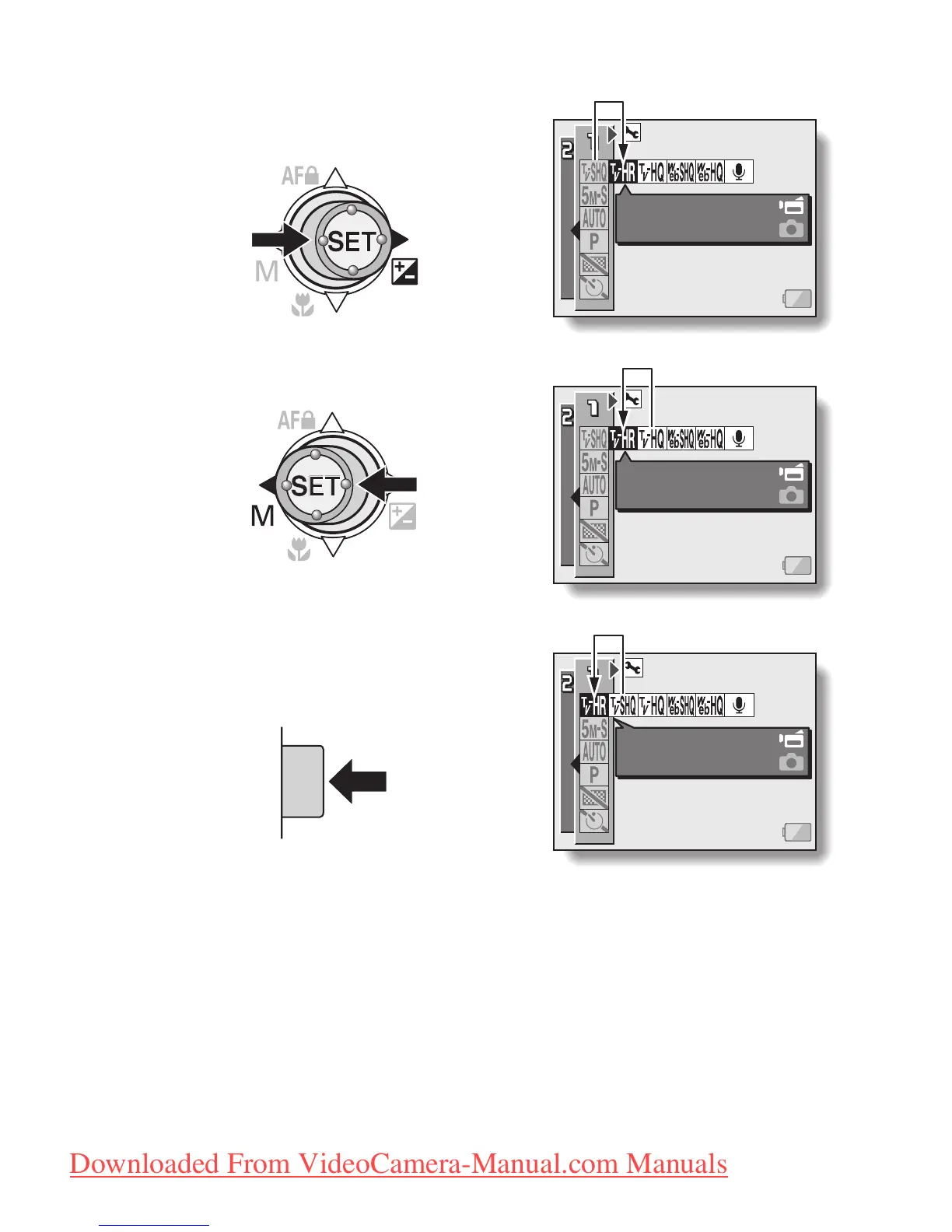
<Select the icon to the left or right>
To select the icon to the right,
toggle the SET button to the right.
To select the icon to the left,
toggle the SET button to the left.
<Actuate the selected icon>
Press the SET button. The selected
icon moves to the left end of the
lineup.
VIDEO CLIP MPEG4
640x480 60fps HR
VIDEO CLIP MPEG4
640x480 60fps HR
VIDEO CLIP MPEG4
640x480 60fps HR
Downloaded From VideoCamera-Manual.com Manuals



 To Next Page