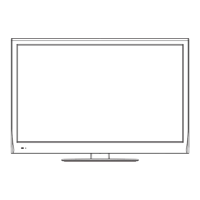
This document is an owner's manual for the Sanyo XT-43FHD4S LED TV (FHD). It provides comprehensive information on the TV's functions, technical specifications, usage, and maintenance.
Function Description:
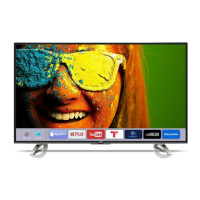
The Sanyo XT-43FHD4S is an LED TV designed for home entertainment. It offers a range of features including access to smart TV functionalities, various input/output options for connecting external devices, and multimedia playback capabilities. The TV operates on a Google Android TV platform, allowing users to access a homepage with favorite applications, streaming services like Netflix, YouTube, ZEE5, Hotstar, JioCinema, Sony LIV, Hungama, and ALTBalaji, and other smart features. It supports both wired and wireless network connections for internet access. The TV can be controlled via a remote control with dedicated buttons for various functions, including Google Assistant voice control.
Important Technical Specifications:
- Model No.: XT-43FHD4S
- Power Source: 110-240 V ~ 50/60 Hz
- Power Rating: 75 W
- Standby condition: < 0.5 W
- Visible screen size: 108 cm (approximately 43 inches)
- Number of pixels: 2,073,600 (1,920(W)x1,080 (H)) - indicating Full HD resolution.
- Dimensions (L x B x H):
- With Pedestal: 97.0 cm x 21.5 cm x 61.4 cm
- TV only: 97.0 cm x 8.5 cm x 56.9 cm
- Net weight:
- With Pedestal: 7.1 kg
- TV only: 7.0 kg
- Gross Weight: 9.6 kg
- Speaker: 6 Ω
- Audio output: 20 W (10W + 10 W)
- TV System: PAL/SECAM, BG/DK/I, NTSC(AV), DVB-T/T2
- Connection Terminals:
- LAN: RJ45 x 1
- HDMI input: HDMI connector x 3
- DIGITAL AUDIO OUT: DIGITAL AUDIO OUT x 1
- AV IN: AV IN x 1
- ANTENNA: Aerial connector x 1
- USB: USB 2.0 TYPE A Connectors x 2 (DC 5 V, MAX 500 mA)
- HEADPHONE: HEADPHONE x 1
- Supported Video Decoders (Resolution, Max fps, Maxbitrate, Bit depth):
- MPEG1, MPEG2 MP@HL, MPEG-4 SP@HL 3.0, MPEG-4 ASP@HL 4.0 (1920x1080, 60 fps, 50M Mbps, 8 bit)
- Xvid (1920x1080, 60 fps, 50M Mbps, 8 bit)
- H.264 BP LV 4.0 (1920x1080, 30 fps, 125M Mbps, 8 bit)
- H.264 MP LV 4.0, H.264 HP LV 4.0, H.264 MVC (version 11) (1920x1080, 60 fps, 125M Mbps, 8 bit)
- H.265 Main profile @ Level 4.1 (1920x1080, 60 fps, 125M Mbps, 8 bit)
- H.265 Main10 profile @ Level 4.1 (1920x1080, 60 fps, 125M Mbps, 8/9/10 bit)
- Motion JPEG (1920x1080, 60 fps, 25M Mbps, 8 bit)
- Window Media Video v9 (1920x1080, 60 fps, 25M Mbps, 8 bit)
- VC-1 (SP/MP/AP) (1920x1080, 60 fps, 25M Mbps, 8 bit)
- VP9(profile-2 10bit) (1920x1080, 60 fps, 50M Mbps, 8/10 bit)
- RV 8 (rv30), RV 9 (rv40), RV 10 (rv40) (1920x1080, 30 fps, 25M Mbps, 8 bit)
- AVS Jizhun Profile LV 6.0, AVS Plus (1920x1080, 30 fps, 25M Mbps, 8 bit)
- Sorenson H.263 (1920x1080, 30 fps, 25M Mbps, 8 bit)
- M-JPEG (1920x1080, 60 fps, 25M Mbps, 8 bit)
- H.263 (1920x1080, 30 fps, 25M Mbps, 8 bit)
- Supported Audio Decoders: PCM (wav: PCM/ADPCM/A-law PCM/u-law PCM, ADPCM IMA4), AMR (AMR-NB, AMR-WB/AMR-WB+), LPCM (DVD LPCM), RA (cook: COOK (RealAudio6)), MPEG 1/2/4 (MPEG1 Layer1/2, MPEG1 Layer1/2 (MPEG2), MP3 (MPEG1 Layer3)), AAC (MPEG2 AAC (AAC-LC), MPEG4 AAC-LC, MPEG4 HE-AAC v1/v2, raac: MPEG4 AAC-LC, racp: MPEG4 HE-AAC v2 (RealAudio10)), WMA (WMA v7, WMA v8, WMA v9, WMA Pro), AC3 (Dolby Digital EX, Dolby Digital Plus, dnet: AC3 (RealAudio3)), Dolby EAC3 (Dolby Digital Plus), Dolby TrueHD (Dolby lossless), Dolby MS11 (No-HEAAC), Dolby MS12 v1.3 (Config-D), FLAC (FLAC, FLAC (96hz)), VORBIS (VORBIS).
- Supported Video/Audio Containers: TS (.ts, .tsv, .tsa), M2TS (.m2ts), MP4 (.mp4, .m4a, .m4p, .m4b, .m4r), 3GP (.3gp), MKV, MKA (.mkv.mk3d.mka.mks), FLV (.flv, .f4v, .f4p, .f4a, .f4b), ASF, WMV, WMA (.wmv, .wma), RM, RMVB (.rm, .rmvb), AVI (.avi), MPG, MPEG (.dat, .vob, .mpg, .mpeg, .m4a), OGG (.ogg, .ogv, .oga, .ogx, .ogm, .spx, .opus), MP3 (.mp3), WAV (.wav, .wave), APE (.ape), AIFF (.aiff, .aif, .aifc).
- Supported Image Decoders: JPEG (baseline, progressive), BMP, PNG (static), GIF (animation), HEIF (HEVC).
Usage Features:
- Initial Setup: A wizard guides users through initial settings, including language selection, Android device setup (optional), Google terms of service and privacy policy acceptance, location and Android TV improvement settings, and Wi-Fi network connection.
- TV - Initial Setup: This process involves selecting environment (Home/Shop Mode), country/region, accepting terms & conditions, and channel installation (Antenna/Cable, Digital/Analogue/All).
- Homepage: Provides quick access to Google Assistant, notifications, input source selection, system settings, favorite applications, and streaming services.
- Accessing Channels: Channels can be accessed using numeric buttons or CH +/- buttons on the remote control or TV.
- Watching Connected Devices: Users can select desired input sources (ATV, DTV, HDMI 1/2/3, AV, Google Play Movies & TV) from the Quick Access Menu.
- Volume Control: Volume is adjusted using VOL +/- buttons. A mute button is available to temporarily silence the sound.
- Quick Access Menu: Provides a shortcut to various settings and functions, including Display & Sound (Info, Picture adjustments, Screen, Sound adjustments, Speakers, HDMI Settings) and TV (MTS audio, Scan channels, Channel organizer).
- System Settings: Allows configuration of TV preferences such as Language, Environment (Home/Shop Mode), Shop Demo, Power (Wake on Wifi, Network stand by), Sleep Timer, Idle TV Standby, Available space, and Smart TV Manual.
- Channels Setup: Includes Analogue Auto Tuning, Analogue Manual Tuning, Teletext Setup, Digital Antenna Tuning, Subtitle Setup, and Audio Setup.
- Picture & Display: Offers Picture Adjustment (Picture Mode, Advanced Settings, Brightness, Color, Clarity, Reset) and Display Setting (Screen mode, Auto screen, Overscan).
- Sound: Features Sound Adjustment (Sound Mode, Surround, Advanced Setting, Volume Setting, Sound mode related, Reset), TV Placement (Desk Top, Wall Mount), Digital Audio Out, and Dolby Digital Plus.
- Smart Zone: Includes Enjoy Music (Audio Only mode), Fast Cast (mobile content sharing), Sleep Timer, World clock, and Night mode.
- Multimedia Playback: Supports playing compatible photo, video, and music files from USB devices. Users can browse, play, pause, fast forward/backward, and control playback.
- AudioLink Application: Enables audio transmission in two modes: TV to Bluetooth Speaker (pushing TV audio to peripherals) and Bluetooth playback device to TV (pushing audio from mobile phone to TV). The manual details the pairing process for Bluetooth devices.
Maintenance Features:
- Regular Care: Gently wipe the display panel, cabinet, or pedestal with a soft cloth to clean dirt or fingerprints.
- Mains Plug: Wipe the mains plug with a dry cloth at regular intervals to prevent fire or electrical shock.
- Cautions:
- Avoid using hard cloths or rubbing the surface too hard to prevent scratches.
- Do not expose TV surfaces to water or detergent.
- Avoid insect repellent, solvent, thinner, or other volatile substances.
- Do not tap or scratch the display panel with fingernails or hard objects.
- Avoid prolonged contact between the cabinet/pedestal and rubber/PVC substances.
- Troubleshooting: The manual includes a section to help users diagnose and resolve common issues such as no picture/sound, no color, remote control not working, unorderly ripples, ignition interference, radio frequency interference, blank screen with computer, and snowy dots.
- E-waste Management: Provides "Do's & Don't" guidelines for responsible disposal of the product at authorized recycling centers, emphasizing not to open the product, mix it with household waste, or donate old electronic items to unauthorized agencies.
The manual also includes a warranty certificate, outlining terms and conditions for a one-year warranty against manufacturing defects.

 Need help?

 To Next Page
 General