W
ith the amplifier switched of
f select the
input mode. Open the battery cover and
adjust the switch to the required setting,
replace the battery cover.
If required, plug your input option into
the socket marked with a microphone
symbol.
Plug in your selected output option e.g.
headphones, neck loop etc, into the
socket marked with the headphone
symbol.
To switch the amplifier on turn the
volume control clockwise past the “click”.
A green LED will light up to indicate the
amplifier is on.
Adjust the volume to suit your listening
level and the tone control to boost the
high or low tones.
T
o switch the amplifier off turn the
volume control anti-clockwise until it
“clicks”. The gr
een LED is tur
ned of
f.
When Power On Light shows r
ed then
batteries will need to be changed within
next 10 hours of use.
Q
. No Sound
A.
Check headset/microphone are in
the correct sockets.
Headset or microphone may be faulty.
Batteries may be exhausted (no
Power on Light) fit new batteries.
C
heck operating mode.
Q. Low or distorted sound
A. Batteries nearly exhausted fit new
batteries. Power on Light shows red.
Check operating mode.
Q. Feedback or squealing sound
A
.
M
icrophone (internal or external) is
too close to headset and volume is
too loud.
Q
. Crackling or sound goes on and off
A.
Dirty plugs - clean plugs
Faulty leads, wiggle leads to find
faulty lead - change lead
Q
. Tinny or muffled sound
A
.
T
one control in wrong position
H
eadset ends can be removed for
c
leaning and can be washed in warm
soapy water but must be thoroughly
dried before replacing.
I
f the system needs returning for repair
please send the complete system
including the amplifier, batteries and any
accessories purchased for the system.
Please state the natur
e of the fault and
your name and address where you want
t
he system returned to. If the system is
still under guarantee please provide proof
of purchase.
Power r
e
quire
ments
2 X 1.5V AA/LR06 Alkaline batteries
Battery life giving over 60 hours use with
a 32 ohm headset and average listening
levels.
Normal or rechargeable batteries maybe
used with reduced life.
Dimensions
Appr
ox L 95mm: W 62mm H25mm
e
xcluding belt clip.
W
e
ight
70g without batteries, approx. 120g with
batteries.
Material
ABS plastic casing.
Per
for
mance
Frequency response +/-3dB 175Hz-18kHz
Maximum gain
4
3 dB
Tone control +8/-15dB at 100Hz
+/-8dB at 5kHz
Maximum Audio output 128 dB with
3
07-105 headset.
A full list of all Sarabec accessories and
spares is available on request.
330-001 Standard microphone with
4m(12ft) black lead and
Velcro pads
330-009 Plug in Communicator Mic
330-044 Velcro pads kit one hook type
and three black loop pads. To
obtain just this replacement kit,
send two second class
stamps.
353-024 3m(10)ft Mic. extension lead
353-025
5m(15)ft Mic. extension lead
353-097
Cr
escendo dir
ect audio lead
kit, including 5m(15)ft 3.5mm
jack plug to red/white Phono
plugs. Phono to SCART
adaptor, Phono to stereo jack
adaptor.
307-105
Stethoscope headset
303-055 Lightweight headphones
201-120 Neck Loop
315-001 Ear hook
Sarabec Ltd hereby declares that the
Crescendo 50 amplifier is in compliance
with the r
elevant EU directives. The full
declaration is available from Sarabec Ltd
15 High Force Road, Middlesbrough TS2 1RH
I
nserting batteries
T
roubleshooting
Specifications
Accessories/spares
EU Declaration
of Conformity
B
eltclip/neckcord
Operating
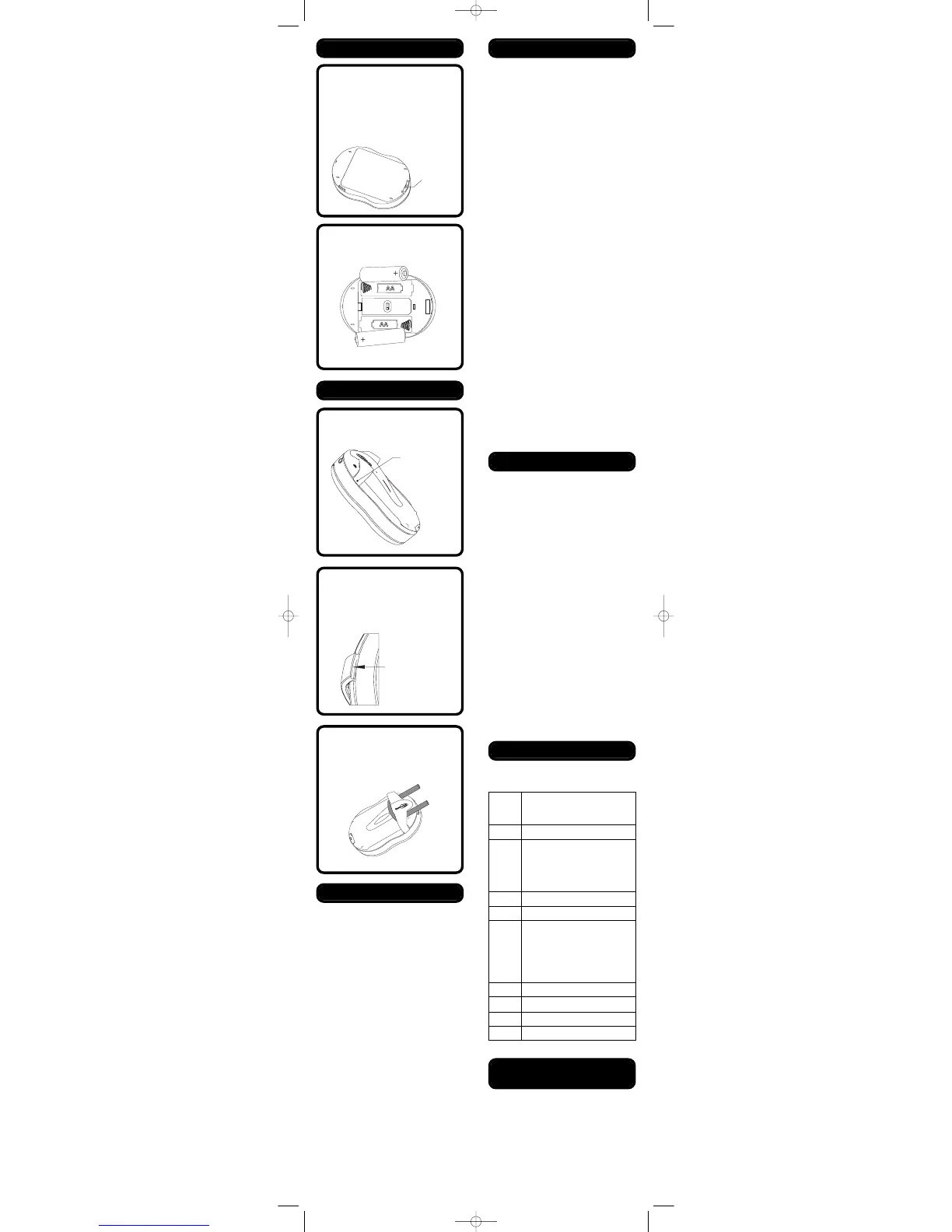
The unit uses 2 AA alkaline batteries
(
LR6 or AA).
Remove belt clip if fitted (see below).
Remove the battery cover located on
t
he rear of the amplifier by pressing
in the clip on the end of the unit and
lifting the cover upward.
I
nsert the two batteries according to
the symbol shown in the battery
c
ompartments.
Replace the battery cover.


 To Previous Page
 Loading...