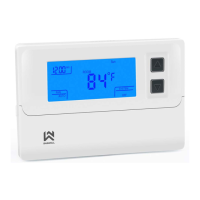
THERMOSTAT OPERATION--------------------------------------
1. Setting the thermostat
This thermostat is very easy to operate. Set the SYSTEM switch to
either HEAT or COOL, then press the ▲ or ▼ buttons until the
temperature you want to maintain is shown on the right side of the
display. If you want to turn the system off, just move the SYSTEM
switch to the OFF position and the FAN switch to the AUTO position.
Move the SYSTEM switch to the OFF position, then press and hold the
▼ buttons for 5 seconds to enter the clock setting mode. The display
will show the HOUR setting first . Use the ▲ button to select each
user setting. Press the ▼ button to shift to the next menu item
( MINUTES,WEEK DAY). Use the ▲ button to select each user



 To Next Page
 Loading...