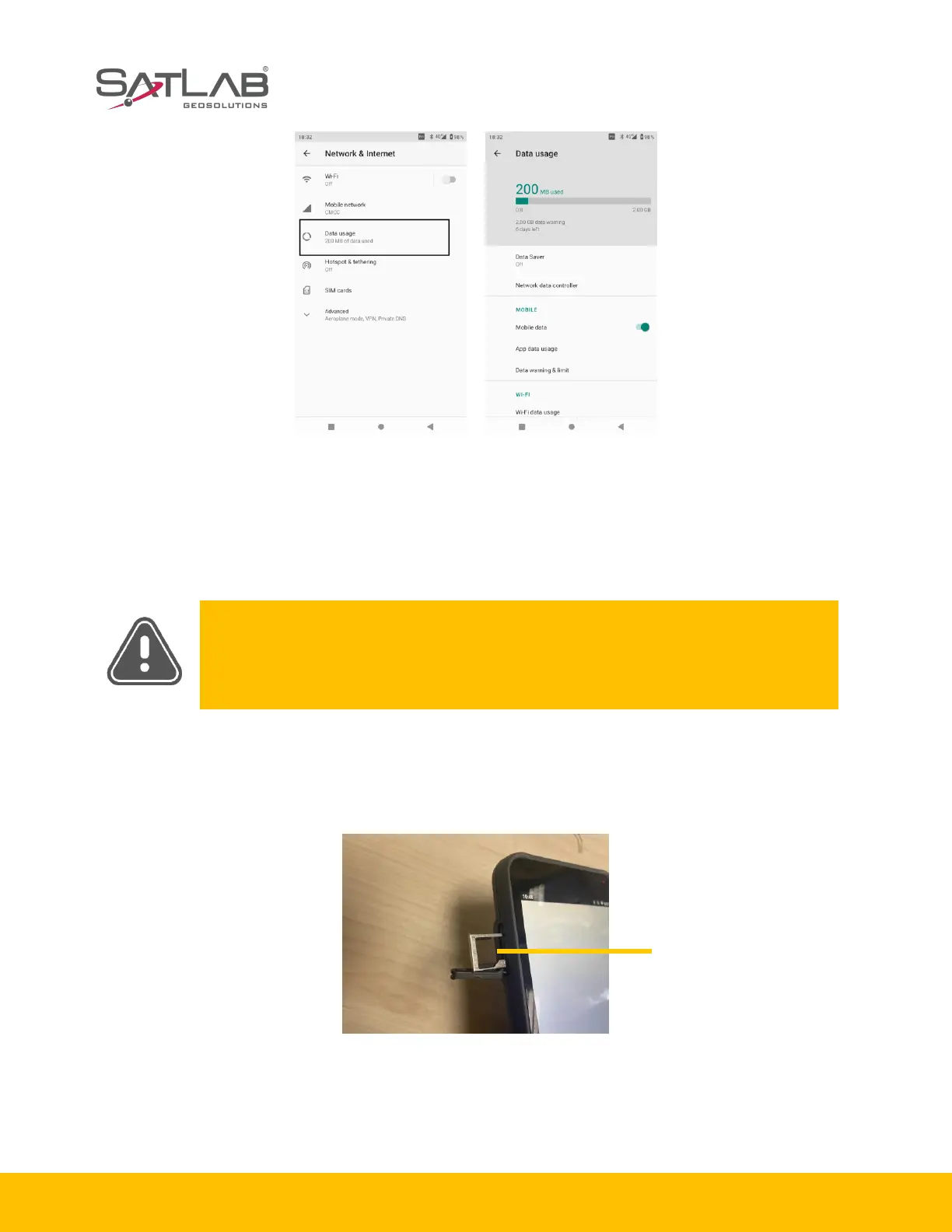
Figure 1-4-4 Data usage Figure 1-4-5 Overview of data
1.4.5 Installation of the Micro SD card
The Micro SD card can save collected data and program files.
Notice: Micro SD card(TF card)is an external storage card, usually used in
mobile phones and PDAs. If you buy this, please note the difference to ordinary
SD cards. The volume of the ordinary SD card is larger than the Micro SD card,
and is not suitable for the SHC55 hand-held controller.
Step1:remove the left side cover and expose the Micro SIM card slot..
Step2: Put Micro SD card into the slot (metal contact side down).
Figure 1-4-6 Micro SD slot


 To Next Page
 Loading...