2
2. Adding a Port
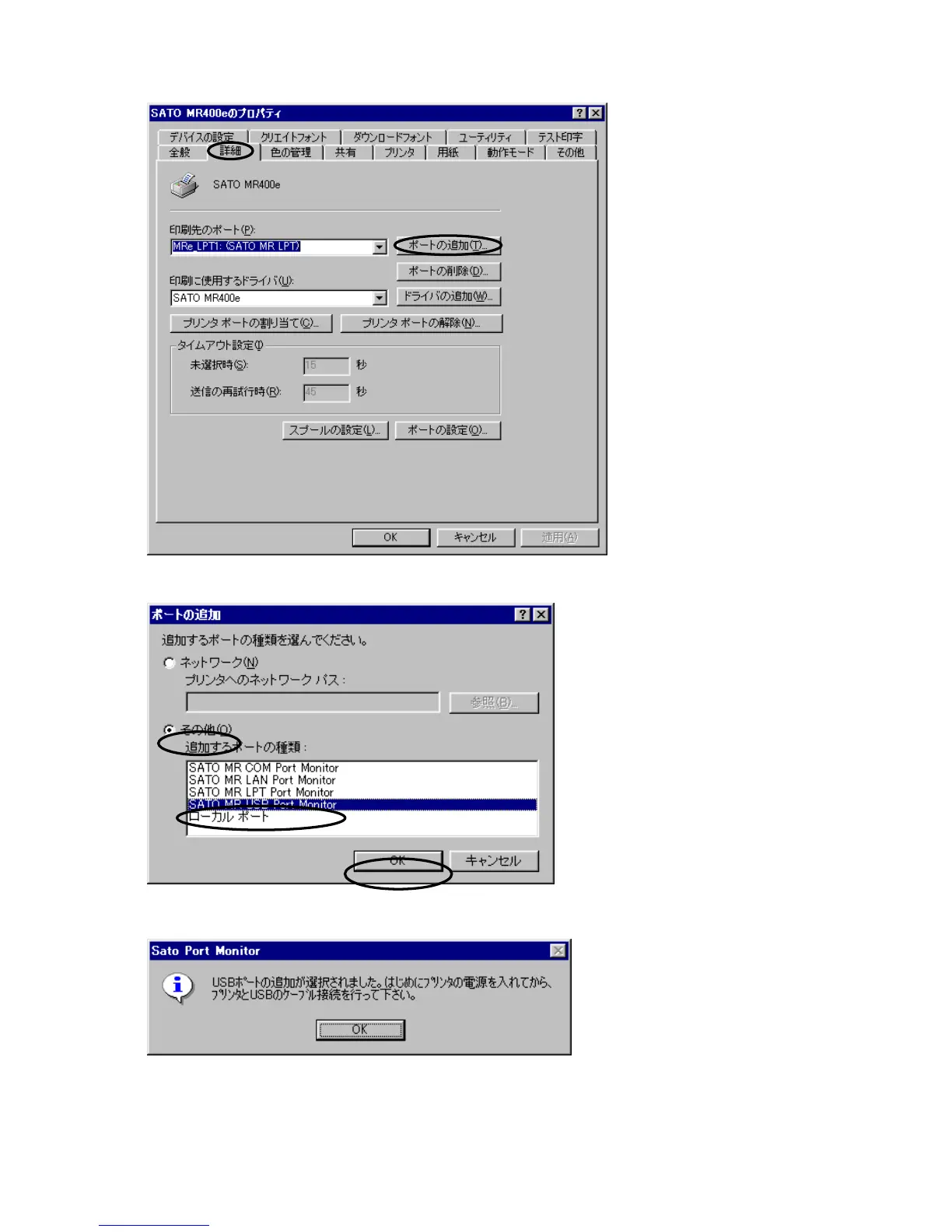
Select the [Details] tab and
click the [Add Port] button.
The [Add Port] dialog
appears.
Figure 3. [Details] dialog
Select the [Other] button. When
the [Port type to be added] list
becomes active, select “SATO MR
USB Port Monitor” and click [OK]
button. The dialog as shown in
Figure 5 appears. Turn on the
printer by following the message
and connect the USB cable to your
PC. Installation of the USB driver
is automatically started.
Figure 4. [Add Port] dialog
Figure 5. [Add USB Port] dialog



 To Next Page