Step 1
Look for this icon. It means a
video assembly tip is available at
www.sauder.com/services/tips
404944 www.sauder.com/servicesPage 6
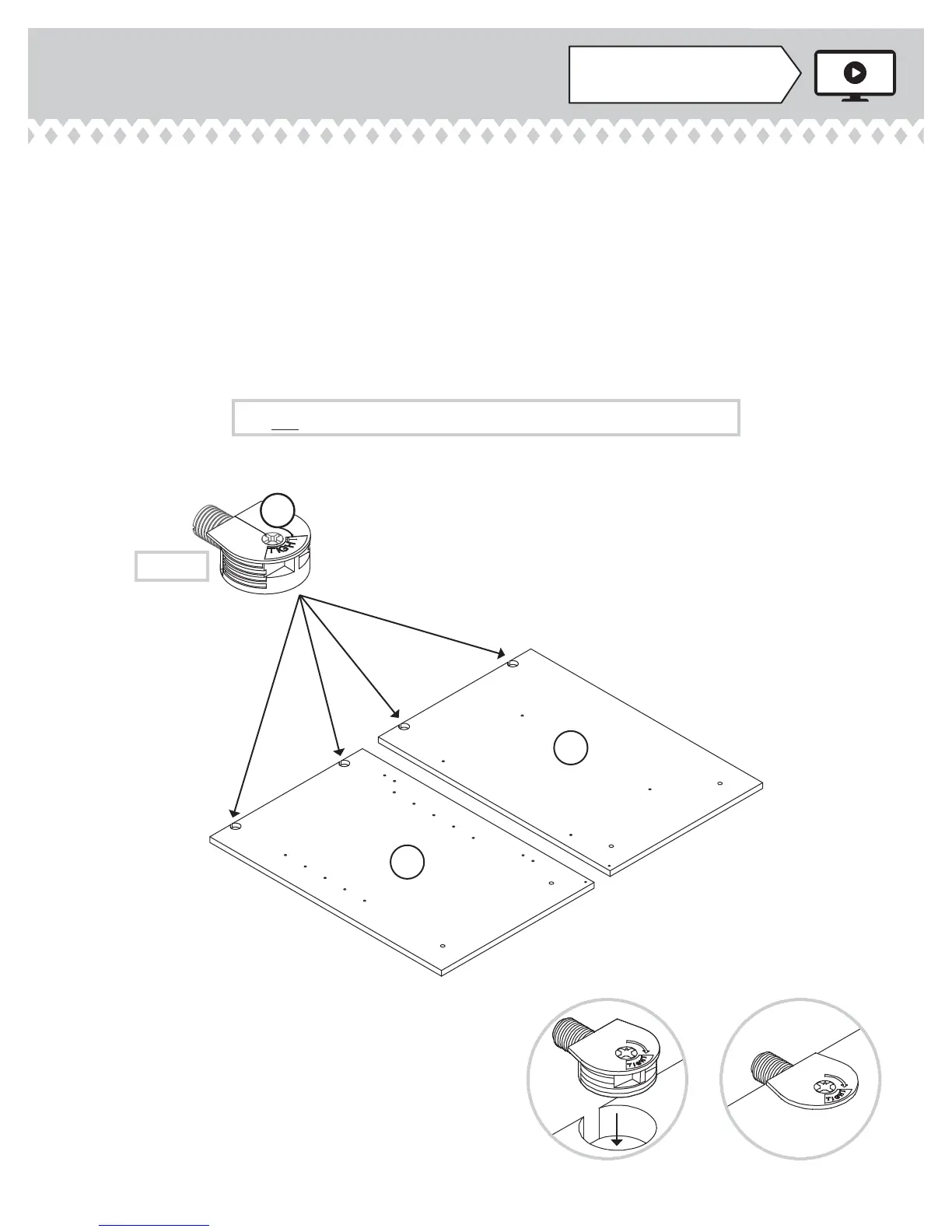
Do not tighten the TWIST-LOCK® FASTENERS in this step.
(18 used)
MM
å
Assemble your unit on a carpeted fl oor or on the empty
carton to avoid scratching your unit or the fl oor.
å
To begin assembly, push a SAUDER TWIST-LOCK®
FASTENER (MM) into the large holes in the RIGHT END (A)
and LEFT END (B).
å
Repeat this step for the UPRIGHTS (C and D), both
BOTTOMS (F), and MODESTY PANEL (G).
A
B


 To Next Page
 Loading...