
 Need help?
Do you have a question about the Savetek GS-R07 and is the answer not in the manual?
Instructions for powering the recording pen on and off.
Steps to start, pause, and save recordings on the device.
How to play back recorded files and music files.
Crucial warnings and advice for safe and effective use of the device.
Highlights features like high-definition recording, durable casing, and playback capabilities.
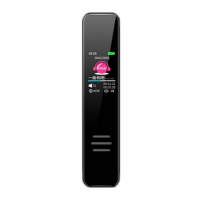
Description of the physical design and components of the recording pen.
Covers power supply, charging precautions, and device switching.
Guidance on playing recorded files and music files from the device.
Details on pausing, navigating, adjusting volume, and using cycle/equalizer/repetition modes.
Configuration options for recording format, bit rate, voice control, and segmentation.
Instructions for selecting and playing music files.
Configuration for display, date/time, language, password, and factory reset.
This document serves as a user's manual for a recording pen, providing a quick operation guide, functional features, appearance description, instructions for use, and technical specifications.
The device is primarily a recording pen, designed for high-definition audio recording. It offers various recording functionalities, including starting, stopping, and pausing recordings. The recording process is indicated by a red light and a moving recording time on the screen. Once a recording is stopped, it is automatically saved as a file. The device also supports playback of recorded files and music files. In recording mode, users can play back the current recording file, while in music mode, they can play music files.
Beyond basic recording and playback, the device incorporates several advanced features. It has a voice control function, allowing for hands-free operation in certain scenarios. For enhanced audio experience, it includes an equalizer with various sound settings such as rock, funk, hip hop, classical, electronic music, and jazz. An A-B repeat function is available for focused listening or transcription, enabling users to repeat a specific segment of an audio file. The device also features a monitoring function, although its specific application is not detailed.
For managing recordings, the device allows for file deletion directly on the machine, offering options for single or all deletions. It supports recording segmentation, where users can set a desired recording time (from 0 to 300 minutes) to automatically split recordings into smaller files. A regular recording feature allows for scheduled recordings, with options to set the timing recording on/off, cycle, start time, and end time.
The device also functions as an MP3 player, enabling users to listen to music files. It supports multiple languages, making it accessible to a wider range of users. For security, a power-on password lock can be set.
The recording pen is designed for ease of use with a clear IPS screen display. Powering the device involves pushing the power switch from the "off" to the "on" position, which initiates automatic startup. To turn off the device, the power switch is moved from "on" to "off." In standby mode, the device can also be shut down by pressing and holding the play key for 3 seconds until "byebye" is displayed, indicating entry into sleep mode. The system will automatically shut down if there is no operation within 5 minutes when the device is in a paused or stopped state.
Navigating through menus and files is done using "previous" and "next" keys. The "play" key is central to many operations, including starting playback, pausing, confirming settings, and entering various modes. Long pressing the "play" key allows access to volume adjustment, where "next" reduces volume and "previous" increases it (volume levels 0-31). Long pressing the "menu" key is used to enter settings lists, such as playing settings or playback settings.
When playing recording or music files, users select the desired mode (recording or music) from the main menu, then navigate to select the specific file using "previous" or "next" keys, and finally press "play" to start playback. Fast forward and rewind functions are available by long pressing the "next" and "previous" keys, respectively, during playback.
The device offers various playback modes, including all cycles, random play, browse play, and single cycle, which can be selected from the playing setting list. The rereading setting, accessible from the playback setting list, allows users to define a start and end point for A-B repetition.
Recording settings include selecting the recording format and recording bit rate, both adjustable via the "play" key and "previous/next" keys. The voice control setting can be toggled between normal and voice control modes. The recording light can be switched on or off, and the monitoring function can also be enabled or disabled. Gain levels for recording can be adjusted from 1 to 7.
The device's display settings allow for adjustment of brightness, backlight timer, and screen protection. Date and time can be set by adjusting values using "previous/next" keys and confirming with the "play" key. Language settings offer a choice of simplified Chinese, traditional Chinese, English, and other languages. A password can be set and modified for device security. Factory settings can also be restored.
Connecting the device to a computer is straightforward, requiring a USB cable to link the device's USB port to a computer's USB port. Users are advised to use normal methods for removing removable disks to prevent data loss.
The device is powered by a built-in lithium battery. Users are advised to charge the device when the battery indicator shows low power. Charging requires the power switch to be in the "on" position. Important precautions for charging include disabling mobile phone fast charging chargers and avoiding chargers with DC voltage higher than 5V. The typical charging time is 2 to 4 hours, and the device should be unplugged once fully charged to prevent overcharging. The power indicator cycles from empty to full during charging.
For long-term storage, if the product is not going to be used for an extended period, it is recommended to turn the power switch to the "off" position and replenish the power every 3 months.
The device is not waterproof and should be protected from splashes and drops. It should not be used in extremely hot, cold, dusty, or humid environments. Users are also cautioned against letting the product fall during use.
In terms of data management, users are responsible for backing up their own data. The manufacturer explicitly states that they are not responsible for data loss or damage due to software/hardware misoperation, product maintenance, battery replacement, or other accidents. They also disclaim responsibility for indirect losses or misunderstandings of the manual.
Users are advised not to format the machine on a computer or mobile phone to avoid poor recording effects and file loss.
 General
| Memory | 8GB |
|---|---|
| Battery Life | Up to 15 hours |
| Recording Format | WAV |
| Features | Voice Activated Recording |
| Battery Type | Built-in rechargeable lithium battery |
| Microphone Type | Built-in |
| Interface | USB |

 To Next Page